
If you manage WordPress migrations, content exports, staging-to-production updates, or SEO data transfers, you have probably searched for
WP All Export, WP All Import, or a WordPress plugin that can handle both import and export workflows.
WP All Export and WP All Import are well-known tools, but they are not the only option. Many WordPress users need a more flexible,
affordable solution that does not require paying for a large annual package before they can export custom fields, filter data,
download images, map fields, or sync selected content between sites.
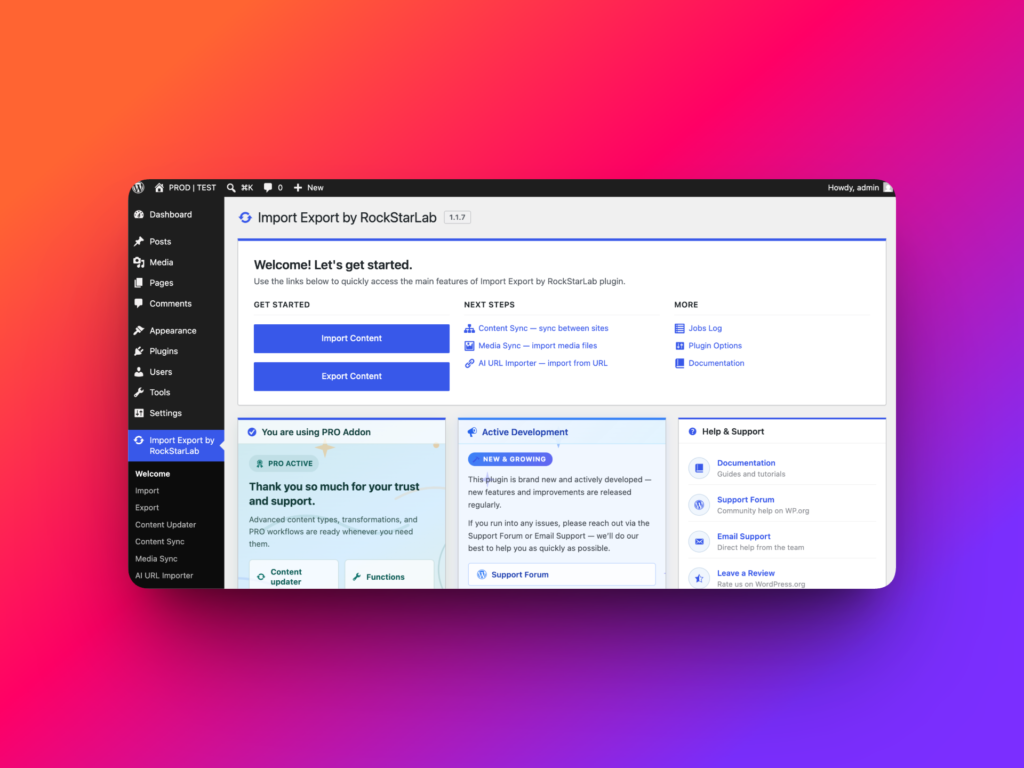
WP Import Export by RockStarLab is a powerful free alternative to WP All Export / WP All Import for users who want
import, export, content sync, content updater, URL import, media sync, automatic field mapping, and a beginner-friendly interface in one plugin.
Why Look for a WP All Export / WP All Import Alternative?
WP All Export and WP All Import can be powerful, but the full import and export workflow can become expensive if you need both plugins
and advanced add-ons.
At the time of writing, the WP All Import + WP All Export Import + Export Pro Package is listed at $299.00 per year.
That may work for some agencies, but it is not always ideal for freelancers, small businesses, site owners, or teams that only need
to migrate a few websites, update selected pages, export ACF fields, or run occasional content operations.
WP Import Export by RockStarLab gives you a different path: start with a free plugin, use advanced workflows, get all Premium options
free for 1 month as a new user, and upgrade to Pro from only $9.99/month for 2 sites.
WP Import Export by RockStarLab vs WP All Export / WP All Import
| Feature | WP Import Export by RockStarLab | WP All Export / WP All Import |
|---|---|---|
| Free version | Yes | Yes, with limitations |
| ACF export in basic version | Yes, including ACF Fields, Repeater, and Flexible Content | Usually requires Pro/add-ons for advanced ACF workflows |
| Yoast SEO fields | Supported | Depends on package and setup |
| Automatic image downloading | Included | Available in import workflows, depending on setup |
| Data filters in free version | Yes | Not available in the same way in the free plugin |
| Automatic field mapping | Yes | Requires more manual setup in many workflows |
| Beginner-friendly interface | Clear step-by-step workflow for non-technical users | Powerful, but can feel more complex for beginners |
| Premium trial | All Premium options free for 1 month | Paid annual packages |
| Entry Pro pricing | $9.99/month for 2 sites | Import + Export Pro Package listed at $299/year |
| Sync selected pages between staging and production | Yes | Usually requires export/import steps |
| Content update without manual import/export editing | Yes | Commonly handled through export, spreadsheet editing, and re-import |
| Import pages from URL list | Yes | Not a core workflow |
| Media Library sync | Yes | Different media handling workflow |
Export ACF Fields, Repeater, and Flexible Content in the Free Version
Advanced Custom Fields is one of the biggest reasons WordPress import and export tasks become complicated.
A simple post title and content export is easy. A real production site usually has structured fields, image fields,
repeater rows, flexible layouts, SEO metadata, relationship fields, and custom post types.
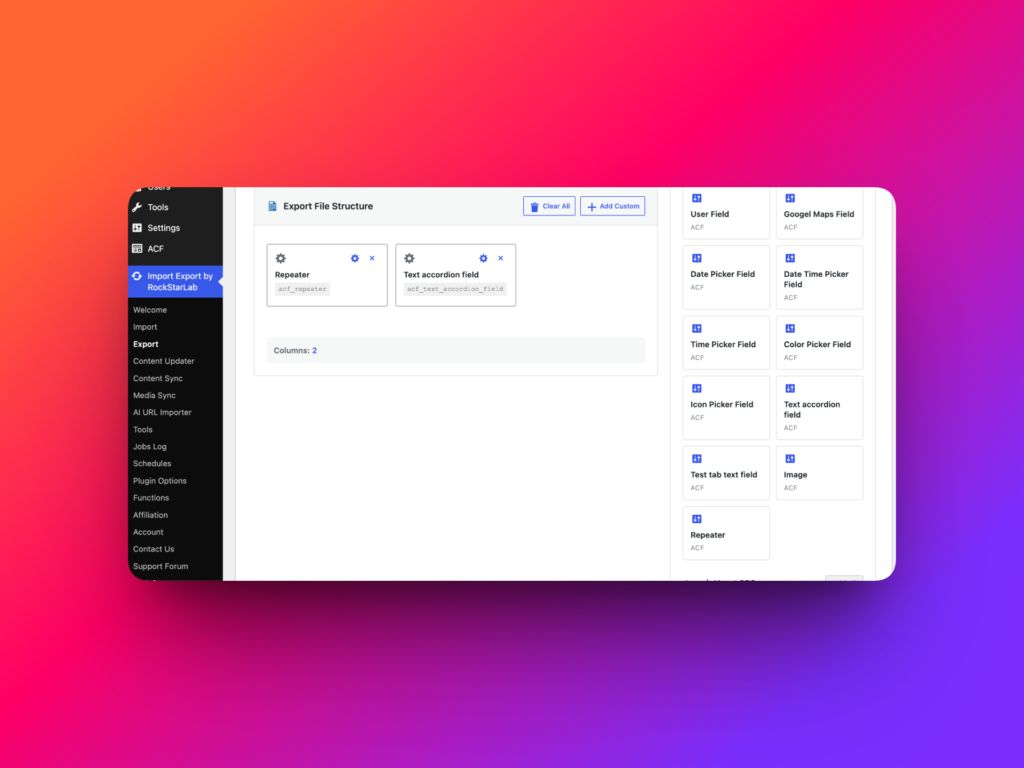
WP Import Export by RockStarLab is built for real WordPress websites. Even in the basic version, the plugin supports exporting
ACF Fields, including Repeater and Flexible Content.
This makes it a strong free WP All Export alternative for developers and agencies working with ACF-heavy websites.
Yoast SEO Fields Are Supported
SEO data is easy to lose during migration if your import/export workflow does not handle metadata properly.
WP Import Export by RockStarLab supports Yoast SEO fields, helping you preserve important SEO data such as titles, descriptions,
canonical settings, and other metadata during export, import, migration, or content update workflows.
Filter Export Data in the Free Version
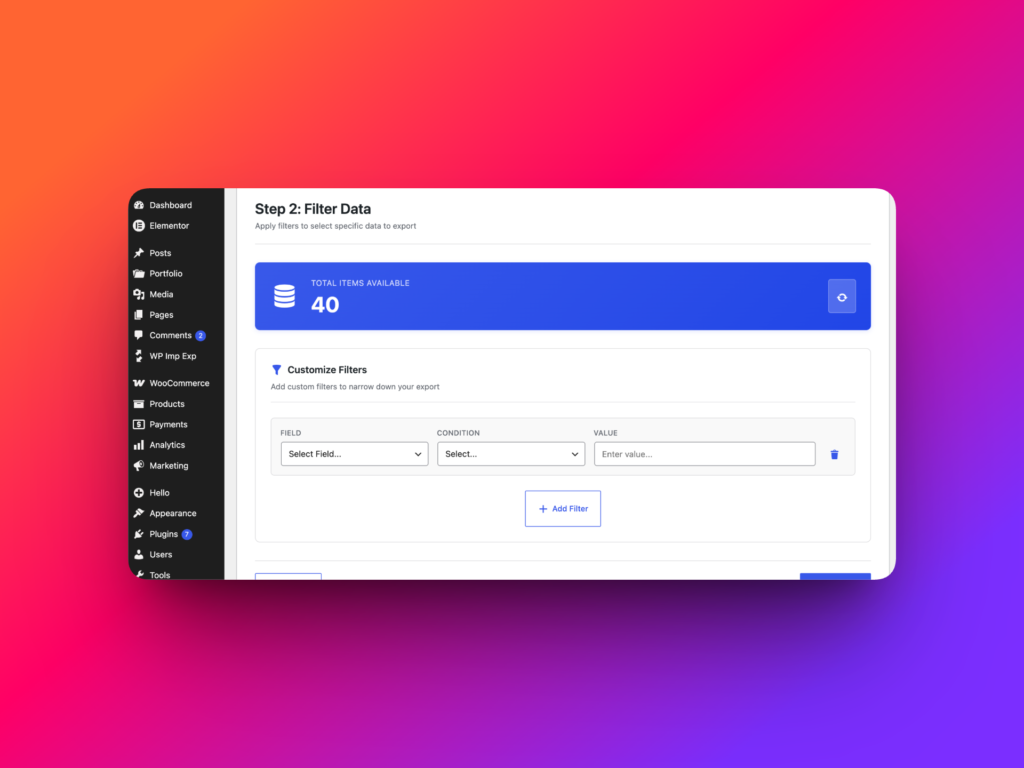
Most export tasks do not require exporting everything. You may only need published posts, pages from a specific section,
content modified after a certain date, items matching a custom field value, or records from a specific category.
WP Import Export by RockStarLab includes data filtering in the free version. This helps you create cleaner exports, reduce file size,
and avoid manual cleanup after downloading the file.
Automatic Field Mapping for Faster Imports
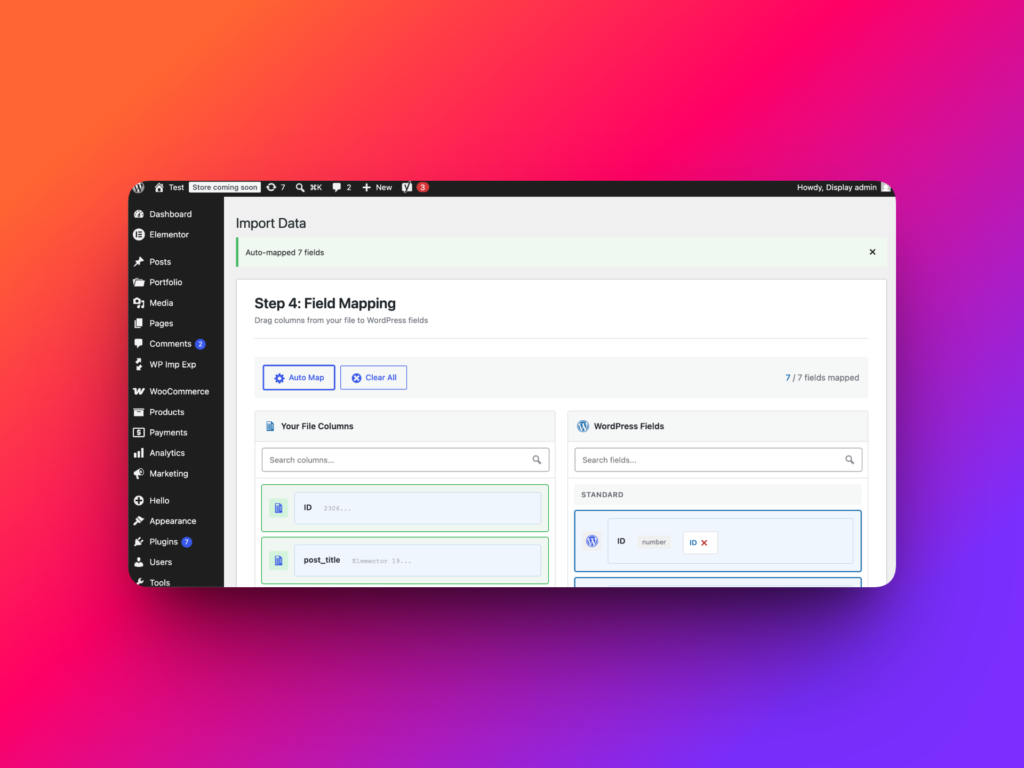
Another important advantage of WP Import Export by RockStarLab is automatic field mapping.
When you import content, the plugin helps match fields from your file with the correct WordPress fields, custom fields,
ACF fields, SEO fields, and other supported data types.
This saves time and reduces mistakes, especially when working with large CSV, XML, XLS, or ODS files.
Instead of manually connecting every column from scratch, you can start with smart field suggestions and adjust only what needs to be changed.
For beginners, this makes the import process much easier. For agencies and developers, it speeds up repeated migration workflows
and reduces the chance of mapping the wrong value to the wrong field.
A More Beginner-Friendly Interface
Import and export plugins can become intimidating quickly, especially for users who are not developers.
Field mapping, custom fields, media settings, filters, and update rules can feel technical if the interface is not clear.
WP Import Export by RockStarLab is designed with a more understandable interface for beginners.
The workflow is broken into clear steps, so users can choose the content type, configure filters, map fields,
preview data, and run the job without feeling lost.
This makes the plugin useful not only for developers and agencies, but also for content managers, SEO specialists,
store owners, and WordPress admins who need to move or update data without learning a complicated technical process first.
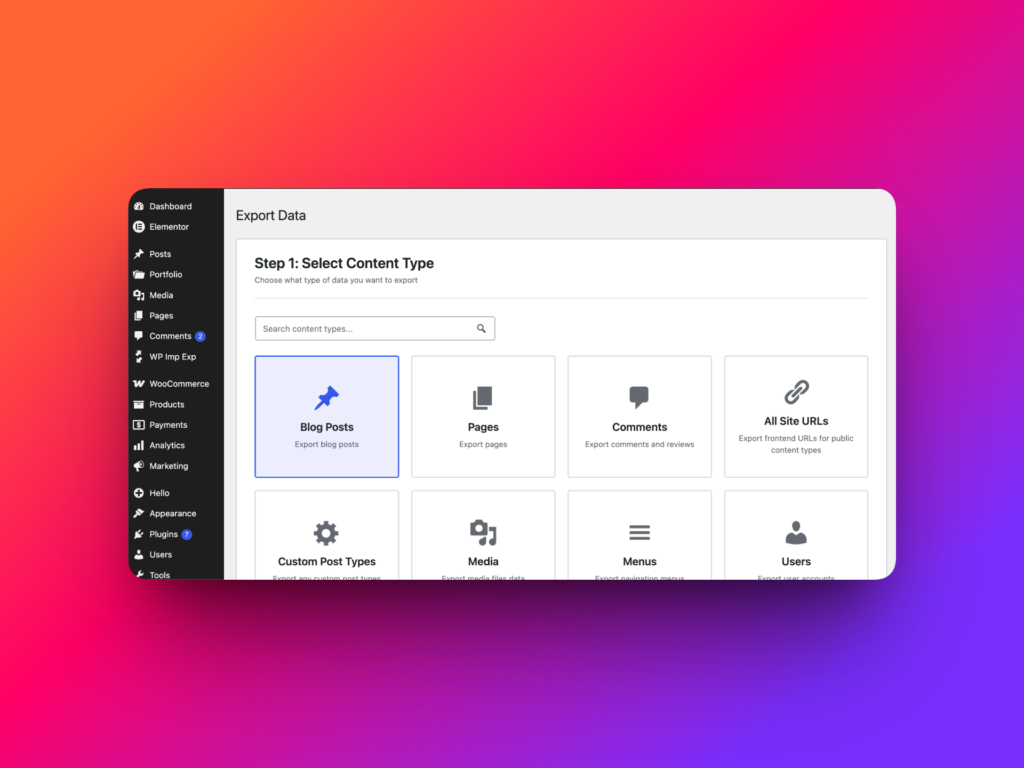
Automatic Image Downloading
Images are one of the most common problems in WordPress migrations. A page is not fully migrated if the text arrives but the images
are missing, broken, or still linked to the old website.
WP Import Export by RockStarLab can automatically download images during import workflows, helping you move content more completely
and keep media attached to the destination WordPress site.
Sync Selected Pages Between Staging and Production
Traditional import/export is not always the best workflow. Sometimes you do not want to export a CSV, download a file, upload it to
another website, map fields, and run an import. Sometimes you simply want to move selected pages from staging to production.
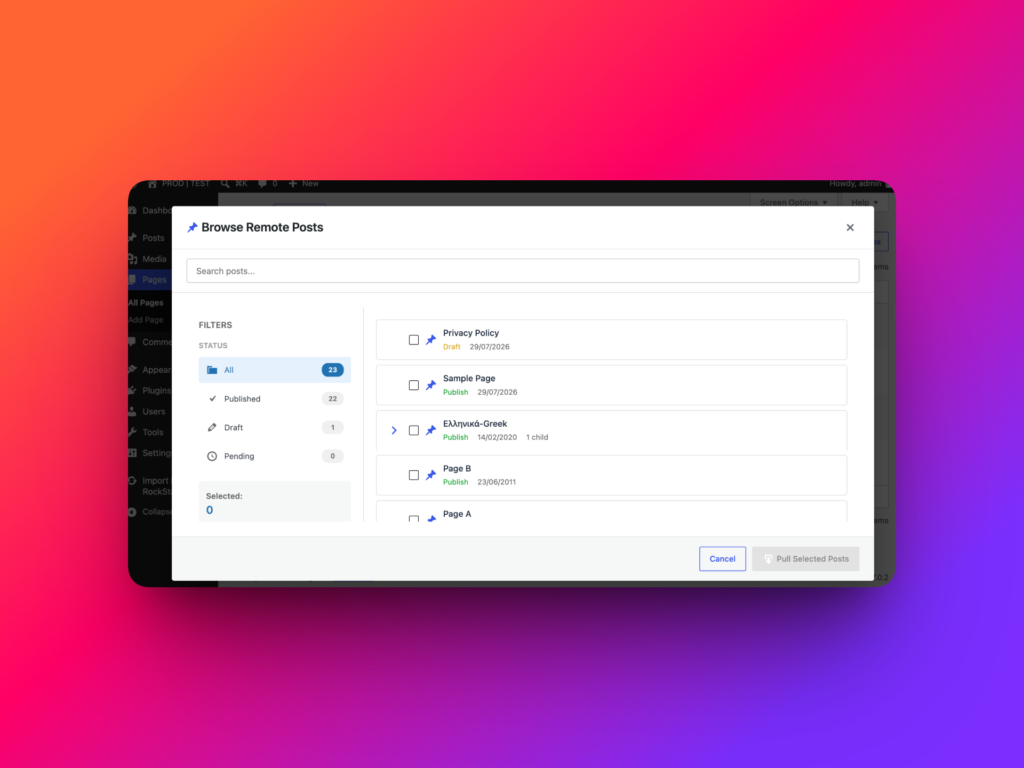
WP Import Export by RockStarLab includes Content Sync, allowing you to synchronize selected pages between connected WordPress sites
without manual export and import steps.
This is ideal for agencies, developers, and content teams that build pages on staging, approve them, and then push only selected pages live.
Content Update Without Manual Spreadsheet Editing
A common bulk update workflow looks like this: export content, open the file in Excel or Google Sheets, manually edit values,
save the file, upload it again, map fields, and run an import.
That works, but it is slow and risky when you need repeatable updates.
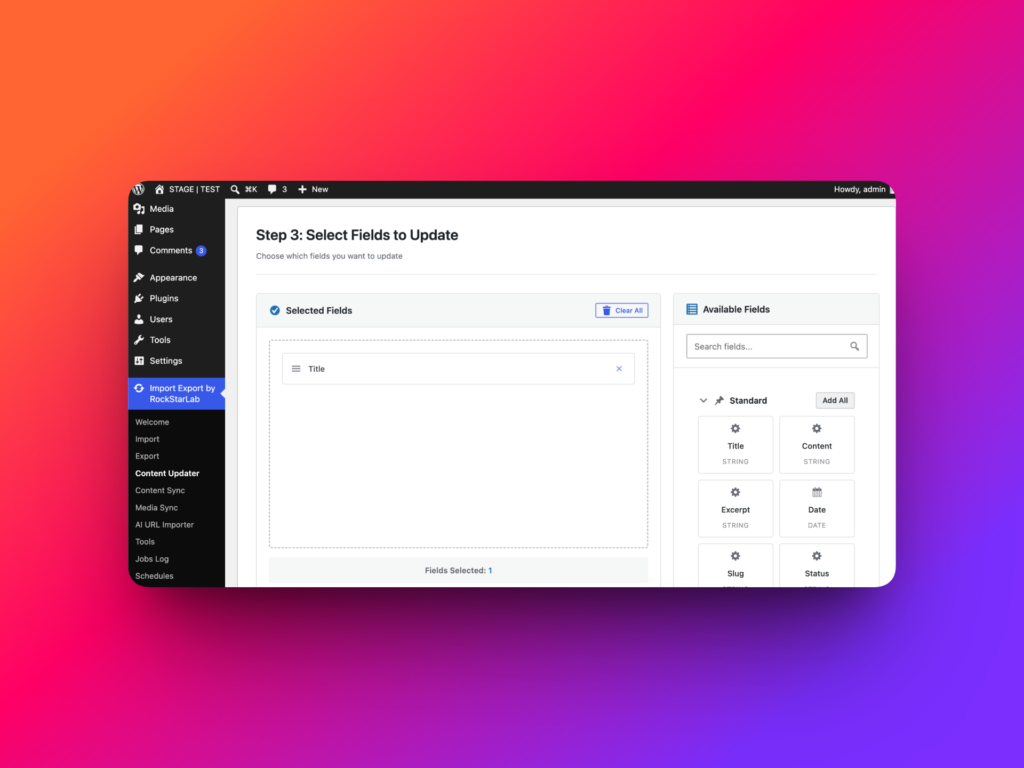
WP Import Export by RockStarLab includes a Content Updater workflow that lets you update content without repeating manual
export-edit-import steps. It is useful for recurring updates, cleanup tasks, structured field changes, and controlled content transformations.
Import Pages from a List of URLs
Sometimes your source content is not a CSV file. It may be a list of live URLs from another site, an old website, a content archive,
or a client-provided page list.
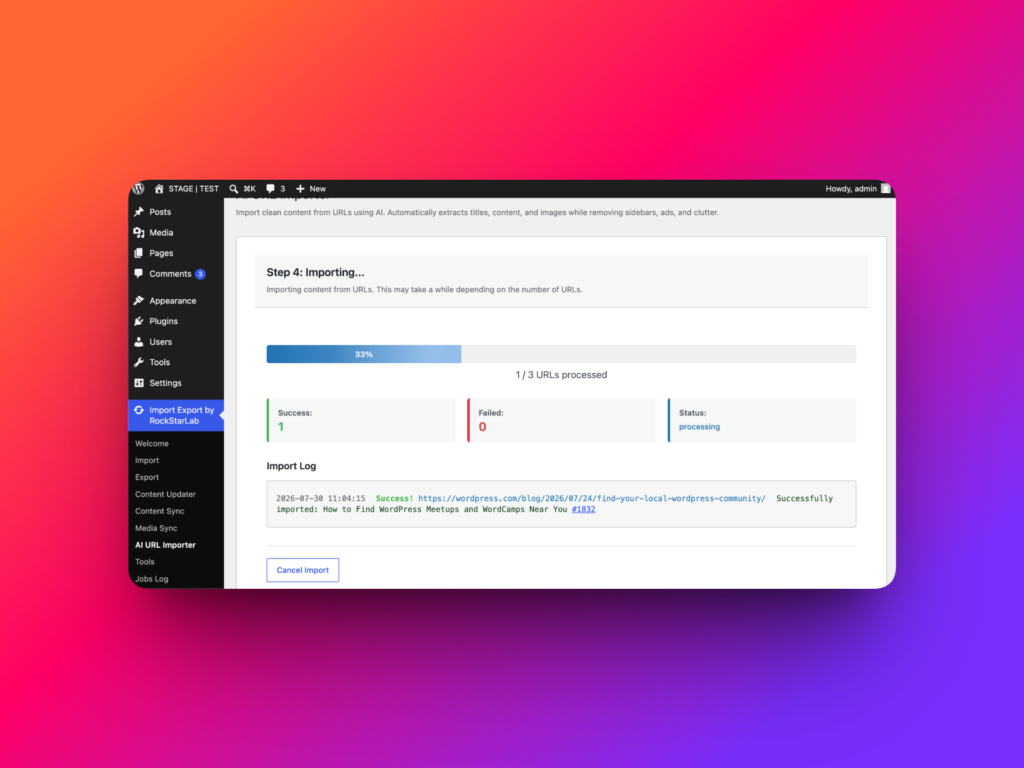
WP Import Export by RockStarLab supports importing pages from a list of URLs, giving you a faster way to create WordPress content
from existing public pages instead of copying and pasting everything manually.
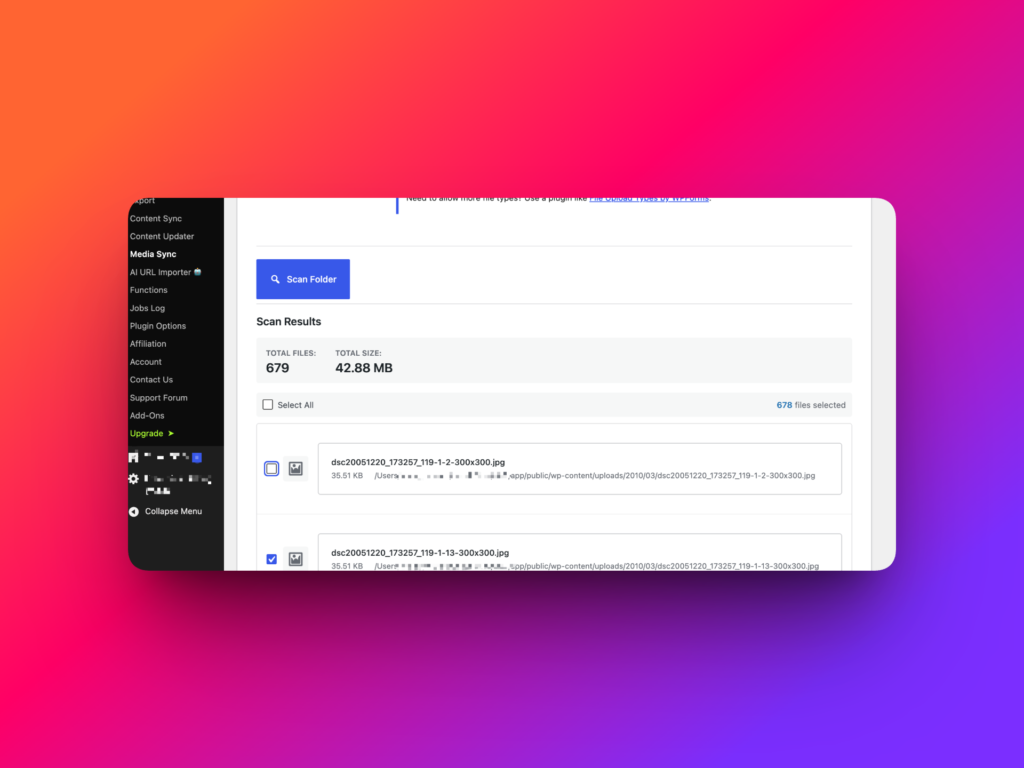
Media Library Sync
WordPress media management is not only about importing images from a spreadsheet. Many site owners upload files by FTP, SFTP,
deployment scripts, or server tools, then need those files registered inside the WordPress Media Library.
WP Import Export by RockStarLab includes Media Library Sync, so you can synchronize media files with the WordPress Media Library
and make them available inside the admin area.
Free 1-Month Access to All Premium Options
Choosing a WordPress import/export plugin is easier when you can test the complete workflow on a real site.
WP Import Export by RockStarLab gives all new users 1 month of Premium access for free.
You can test advanced workflows, content sync, content updates, media handling, URL import, and other Premium options before committing
to a paid plan.
Simple Monthly Pro Pricing
WP Import Export by RockStarLab Pro starts at only $9.99 per month for 2 sites.
You do not have to pay for a full year upfront. This makes it a flexible option for freelancers, small agencies, and WordPress users
who need powerful import/export features without a large annual payment.
Compared with the WP All Import + WP All Export Pro package listed at $299.00 per year, the monthly model can be a
better fit for users who want control over cost and flexibility.
Who Should Use WP Import Export by RockStarLab?
- WordPress agencies moving content between staging and production
- Developers exporting ACF fields, Repeater fields, and Flexible Content layouts
- SEO teams that need Yoast metadata included in exports and imports
- Site owners looking for a free WP All Export alternative
- Users who need a free WP All Import alternative with image downloading
- Teams that need export filters in the free version
- Editors who want to import content from a list of URLs
- Administrators who need to sync media files with the WordPress Media Library
- Beginners who want a clearer import/export interface
Final Verdict: A Flexible WP All Export / WP All Import Alternative
WP All Export and WP All Import are established tools, but they are not the only option.
If you want a more flexible WordPress import/export plugin with a strong free version, ACF support, Yoast support, data filters,
automatic image downloading, automatic field mapping, staging-to-production sync, content updates, URL import, media sync,
and affordable monthly Pro pricing, WP Import Export by RockStarLab is a strong alternative.
Start with the free plugin, test all Premium options for 1 month, and upgrade only when you are ready.
Download WP Import Export by RockStarLab from WordPress.org and try all Premium options free for 1 month.