
Import Export by RockStarLab is an advanced WordPress plugin for importing, exporting, syncing, and managing website data. It is built for real content workflows where site owners, agencies, developers, WooCommerce teams, and content managers need more than simple CSV import or export.
In this overview video, we walk through the plugin interface and show the main areas of the product: Import, Export, Content Sync, Content Updater, Functions, Media Sync, AI URL Importer, Tools, Jobs Log, Schedules, and Plugin Options.
What is Import Export by RockStarLab?
Import Export by RockStarLab helps you move WordPress data without fragile manual copy-paste work. You can import content from supported files, export WordPress data in multiple formats, sync selected content between sites, register FTP-uploaded files in the Media Library, import content from URLs with AI, and keep a history of jobs that can be reviewed or repeated.
The plugin is useful for content migrations, staging-to-production releases, SEO URL audits, WooCommerce data workflows, media library cleanup, custom field operations, and recurring import/export jobs.
Overview of the plugin interface
The Welcome screen gives quick access to the most important workflows. From there, you can open Import, Export, Content Sync, Media Sync, AI URL Importer, Jobs Log, Schedules, Plugin Options, and PRO features such as Content Updater and Functions.
The interface is designed around practical workflows rather than one-off tools. Most key areas use step-by-step screens, so users can choose a content type, configure options, preview data, map fields, apply filters, and run jobs with more control.
Common use cases
Import Export by RockStarLab is designed for practical WordPress data workflows. Here are some of the most common situations where the plugin can help.
| Use case | How the plugin helps |
|---|---|
| WordPress content migration | Import and export posts, pages, custom fields, media references, and advanced content types with structured workflows. |
| Staging to production sync | Use Content Sync to push or pull selected pages and posts between connected WordPress sites. |
| SEO URL audit | Export a clean list of public site URLs for audits, redirects, migration checks, and crawler planning. |
| WooCommerce data management | Use PRO workflows for WooCommerce products, orders, coupons, and attributes. |
| Media Library cleanup | Register FTP-uploaded files and avoid duplicates with filename, filesize, or hash-based detection. |
| Bulk content updates | Use Content Updater and transformation functions to update selected fields across many records. |
Import WordPress content
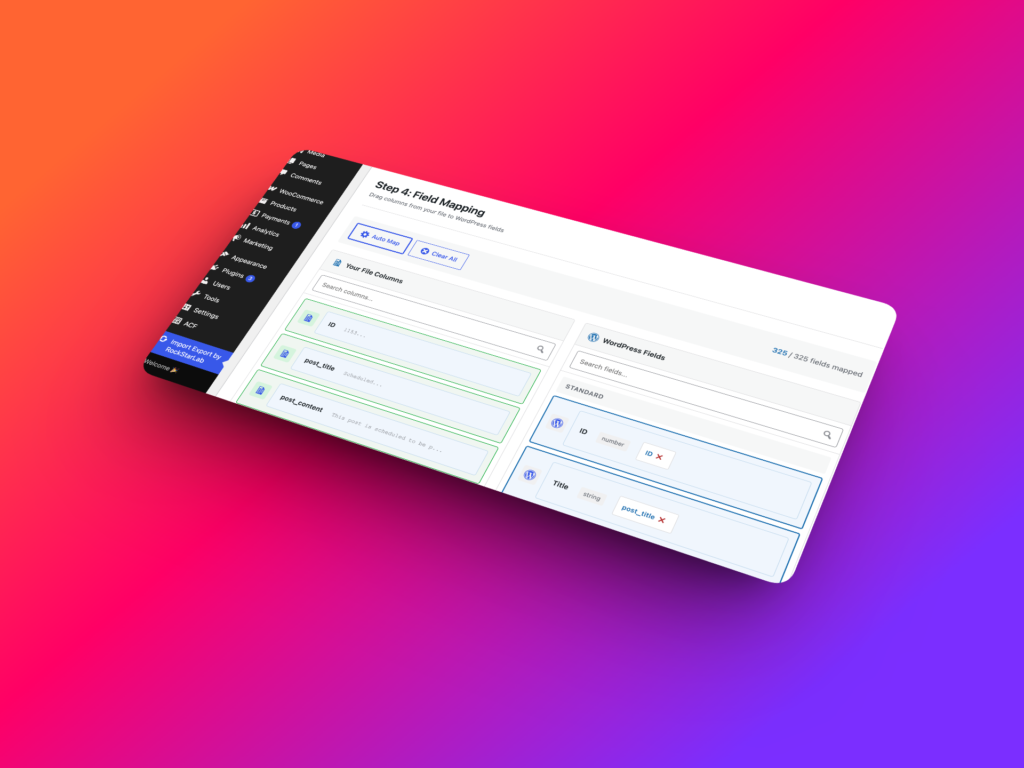
The Import workflow lets you bring data into WordPress from supported file formats such as CSV, XML, XLSX, and ODS. ZIP uploads are also supported when the archive contains one supported import file.
During import, users can choose the content type, upload a file, preview parsed data, map source columns to WordPress fields, and configure import behavior. This makes the workflow easier to review before changes are made to the site.
The free version is a strong starting point for posts and pages. The PRO Addon expands import workflows to custom post types, media, menus, users, comments, taxonomy terms, WooCommerce products, orders, coupons, attributes, and MySQL database tables.
Export WordPress data
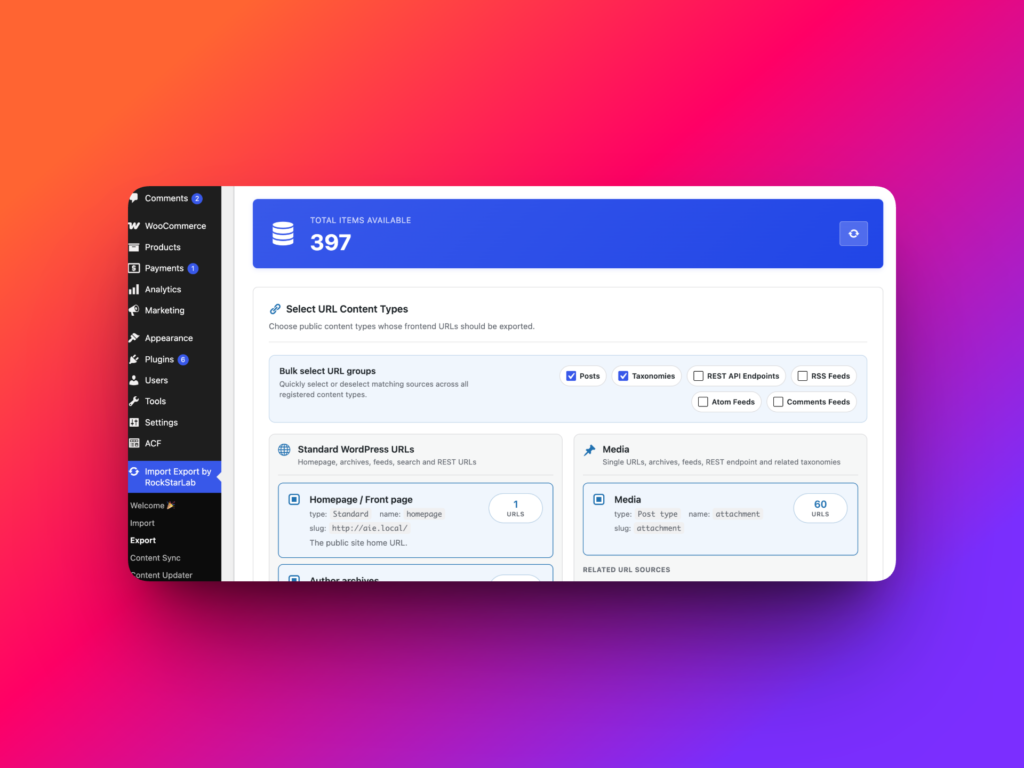
The Export workflow helps you create structured data files from WordPress. You can export selected content, apply filters, choose the exact fields you need, and download the result in formats such as CSV, JSON, XML, XLSX, or ODS.
One especially useful feature is All Site URLs export. It creates a clean list of public URLs from the website, which is helpful for SEO audits, migrations, redirect planning, content inventories, and site structure reviews.
In PRO workflows, export can also include advanced content types and WooCommerce data, making it useful for stores, agencies, and larger content operations.
Content Sync between WordPress sites
Content Sync is designed for teams that work with multiple environments, such as local, staging, and production websites.
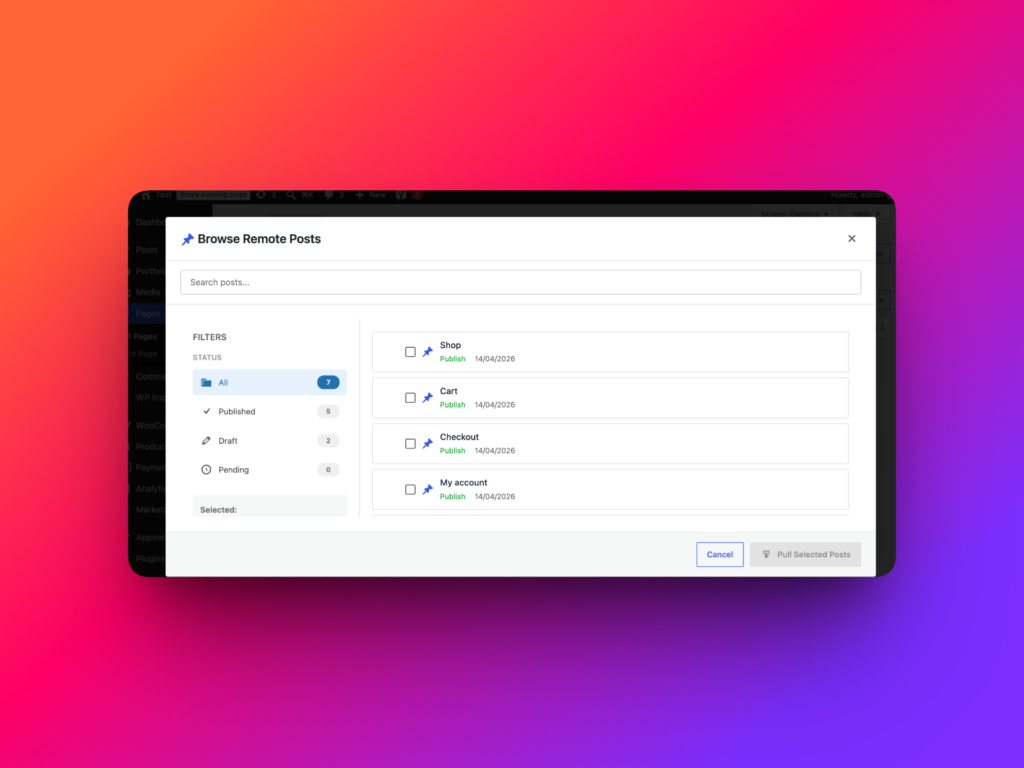
For example, an agency can build a page on staging, show it to a client, get approval, and then sync the selected page to production in just a few clicks. Instead of manually rebuilding the same content or exporting files, the plugin connects sites through API keys and allows selected content to be pushed or pulled between environments.
This is useful when you need to sync one page, one post, or multiple selected items while keeping the workflow controlled and repeatable.
Content Updater for bulk changes
Content Updater is a PRO feature for updating existing WordPress content in bulk. Instead of importing a new file just to change existing data, you can select a content type, filter the records, choose fields, apply transformations, and run a controlled update.
Common use cases include replacing an old brand name across the site, cleaning HTML from descriptions, updating custom fields, changing product titles, normalizing dates, or adjusting WooCommerce values across many records.
Transformation Functions
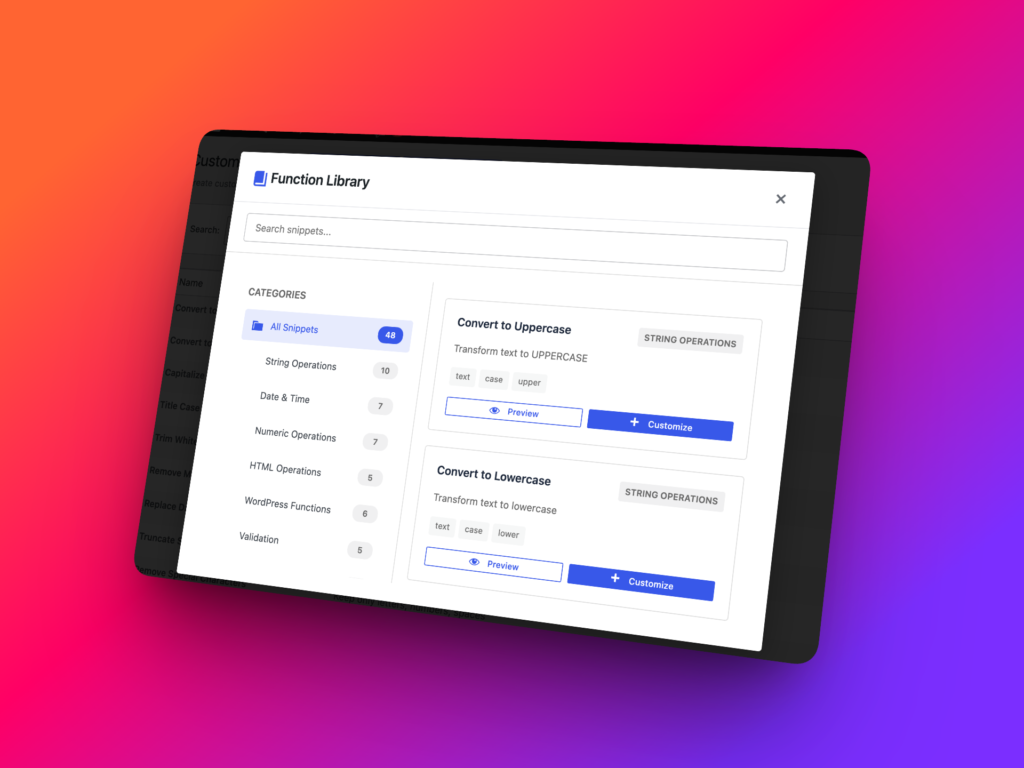
The PRO Addon includes a Functions library for reusable data transformations. A function can modify a field value during import, export, or bulk update workflows.
For example, a function can remove HTML tags, convert dates, format prices, generate slugs, return fallback values when data is empty, or combine multiple fields into one final value.
The Functions screen also includes a snippets library and AI-assisted function generation, making it easier to create practical transformations without writing every function from scratch.
Media Sync for FTP-uploaded files
Media Sync helps register files that already exist on the server but are not yet visible in the WordPress Media Library. This is common after FTP or SFTP uploads, old site migrations, or bulk media transfers.
The plugin can scan server folders, include subdirectories, filter file types, detect duplicates, and add the files to the Media Library. Duplicate detection can use hash, filename, or filesize, with hash detection providing a more accurate way to identify identical files even when filenames or URLs differ.
AI URL Importer
AI URL Importer helps create WordPress content from a list of public URLs. Users can paste URLs manually or upload a TXT file with one URL per line, then configure how the extracted content should be saved.
The AI workflow can extract clean content from web pages, including titles, body content, and images, while removing clutter such as ads, sidebars, and unrelated layout elements. This can be useful for content migrations, draft creation, and structured content importing from public pages.
Jobs Log and Schedules
Jobs Log keeps a history of import, export, update, and media sync operations. It helps users review job status, progress, item counts, elapsed time, and available actions.
Schedules make repeatable workflows easier. A previous job can be used as the source for a scheduled run, with one-time or recurring execution options such as hourly, twice daily, daily, or weekly.
Together, Jobs Log and Schedules turn import/export workflows into repeatable operations instead of tasks that need to be rebuilt manually every time.
Free version and PRO Addon
The free version of Import Export by RockStarLab includes practical tools for posts, pages, URL export, media folder sync, content sync, jobs, schedules, and AI URL Importer support when an API key is configured.
The PRO Addon is designed for more advanced WordPress data operations. It unlocks additional content types, WooCommerce workflows, Content Updater, MySQL table workflows, and transformation functions for cleaning, formatting, and modifying data during import, export, and bulk updates.
This makes the plugin flexible for different stages of work: start with the free version, then upgrade to PRO when you need more content types, more automation, or deeper control over data transformations.
Free vs PRO comparison
The free version of Import Export by RockStarLab is designed for everyday WordPress import, export, sync, and media workflows. The PRO Addon is built for advanced content operations, WooCommerce stores, agencies, and teams that need more content types and data transformation tools.
| Feature | Free | PRO Addon |
|---|---|---|
| Posts import and export | Yes | Yes |
| Pages import and export | Yes | Yes |
| CSV, XML, XLSX, and ODS import | Yes | Yes |
| CSV, JSON, XML, XLSX, and ODS export | Yes | Yes |
| All Site URLs export | Yes | Yes |
| Content Sync for posts and pages | Yes | Yes |
| Media Folder Sync | Yes | Yes |
| AI URL Importer | Yes, with configured AI provider or API key | Yes, with configured AI provider or API key |
| Jobs Log | Yes | Yes |
| Schedules | Yes | Yes |
| Custom Post Types import/export | No | Yes |
| Users import/export | No | Yes |
| Comments import/export | No | Yes |
| Taxonomy Terms import/export | No | Yes |
| WooCommerce Products, Orders, Coupons, and Attributes | No | Yes |
| MySQL Database Table workflows | No | Yes |
| Content Updater | No | Yes |
| Transformation Functions | No | Yes |
| AI-assisted function generation | No | Yes |
Who is this plugin for?
Import Export by RockStarLab is useful for WordPress agencies, developers, site owners, WooCommerce stores, SEO teams, and content managers who need reliable workflows for moving and managing WordPress data.
It is especially helpful when working with migrations, staging-to-production releases, product catalogs, media libraries, URL inventories, custom fields, and recurring data operations.
Recommended links
FAQ
What is Import Export by RockStarLab?
Import Export by RockStarLab is a WordPress plugin for importing, exporting, syncing, and managing website data through structured workflows.
Can I use it as a WordPress import export plugin?
Yes. The plugin supports WordPress import and export workflows for posts, pages, URLs, and additional content types through the PRO Addon.
Does the plugin support data sync between WordPress sites?
Yes. Content Sync allows connected WordPress sites to push or pull selected content between environments such as staging and production.
Does it support WooCommerce import and export?
WooCommerce products, orders, coupons, and attributes are available through the PRO Addon.
Can I bulk update existing content?
Yes. Content Updater is a PRO feature that lets you filter existing content, select fields, apply transformations, and update records in bulk.
Can the plugin register files uploaded by FTP?
Yes. Media Sync can scan server folders and register files in the WordPress Media Library, with duplicate detection options.