
Import Export by RockStarLab includes a free one-month trial for the PRO Addon. This lets you try the advanced version of the plugin before deciding whether it fits your WordPress import, export, sync, and bulk update workflows.
In this video, you will see how to start the free PRO trial, download the PRO Addon, install it in WordPress, and activate your license key.
What is the PRO Addon?
The PRO Addon extends Import Export by RockStarLab with advanced WordPress data workflows. The free version is already useful for posts, pages, URL exports, Media Sync, Content Sync, Jobs Log, Schedules, and AI URL Importer support. PRO is designed for users who need more content types, WooCommerce workflows, bulk updates, and data transformation tools.
You can start a free month without entering a credit card. If the plugin helps your workflow, you can continue with a paid plan later and support ongoing development and priority support.
What does the PRO Addon include?
At the time of recording, the PRO Addon unlocks advanced features such as:
- Custom Post Types import and export
- Media import and export
- Menus import and export
- Users import and export
- Comments import and export
- Taxonomy Terms import and export
- WooCommerce Products, Orders, Coupons, and Attributes
- MySQL Database Table workflows
- Content Updater for bulk-updating existing content
- Transformation Functions for changing data during import, export, and bulk updates
- AI-assisted function generation
Step 1: Open the Add-Ons screen
From your WordPress dashboard, open the Import Export by RockStarLab menu and click Add-Ons.
On this screen, you can see the add-ons currently available for the plugin. Over time, more add-ons may appear here, including both free and paid extensions. At the time of this video, the main available add-on is the PRO Addon.
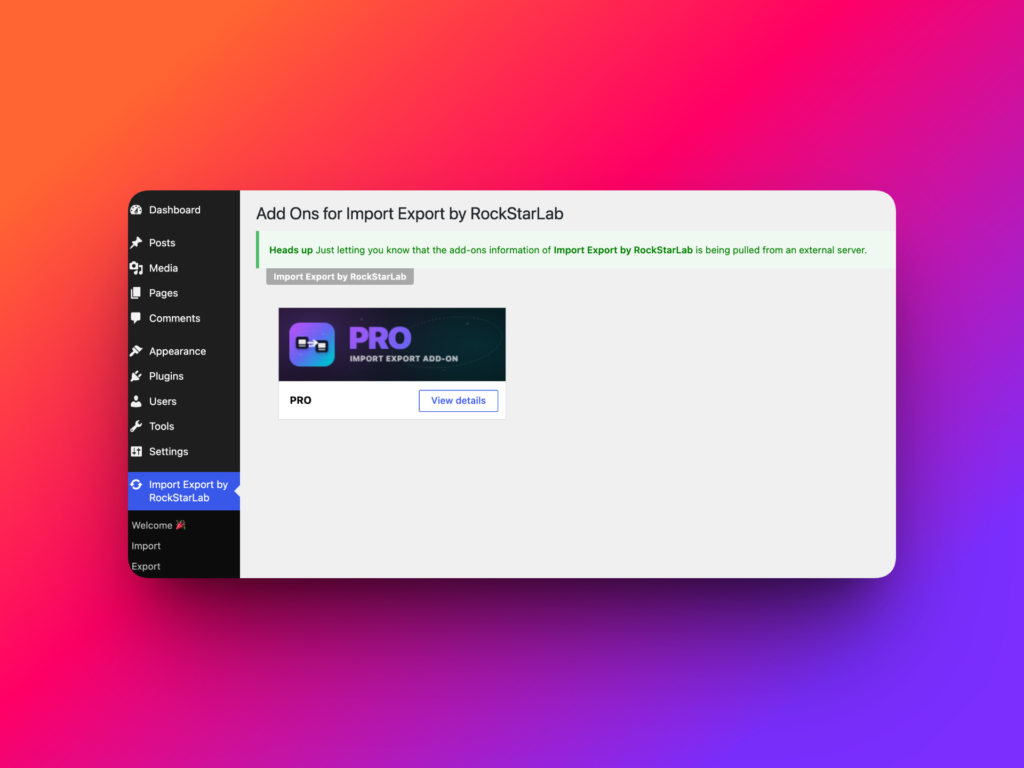
Step 2: View PRO Addon details
Click View Details on the PRO Addon card. A dialog will open with the available plans.
Choose the plan that fits your needs. The trial is free for one full month, and no credit card is required to start.
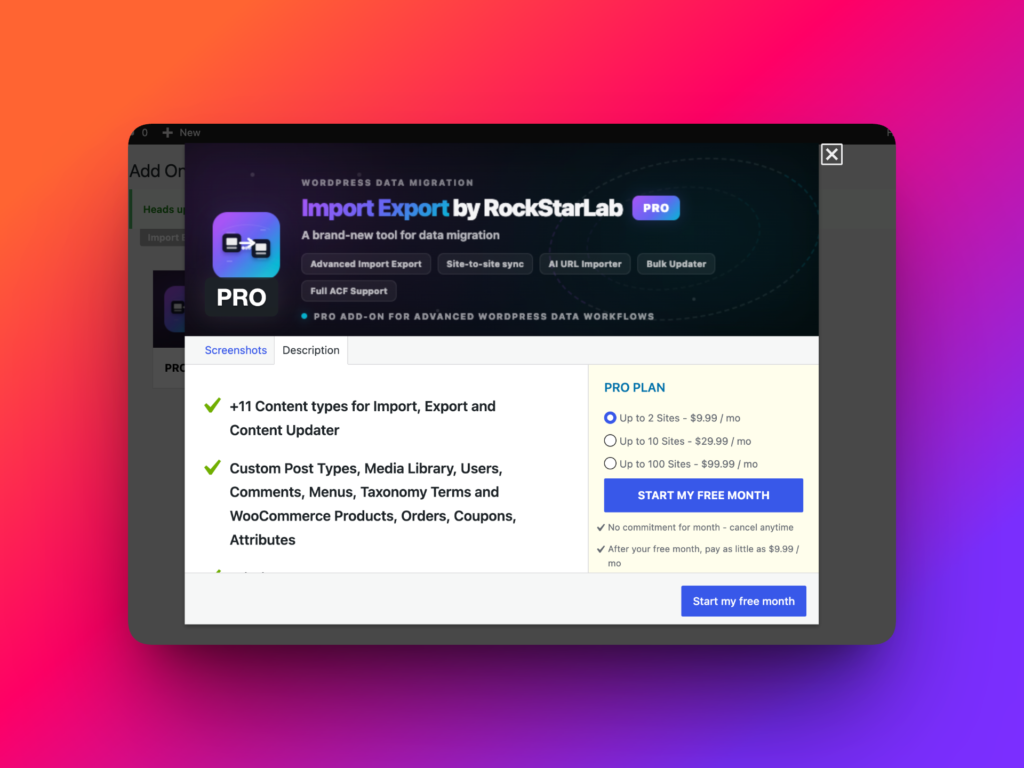
Step 3: Start your free month
After choosing a plan, click Start My Free Month.
On the next page, enter your name and email address. This information is used to create your trial license and send you the download link for the PRO Addon.
Click Start Trial & Install to continue.
Step 4: Check your email
After starting the trial, check the email inbox for the address you entered in the form.
You should receive an email containing two important items:
- A download link for the PRO Addon ZIP file
- Your license key
Open the email, click the download link, and save the PRO Addon installation file to your computer.
Step 5: Install the PRO Addon in WordPress
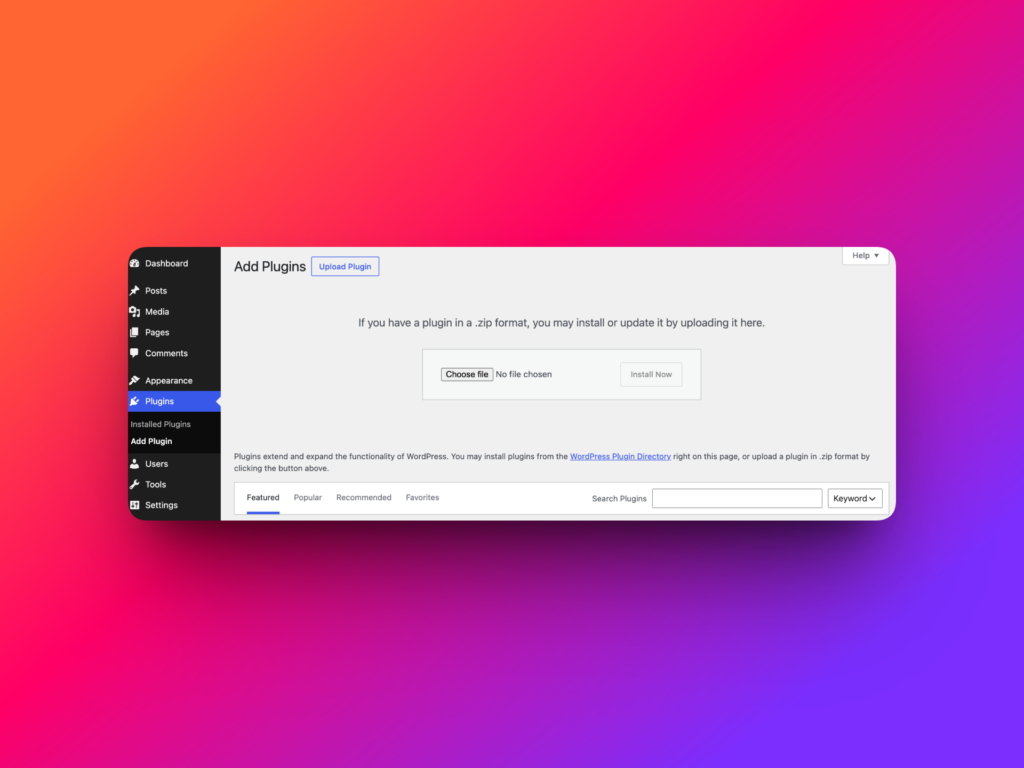
Return to your WordPress dashboard and go to Plugins → Add New.
Click Upload Plugin, choose the PRO Addon ZIP file you downloaded, and click Install Now.
When WordPress finishes installing the plugin, click Activate Plugin.
Step 6: Activate your license key
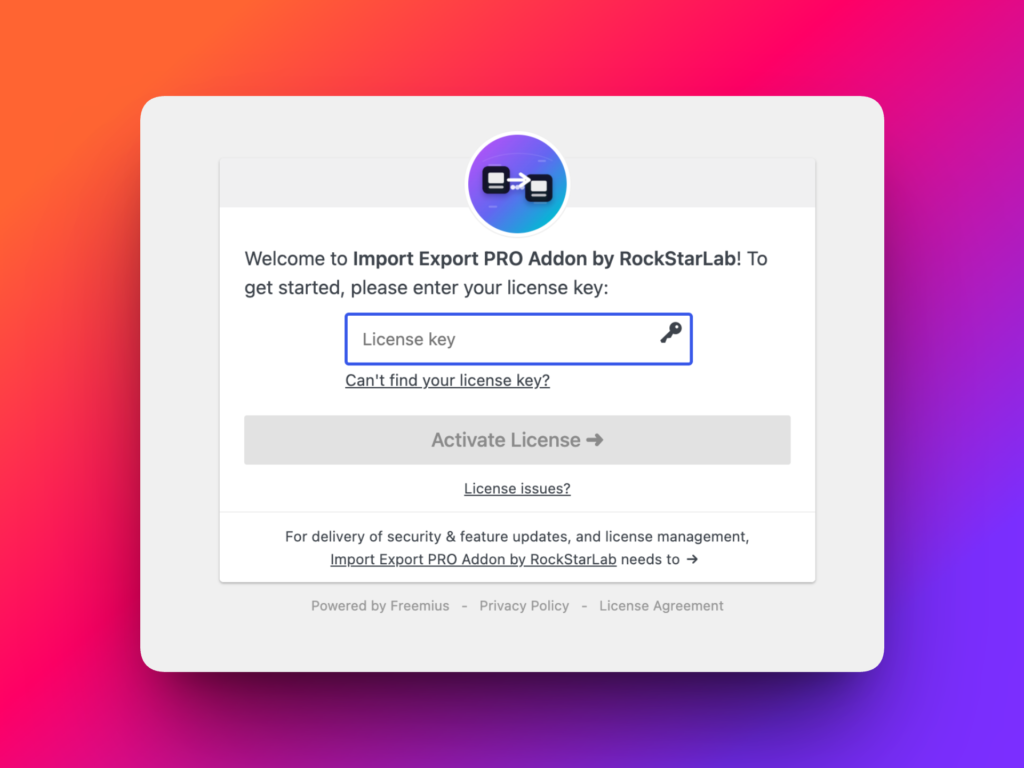
After the PRO Addon is activated, WordPress will ask you to enter your license key.
Copy the license key from the email, paste it into the license field, and click Activate.
Once the license is activated, the PRO version is ready to use.
What can you do during the free month?
During the free month, you can try the full PRO feature set without limitations. This is a good time to test advanced workflows on a staging site, try WooCommerce import/export, create transformation functions, bulk update content, or work with custom post types and taxonomy terms.
If the plugin saves time and fits your workflow, you can continue with a paid plan after the trial. If not, you can simply use the free version for the core workflows it supports.
Why start with the trial?
The free month gives you enough time to evaluate the PRO Addon on real WordPress data. You can test whether it fits your site structure, content model, WooCommerce setup, agency workflow, or migration process before committing to a paid subscription.
No credit card is required to start, so you can explore the advanced features first and decide later.
Recommended links
FAQ
Can I try Import Export by RockStarLab PRO for free?
Yes. You can start a free one-month trial of the PRO Addon from the Add-Ons screen.
Do I need a credit card to start the free month?
No. A credit card is not required to start the free trial.
Where do I download the PRO Addon?
After starting the trial, you will receive an email with a download link for the PRO Addon ZIP file.
Where do I find my license key?
Your license key is included in the email you receive after starting the trial.
How do I install the PRO Addon?
Go to Plugins → Add New → Upload Plugin, upload the PRO Addon ZIP file, click Install Now, and then activate the plugin.
What features are included in PRO?
PRO includes advanced content types, WooCommerce workflows, Content Updater, MySQL table workflows, transformation functions, and AI-assisted function generation.