
When posts move to WordPress from another platform, or from one WordPress site to another, their addresses should stay the same. Every link from other sites, every bookmark and every search result points to the old URL. In WordPress the last part of the address is the slug, and Import Export by RockStarLab lets you set it for every post in the import file. Below, old blog posts are imported with their original slugs and dates, then one slug changes without breaking the old link.
Free: everything in this guide, including the AI agent abilities.
Short Answer
- Add a
post_namecolumn with the slug of each post, for examplecold-brew-guide. A full old URL works too: the plugin keeps its last part. - If your permalinks contain the date, add a
post_datecolumn with the original publish date. - Go to Import Export → Import, choose Blog Posts, upload the file and click Auto Map.
- In step 5, choose how to find existing posts (title or slug) and start the import.
- Open a few old addresses to check them.
How WordPress builds the address
The address of a post is your permalink structure (Settings → Permalinks) filled in with the post’s data. Our test site uses /%year%/%monthnum%/%day%/%postname%/, so the address depends on two columns: the date and the slug. With the plain /%postname%/ structure, only the slug matters.
To keep the old addresses, set up the same permalink structure as the old site before you import, then bring the slug and, if needed, the date.
The file
post_title,post_name,post_status,post_date,post_content
Cold Brew at Home,cold-brew-guide,publish,2024-06-12 08:00,"Coarse grind, 1:8 ratio, 16 hours in the fridge."
Espresso Basics,https://old-shop.example/blog/2019/05/espresso-basics/,publish,2019-05-20 09:30,"Dose, yield and time."
Café Crème Explained,Café Crème Guide,publish,2021-03-02 10:00,A long espresso from Switzerland.
Roastery Open Day 2027,roastery-open-day,draft,2026-11-01 10:00,Save the date.
The four rows show the cases you will meet in a real file:
| post_name in the file | Slug after import | Address |
|---|---|---|
cold-brew-guide |
cold-brew-guide |
/2024/06/12/cold-brew-guide/ |
https://old-shop.example/blog/2019/05/espresso-basics/ |
espresso-basics |
/2019/05/20/espresso-basics/ |
Café Crème Guide |
cafe-creme-guide |
/2021/03/02/cafe-creme-guide/ |
roastery-open-day (draft) |
roastery-open-day |
none until published |
- A slug is kept as it is when it is already a valid slug.
- A full URL is reduced to its last part, so you can paste the old addresses from a crawl or a sitemap without cleaning them.
- Text with capitals, spaces or accents is turned into a slug the way WordPress does it: lower case, hyphens, no accents.
- WordPress keeps slugs unique. If a published post already uses a slug, the new post gets a number at the end, such as
-2, when it is published. Drafts keep the slug from the file until then.
Step 1: Upload and map
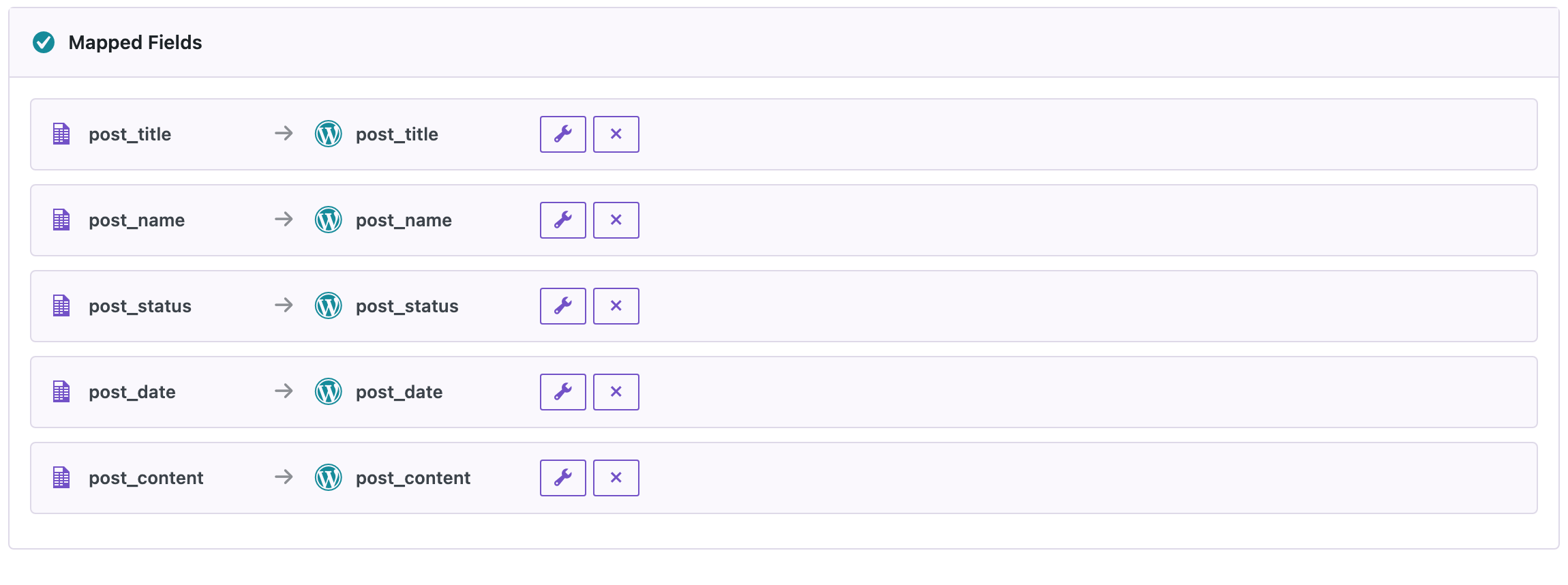
Open Import Export → Import, choose Blog Posts and upload the file. In step 4, Auto Map maps post_name to the slug field and post_date to the publish date.
Step 2: Choose how to find existing posts
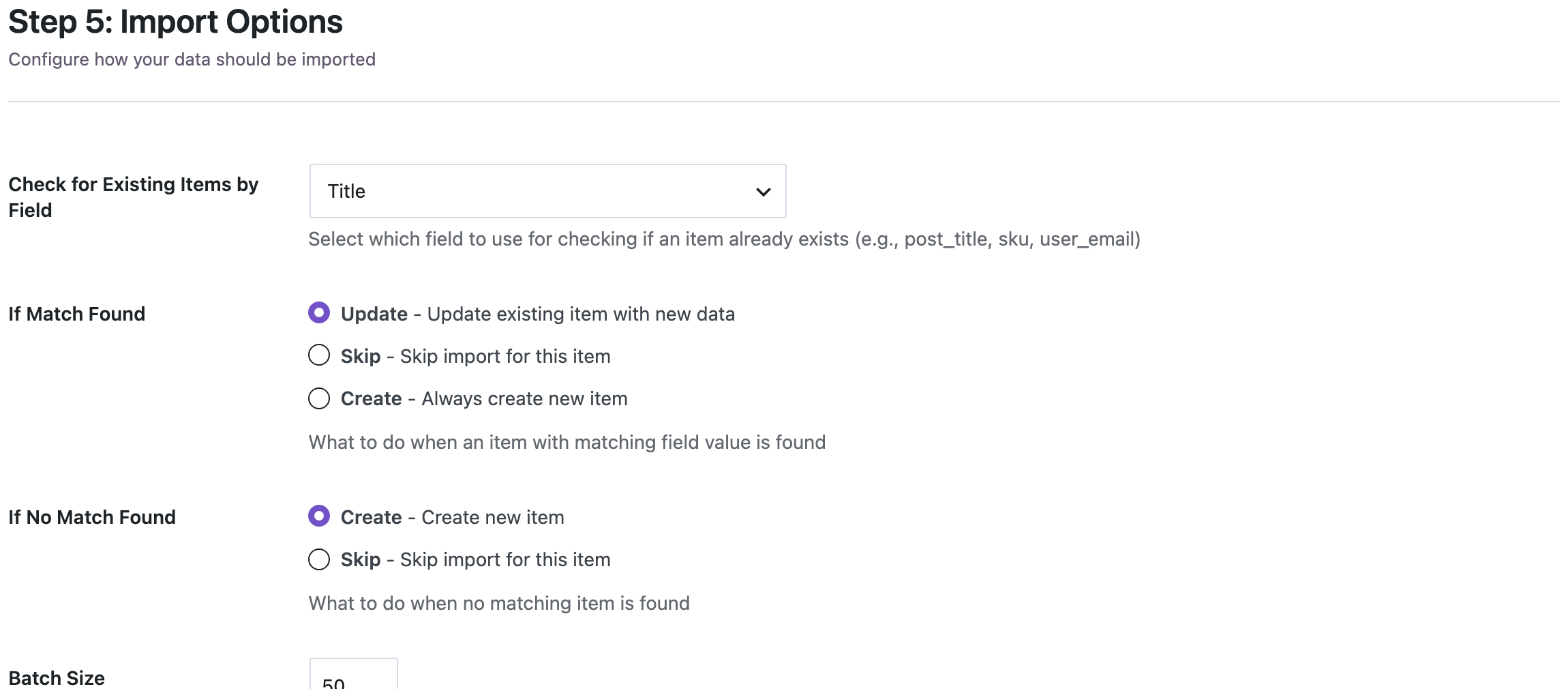
In step 5, choose the field under Check for Existing Items by Field:
- post_title if the slugs in the file are new and the titles match the posts already on the site. This is what you need to change slugs of existing posts.
- post_name (the slug) if you import the same posts again later, for example to update their content.
Step 3: Import and check the addresses
Our four posts were created in a second, with the slugs and dates from the table above.

Open two or three old addresses on the new site. If a page shows “not found”, compare the permalink structure and the date in the file with the old site; those two cause almost every mismatch.
Change a slug without breaking the old link
Sometimes you want a better slug for a post that is already published. Import a file with the title and the new slug, and match by post_title:
post_title,post_name
Cold Brew at Home,cold-brew-coffee
The post was updated:

WordPress remembers the old slug of a published post when it changes. We opened the old address /2024/06/12/cold-brew-guide/ and got a 301 redirect to /2024/06/12/cold-brew-coffee/, so existing links still work. This works for changes of the slug; if you also change the date or the permalink structure, set up redirects with a redirect plugin. Our guide on building a 301 redirect map shows how to get the list of old and new addresses.
With an AI agent
An AI agent connected through the WordPress MCP Adapter (see connecting Claude Code to WordPress) can change slugs for you:
Change the slug of "Espresso Basics" to espresso-basics-guide.In our run, the agent uploaded a one-row CSV with post_title and post_name through rsl-ie/upload-create, rsl-ie/upload-chunk and rsl-ie/upload-complete, then called rsl-ie/import-start with if_exists: update, if_not_exists: skip (so a typo in the title could not create a new post) and post_title as the field to match. rsl-ie/job-get-result reported 1 of 1 rows done, and the old address /2019/05/20/espresso-basics/ answered with a 301 redirect to the new one.
Before you import
Changing slugs changes your public addresses. Create a backup before importing into a live site, and keep a list of the old addresses so you can check them afterwards.
FAQ
Which column sets the slug?
post_name. Auto Map maps a column with this name to the slug field.
Can I use the full old URL as the slug?
Yes. The plugin keeps the last part of the URL, so https://old-shop.example/blog/2019/05/espresso-basics/ becomes espresso-basics.
Why did my post get “-2” at the end of its slug?
Another published post or page already uses that slug. WordPress keeps slugs unique; change or remove the other one, then set the slug again.
Does changing a slug break old links?
Not for published posts: WordPress redirects the old slug to the new one. Changes of the date or permalink structure need your own redirects.
Do I need the date column?
Only if your permalinks contain the date, or if you want to keep the original publish dates. Without it, posts get today’s date.
Related Guides
- Build a 301 Redirect Map for WordPress from a URL Export
- WordPress URL Export to CSV or JSON
- Migrate Only Posts and Pages to a New WordPress Site
- WordPress Import Created Duplicate Posts? Causes and Fix
- Import Posts with Categories and Tags from CSV
Get the free plugin on WordPress.org.

Comments 0
Have a question or a tip to share? Leave it below.