
A theme, a search plugin or a caching setup looks fine with five posts and falls apart with a thousand. Lorem ipsum generators fill the database, but their posts all have the same author, no categories and today’s date, so archives, author pages and related-post widgets never get a real test. Below, 1,000 realistic posts for a coffee blog are generated as a CSV file, imported with Import Export by RockStarLab and removed again afterwards.
Free: everything in this guide works in the free plugin. PRO: the same approach works for WooCommerce products, orders and custom post types.
Short Answer
- Generate a CSV with one row per post and columns named after the WordPress fields (
post_title,post_date,author_email,taxonomy_category…). Add a tag such asseed-datato every row. - Import it in the wizard. Auto Map matches every column by name.
- When you are done, delete everything with the
seed-datatag.
Only do this on a test or staging site, never on a live site.
What makes test posts realistic
| Column | Why it matters |
|---|---|
post_date |
Dates spread over two years fill date archives and pagination. |
post_status |
A few drafts and scheduled posts test the admin and the “future” logic. |
author_name, author_email |
Several authors test author archives and bylines. Missing authors are created. |
taxonomy_category, taxonomy_post_tag |
Category and tag archives, filters and related-post widgets. |
post_excerpt, post_content |
HTML with headings and lists, so styles and search snippets get tested. |
featured_image_url |
Thumbnails in lists, cards and social previews. |
meta_origin |
A custom field, for themes or plugins that read post meta. |
Generate the CSV
This Python script writes 1,000 posts: 950 published, 40 drafts and 10 scheduled, by four authors, in four categories, with two topic tags plus seed-data on each post:
"""Generate seed-posts.csv: 1,000 realistic test posts for a coffee blog."""
import csv, random
from datetime import datetime, timedelta

random.seed(98)
IMAGES = "https://www.example-roastery.com/sample-photos/seed-{:02d}.jpg"
AUTHORS = [("Lena Novak", "lena@example-roastery.com"), ("Tomás Rivera", "tomas@example-roastery.com"),
           ("Aiko Tanaka", "aiko@example-roastery.com"), ("Sam Okafor", "sam@example-roastery.com")]
CATEGORIES = ["Brewing", "Origins", "Equipment", "News"]
TAGS = ["espresso", "filter", "cold brew", "single origin", "decaf", "milk", "grinders", "water"]
ORIGINS = ["Ethiopia", "Colombia", "Kenya", "Brazil", "Guatemala", "Peru", "Rwanda", "Honduras"]
TITLES = ["How to Brew {o} Coffee at Home", "{o} Harvest Report", "Five Things We Learned About {o} Beans",
          "Dialing In a {o} Espresso", "Why {o} Tastes Different Every Year", "A Beginner's Guide to {o} Coffee"]

start = datetime(2025, 1, 1, 8, 0)
with open("seed-posts.csv", "w", newline="", encoding="utf-8") as f:
    w = csv.writer(f)
    w.writerow(["post_title", "post_name", "post_status", "post_date", "post_excerpt", "post_content",
                "author_name", "author_email", "taxonomy_category", "taxonomy_post_tag", "featured_image_url", "meta_origin"])
    for i in range(1, 1001):
        o = random.choice(ORIGINS)
        title = random.choice(TITLES).format(o=o) + f" ({i})"
        status = "draft" if i % 25 == 0 else ("future" if i % 100 == 1 else "publish")
        date = start + timedelta(days=random.randint(0, 660), minutes=random.randint(0, 600))
        if status == "future":
            date = datetime(2026, 12, 1, 9, 0) + timedelta(days=i % 30)
        name, email = random.choice(AUTHORS)
        content = (f"<h2>About this {o} lot</h2><p>We cupped this {o} lot on our roastery table and wrote down what stood out.</p>"
                   f"<ul><li>Dose: 15 g</li><li>Water: 250 g at 94 °C</li><li>Time: 3 minutes</li></ul>"
                   f"<p>Try it as {random.choice(['filter', 'espresso', 'cold brew'])} first.</p>")
        w.writerow([title, f"seed-post-{i}", status, date.strftime("%Y-%m-%d %H:%M:%S"),
                    f"Tasting notes and brew settings for a {o} coffee.", content, name, email,
                    random.choice(CATEGORIES), ", ".join(random.sample(TAGS, 2)) + ", seed-data",
                    IMAGES.format(random.randint(1, 10)), o])
Run it with python3 make_seed.py. Point IMAGES at a few images you host; we used 10 photos for all 1,000 posts. If you don’t use Python, build the same columns in a spreadsheet and fill them with formulas.
Import the posts
In Import, choose Posts, upload seed-posts.csv and click Auto Map. Because the columns are named after the fields, all 12 are matched:
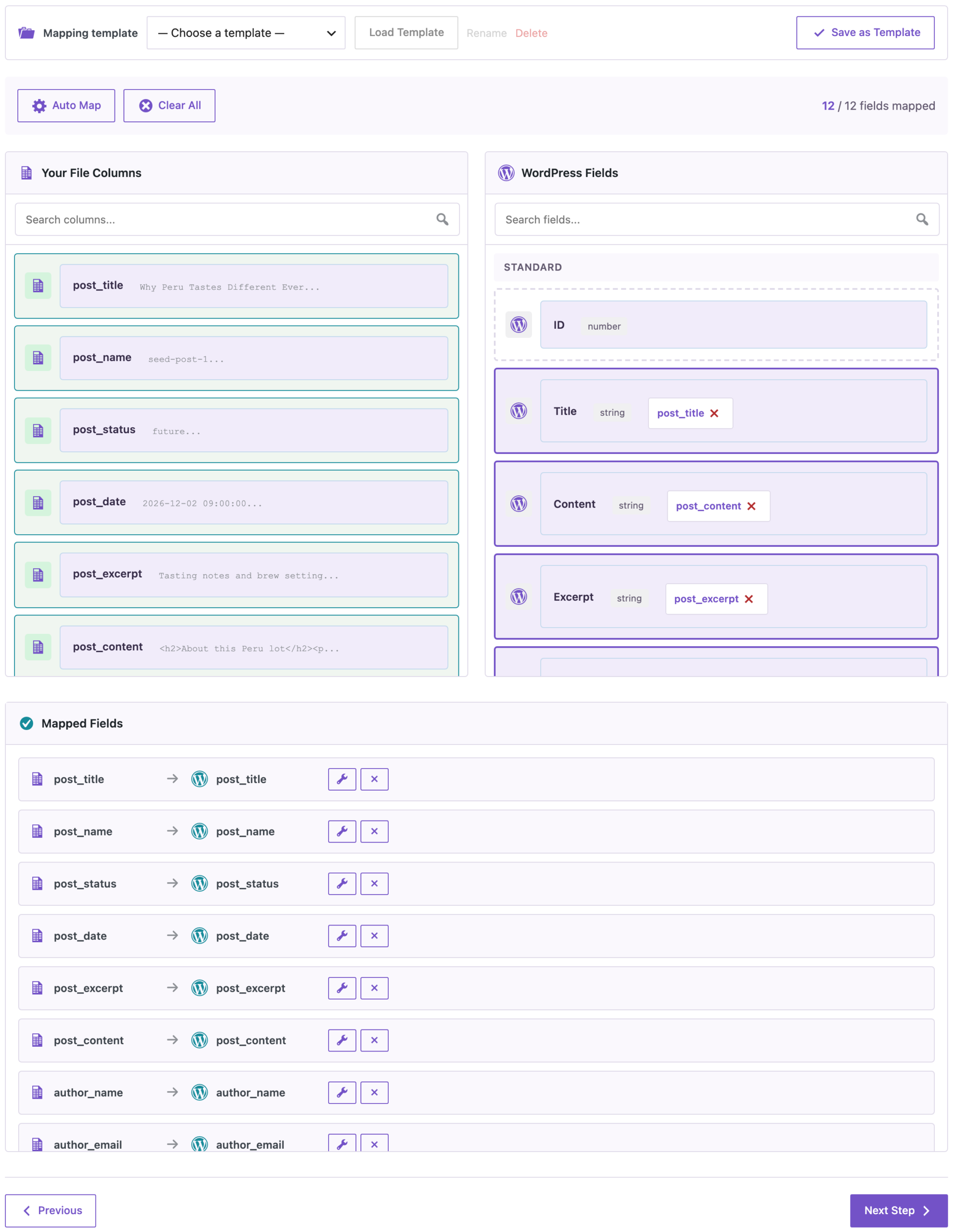
On the options step, set Check for Existing Items by Field to Slug and If Match Found to Update. Then you can change the script and import the file again without creating duplicates. Leave If Media File Already Exists at Skip, so each image is downloaded only once.

What we got on our test site:
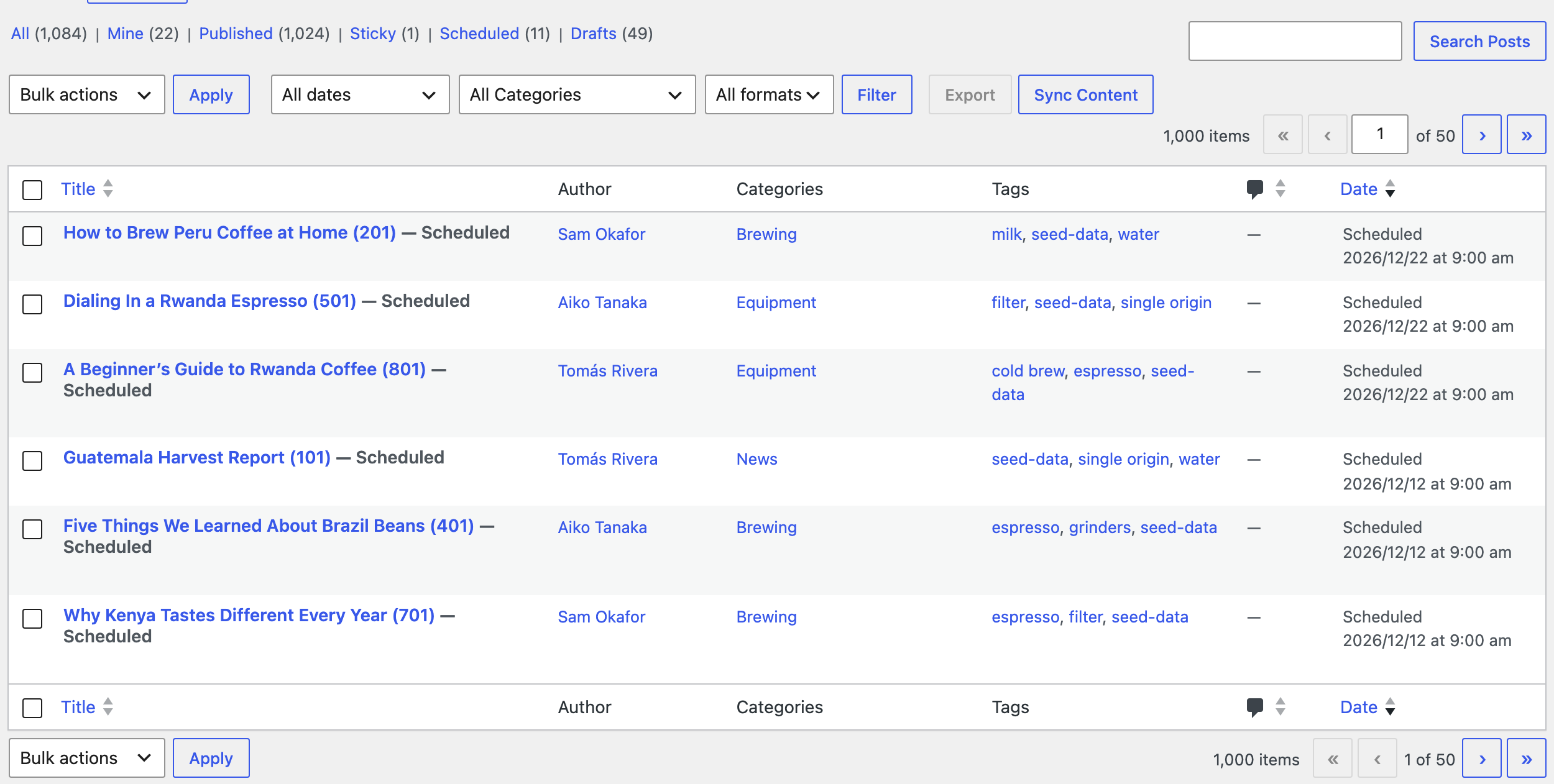
- 1,000 posts created in 1 minute 3 seconds: 950 published, 40 drafts and 10 scheduled for December.
- Four new users (aiko, lena, sam and tomas) with the Author role, created from the emails.
- Categories and tags assigned by name. Those that didn’t exist yet were created.
- 10 media files for 1,000 featured images. The same photo is reused instead of downloaded 100 times.
- The
origincustom field on every post.
Remove the test data
Everything you imported has the seed-data tag, so it’s easy to find. With WP-CLI, delete the posts, the images and the users:
wp post delete $(wp post list --tag=seed-data --post_status=any --format=ids) --force
wp post delete $(wp post list --post_type=attachment --s=seed- --format=ids) --force
wp user delete aiko lena sam tomas --yes
On our site, the first command removed all 1,000 posts (drafts and scheduled ones too, thanks to --post_status=any), the second the 10 images, and the third the four users. Without WP-CLI, open Posts, click the seed-data tag to filter the list, and move the posts to the trash with Bulk actions. Use Screen Options to show more posts per page.
If you don’t need the data back later, it’s often quicker to back up the test site before the import and restore that backup afterwards.
Before you import
Import test data only into a test or staging site. A backup taken just before the import is the cleanest way back, and it also brings back the categories and tags that were created.
With an AI agent
An AI agent connected through the WordPress MCP Adapter (see connecting Claude Code to WordPress) can confirm the test data is complete before you start testing:
How many posts with the seed-data tag are there, including drafts and scheduled posts?In our run, the agent called rsl-ie/export-count for posts with the statuses publish, draft and future and the tag seed-data. It returned 1,000.
FAQ
Is this better than a lorem ipsum generator?
It gives you control over what the posts look like: real-looking titles, several authors, categories, tags, custom fields and dates over a period you choose.
Do I need Python?
No. Any tool that writes a CSV with these columns works, including Excel or Google Sheets.
Will 1,000 images fill my media library?
No, if you reuse a few image URLs. With If Media File Already Exists set to Skip, each image is downloaded once; we got 10 files for 1,000 posts.
Can I import more than 1,000 posts?
Yes. The import runs in batches. For very large files, keep the progress page open; see what to do if an import stops at a percentage.
Why do the tag counts show 950, not 1,000?
WordPress counts only published posts in term counts. Drafts and scheduled posts are tagged too.
How do I remove everything again?
Delete the posts with the seed-data tag, the sample images and the test users, or restore a backup taken before the import.
Related Guides
- How to Import CSV Files into WordPress with Field Mapping
- Import WordPress Posts and Assign Authors from a CSV
- Bulk Import Images from URLs into the Media Library
- Import and Export WordPress Content with WP-CLI
Get the free plugin on WordPress.org.

Comments 0
Have a question or a tip to share? Leave it below.