
Ghost Admin exports your content as one JSON file. The posts in that file are not at the top level: they sit inside db → data → posts, next to lists of tags, users and settings. Since version 2.1.49, Import Export by RockStarLab finds that list by itself and imports each Ghost post as a WordPress post.
Free: importing posts and pages from a Ghost JSON file. Update to version 2.1.49 or later.
Short Answer
- Go to Import Export → Import, choose Blog Posts and upload the Ghost JSON file.
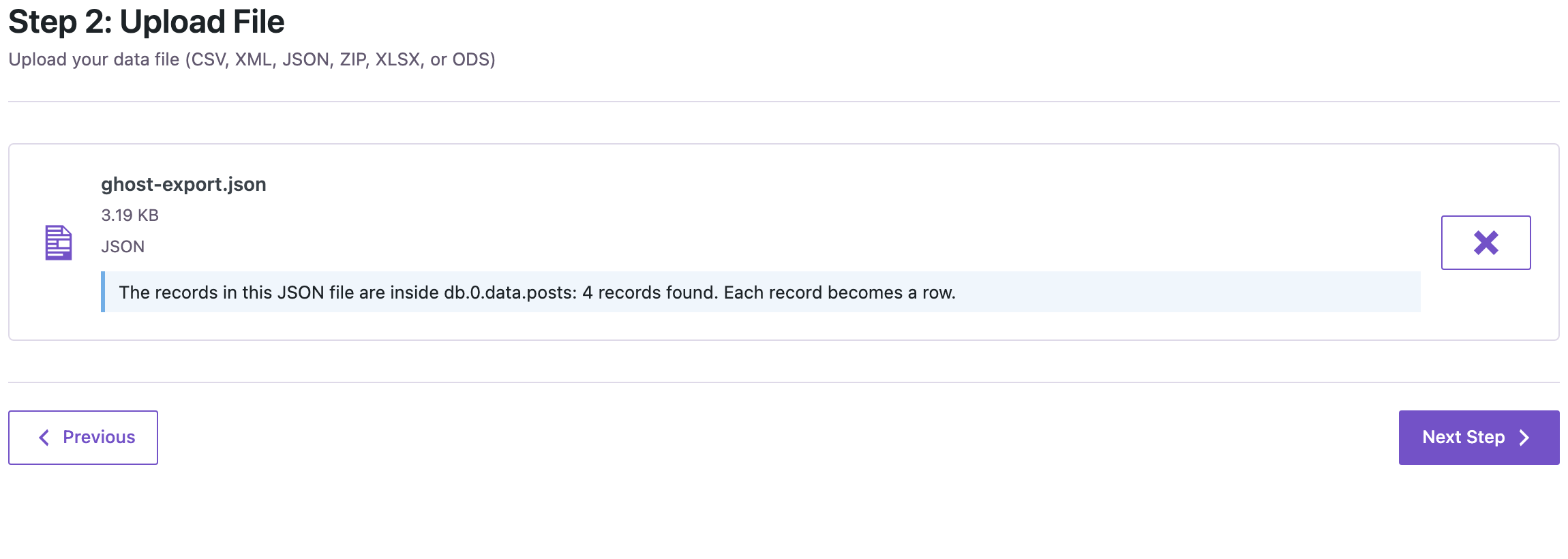
- The plugin shows where it found the records, for example
db.0.data.posts: 4 records found. - Click Auto Map:
htmlgoes to Content,published_atto Date,custom_excerptto Excerpt andfeature_imageto the featured image.
Step 1: Upload the Ghost file
Our test file had four Ghost posts: three published, one of them without a feature image, and one draft. After the upload, the plugin said where the records are:
Step 2: Auto Map
On the mapping step, Auto Map matched 9 of the 14 Ghost columns, including the Ghost names html, published_at, custom_excerpt and feature_image:
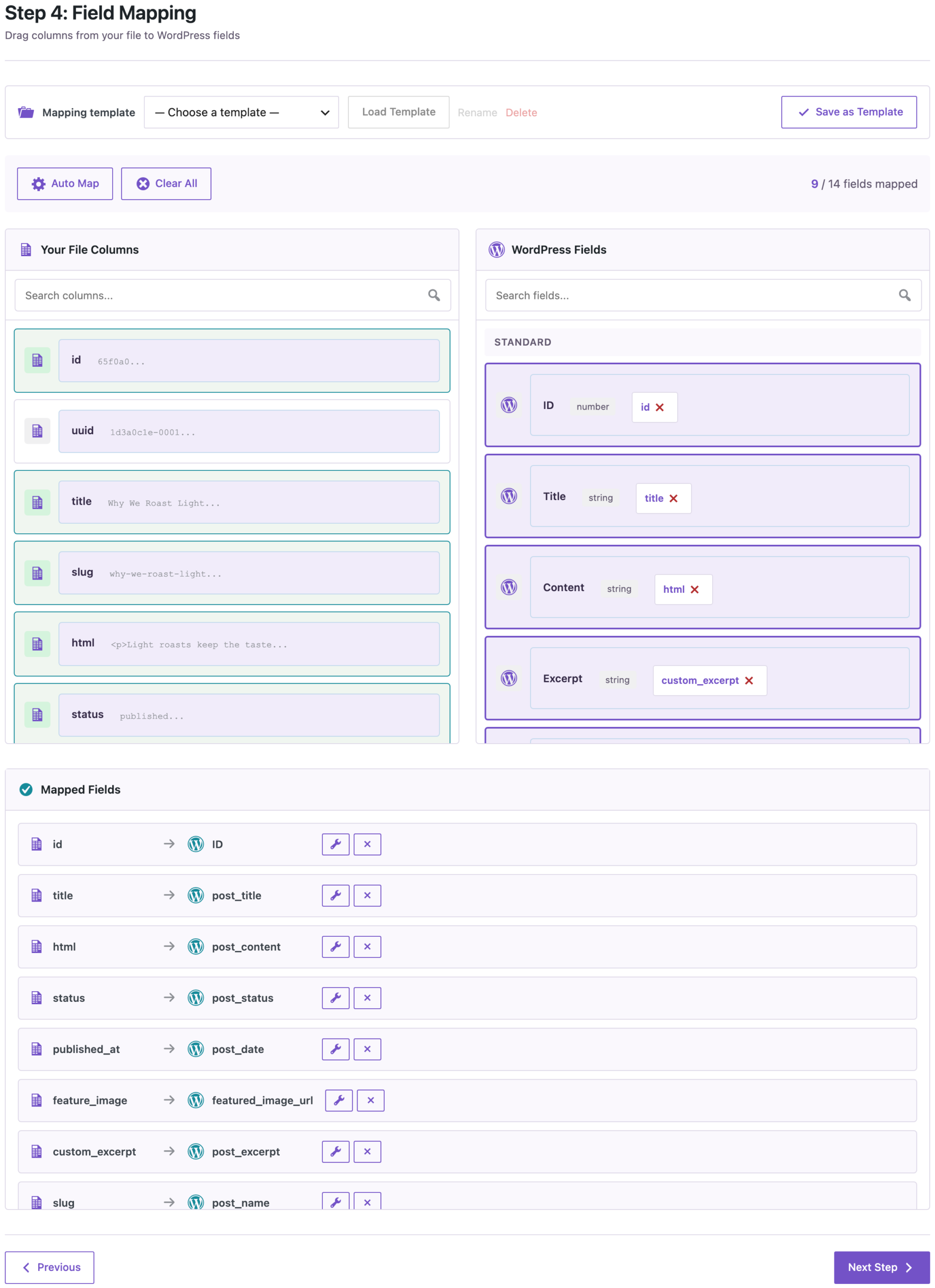
Columns such as uuid, created_at or visibility stay unmapped. Ghost IDs are not WordPress IDs: in our import every post got a new WordPress ID.
Author: Auto Map also maps author_id to the post author. Ghost user IDs do not match WordPress users, so check this mapping. In our file the ID was 1, which is also the WordPress admin.
Step 3: Import
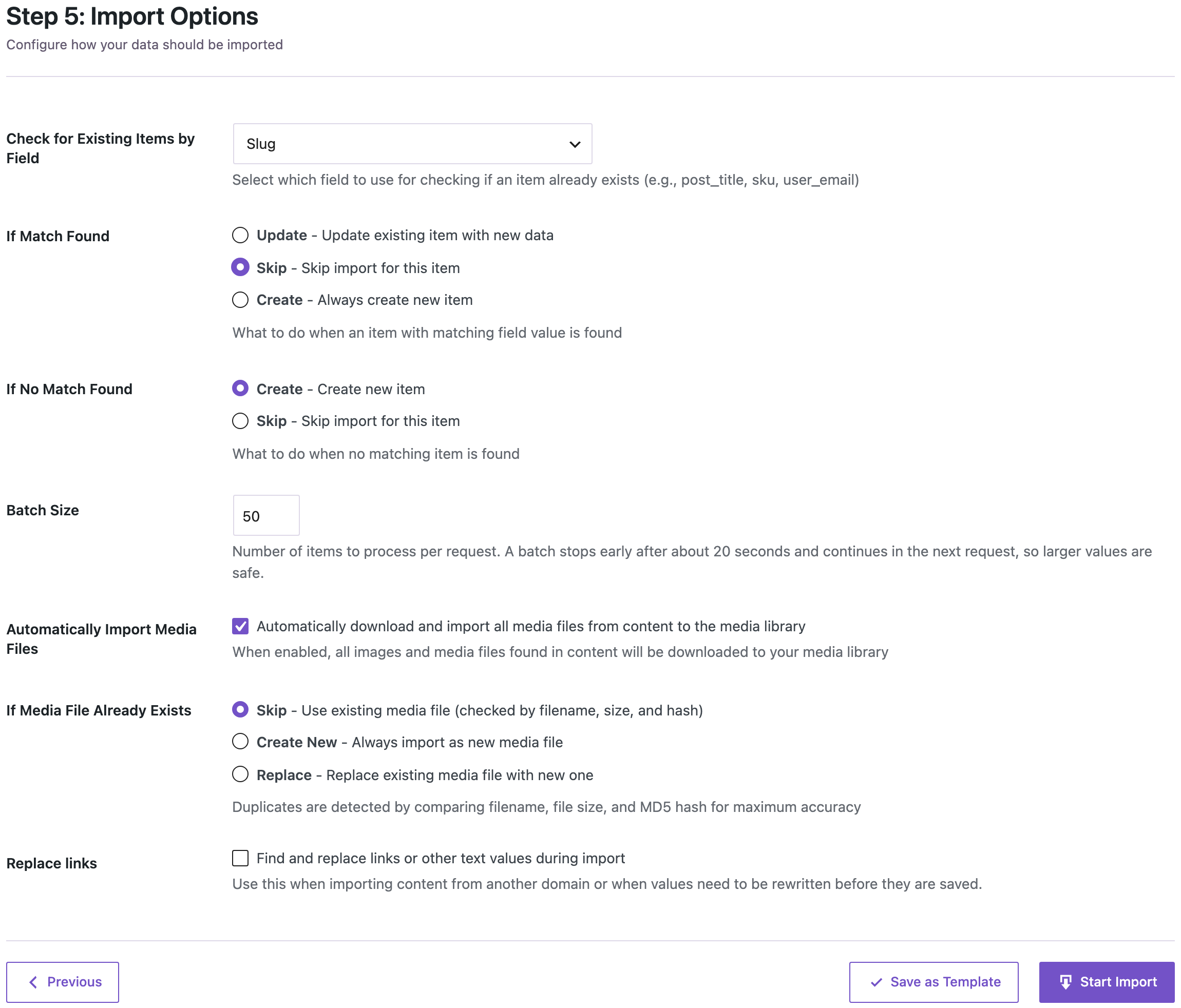
We checked existing items by Slug, with Skip for matches and Create for the rest:
All four posts were created:
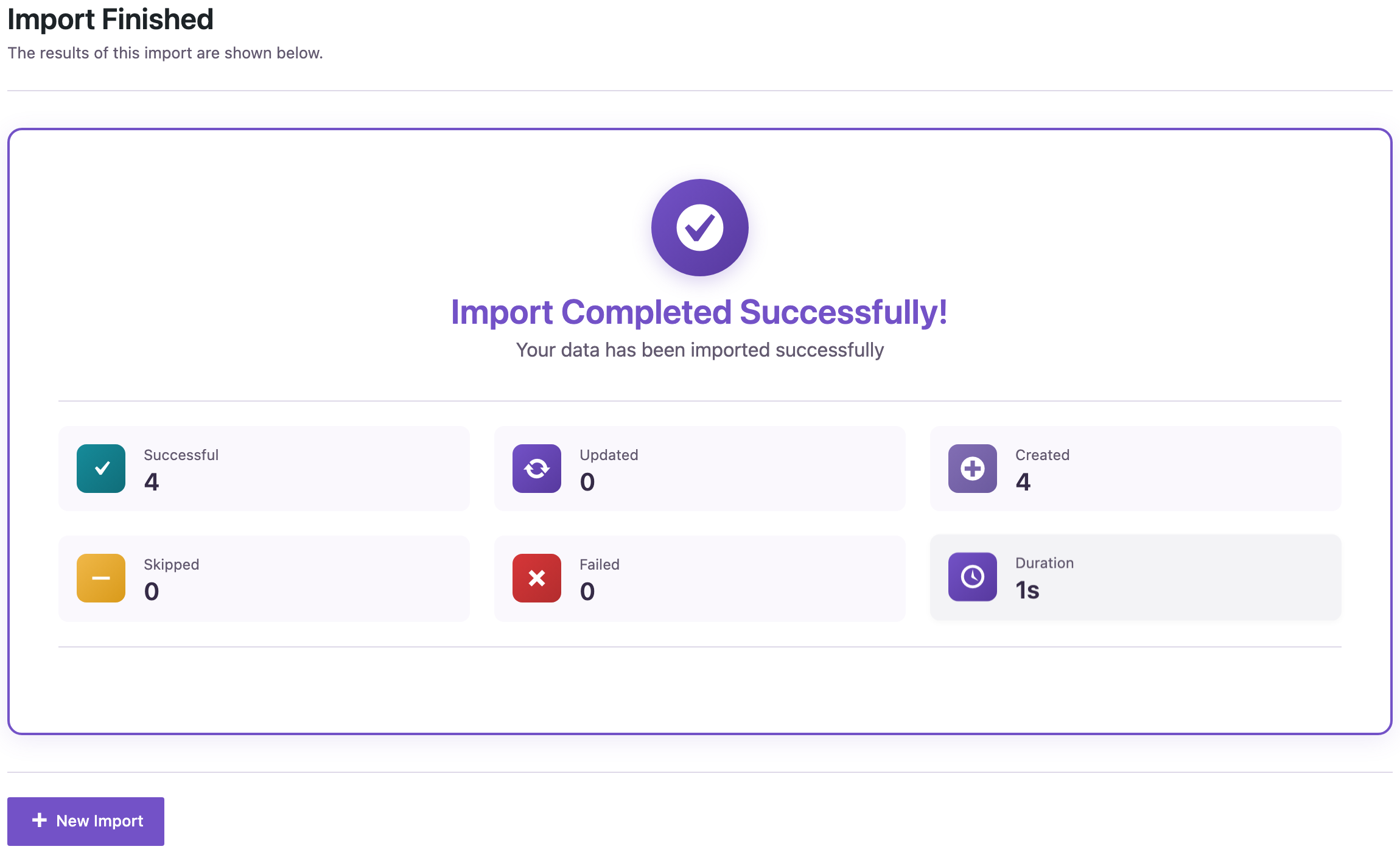
On the WordPress site, the posts had their Ghost slugs and excerpts, the Ghost status published became Published and draft stayed a draft, and the publish dates were the published_at dates (our test site uses UTC, like Ghost). The two posts with a feature_image got it as their featured image. The draft has no published_at in Ghost, so it got the date of the import.
What is not in this import
- Tags: Ghost keeps tags in separate lists (
tagsandposts_tags), not in the post records, so they are not added to the posts. Add tags afterwards, or put them in a column before the import. - Images inside the content: image addresses in
htmlstill point to the Ghost site. With Automatically Import Media Files on, the plugin downloads images found in the content to the media library; keep the Ghost site online until the import is done. - Members, newsletters and settings are Ghost features with no WordPress post equivalent.
Before you import
Try the file on a staging copy first, and back up the WordPress site before the real import.
With an AI agent
An AI agent connected to the site through the WordPress MCP Adapter (see connecting Claude Code to WordPress) can fetch the Ghost file and check it before anything is imported:
Download our Ghost export from this URL and show what the plugin found in it.In our run, the agent called rsl-ie/upload-from-url. The answer had records_path db.0.data.posts, 4 records, the 14 Ghost columns and a preview of the four posts. Nothing was imported in this step.
FAQ
Which Ghost file do I need?
The JSON content export from Ghost Admin. The plugin looks for the list of records inside the file, so you do not need to change it.
Are Ghost pages imported too?
Ghost puts posts and pages in the same list, with type set to post or page. Filter or split the file if you want pages as WordPress pages.
Can I run the import again after more posts are written in Ghost?
Yes. With Check for Existing Items by Field → Slug and Skip, posts that are already on WordPress are skipped and only new ones are created.
Related Guides
- Import JSON into WordPress Posts
- Featured Images Missing After WordPress Import
- Move WordPress Posts and Keep Dates, Authors and Slugs
- What’s New in 2.1.49
Get the free plugin on WordPress.org.

Comments 0
Have a question or a tip to share? Leave it below.