
A WooCommerce order often has several products. For a packing list, a sales-by-product report or an import into accounting software, you usually need one row per product, with the order number on each row. Import Export by RockStarLab can export orders that way.
PRO: WooCommerce order export needs Import Export PRO 2.1.13 or later with the free plugin 2.1.49 or later.
Short Answer
- Go to Import Export → Export, choose WooCommerce Orders.
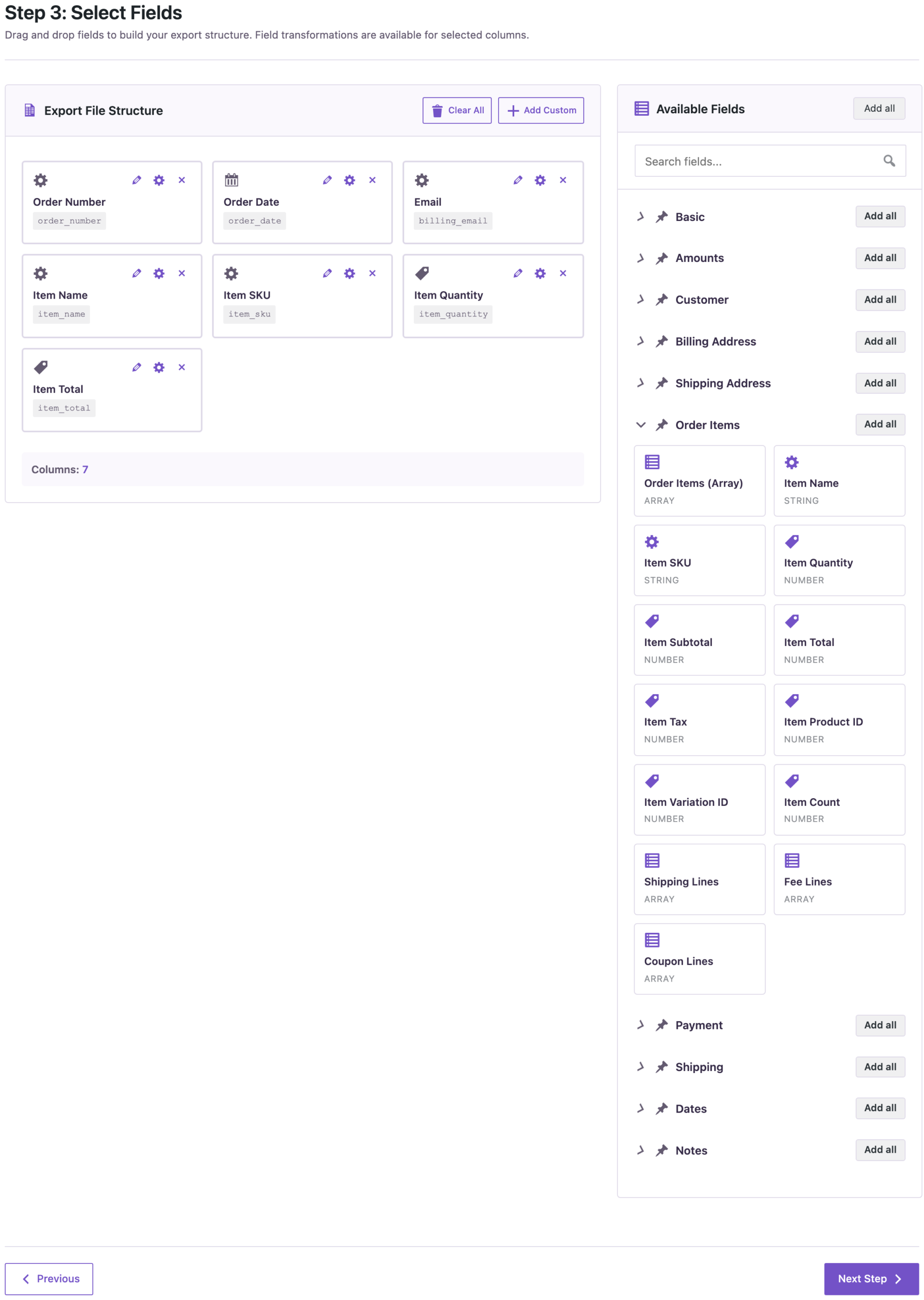
- Add the order columns you need and the Order Items columns: Item Name, Item SKU, Item Quantity, Item Total.
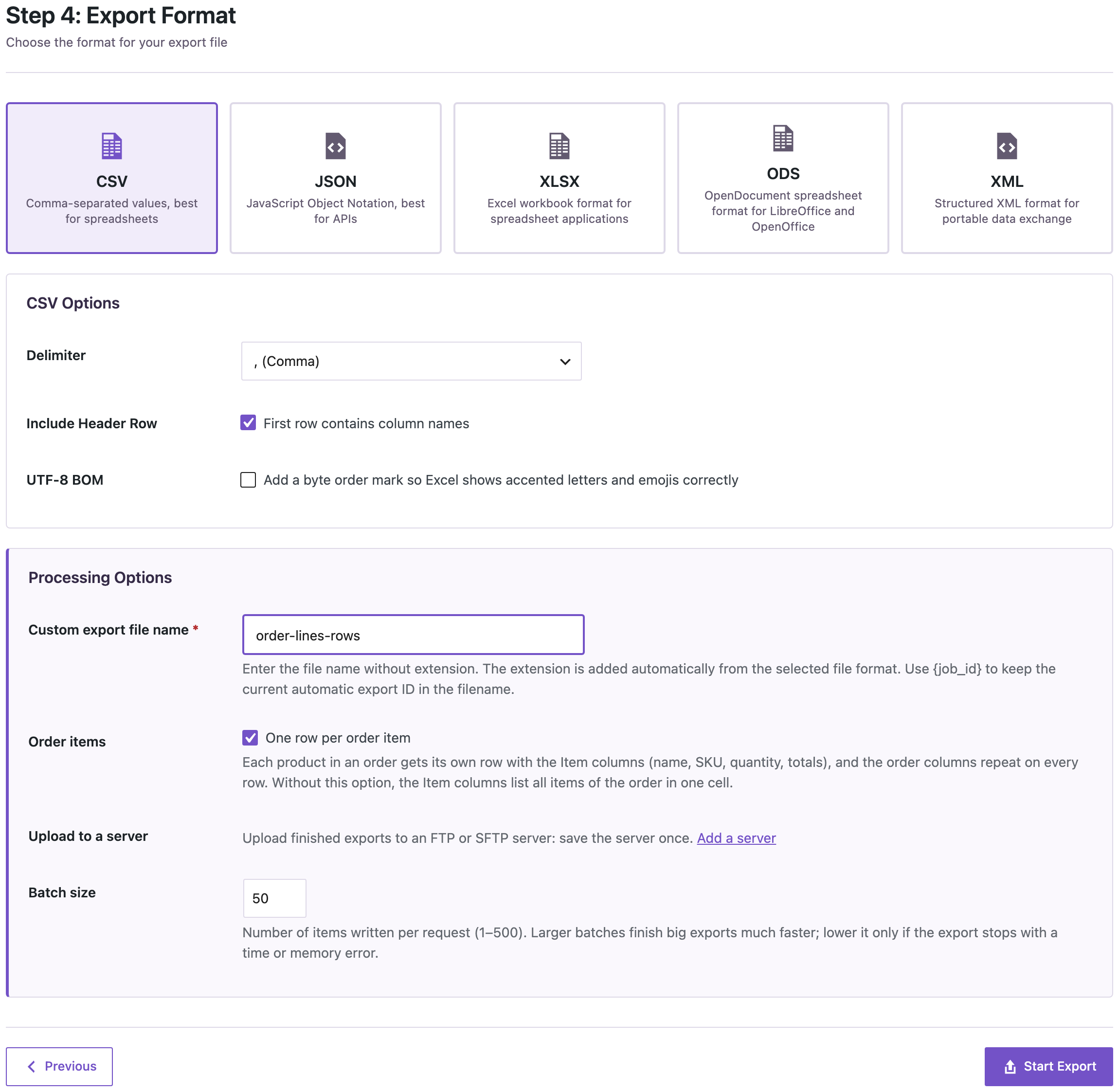
- On the format step, turn on One row per order item. Each product gets its own row, and the order columns repeat on every row.
Step 1: Choose the columns
On the fields step, open the Order Items group. It has Item Name, Item SKU, Item Quantity, Item Subtotal, Item Total, Item Tax, Item Product ID and Item Variation ID. In our test we used Order Number, Order Date and Email from the order, and Item Name, Item SKU, Item Quantity and Item Total:
Step 2: Turn on one row per order item
On the Export Format step, choose CSV, XLSX or another format and check One row per order item under Processing Options. The option appears only for WooCommerce Orders.
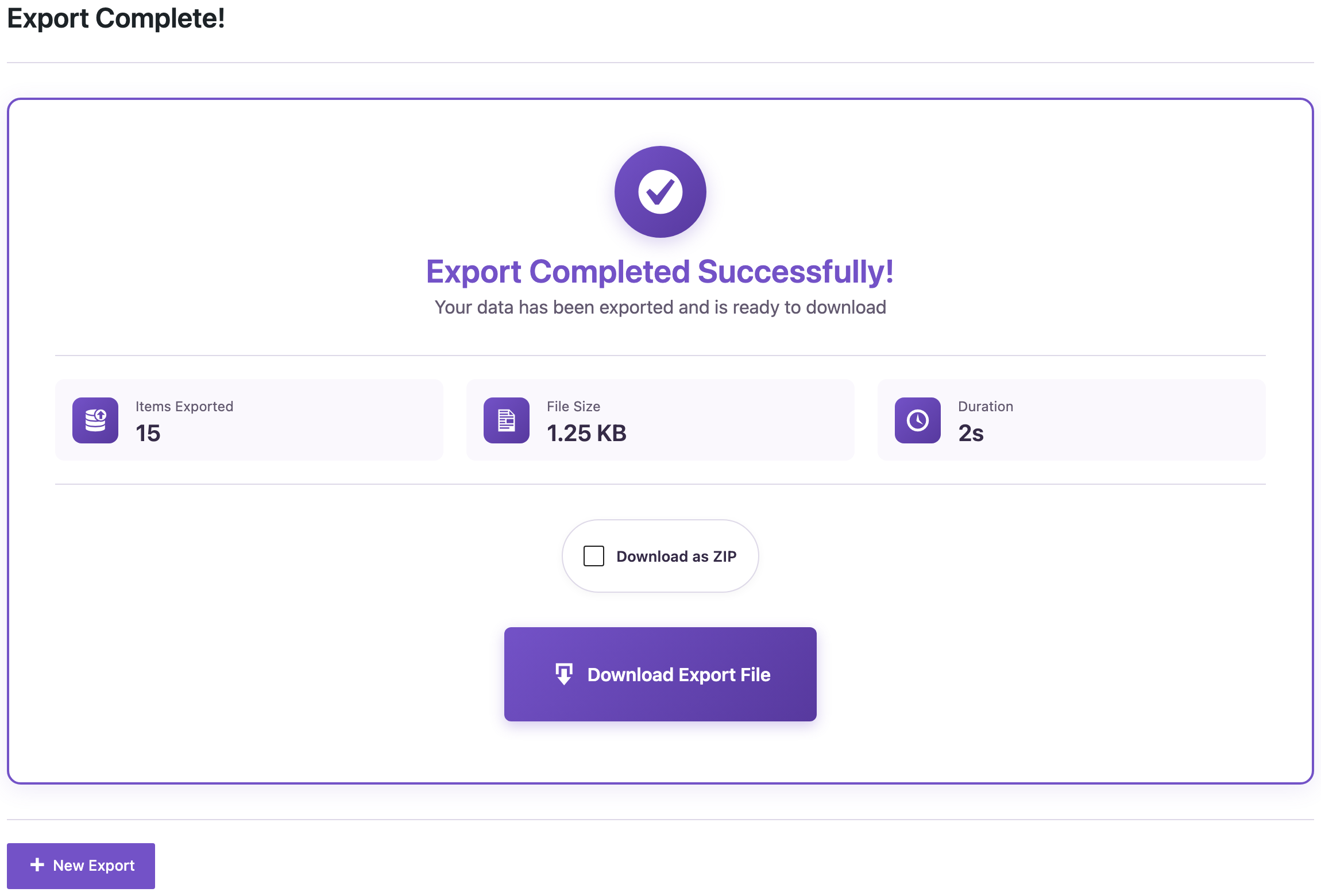
Our store had 8 orders. With the option on, the export wrote 15 rows:
What the file looks like
With One row per order item, order 2014 with two products gives two rows:
| order_number | billing_email | item_name | item_sku | item_quantity | item_total |
|---|---|---|---|---|---|
| 2014 | fatima.r@example.test | Hoodie with Logo | woo-hoodie-with-logo | 2 | 90.00 |
| 2014 | fatima.r@example.test | Cap | woo-cap | 1 | 16.00 |
Without the option, the same order is one row, and each Item column lists the values of all products separated by |:
| order_number | item_name | item_sku | item_quantity | item_total |
|---|---|---|---|---|
| 2014 | Hoodie with Logo | Cap | woo-hoodie-with-logo | woo-cap | 2 | 1 | 90.00 | 16.00 |
Amounts use the number of decimals set in WooCommerce. Columns such as Order Total repeat on every row of an order, so sum the Item Total column, not the order total, when you add up rows in a spreadsheet.
Before you export
An export only reads data, but if you plan to edit the file and import it back, back up the store first.
With an AI agent
An AI agent connected to the store through the WordPress MCP Adapter (see connecting Claude Code to WordPress) can preview the rows before you export:
Show orders 2014 and 2009 with one row per product: order number, product, quantity and total.In our run, the agent called rsl-ie-pro/export-preview for woo_order with options.line_item_rows set to true and the two order IDs. It returned four rows: Hoodie with Logo (2, 90.00) and Cap (1, 16.00) for order 2014, Belt (3, 165.00) and Hoodie with Pocket (1, 35.00) for order 2009.
FAQ
What happens to an order without products?
It is exported as one row with empty Item columns, so no order is left out.
Can I filter the orders?
Yes. Use the filters on the second step, for example by order date or status, as with any order export. The option then splits only the orders that pass the filters.
Does the option work with Excel files?
Yes. It changes the rows, not the format, so it works with CSV, XLSX, ODS, JSON and XML.
Related Guides
- How to Export All WooCommerce Orders into CSV or Excel
- Export WooCommerce Orders with Custom Checkout Fields
- Export WooCommerce Orders for a Date Range VAT Report
- What’s New in 2.1.49
Get the free plugin on WordPress.org.

Comments 0
Have a question or a tip to share? Leave it below.