
The same photo uploaded three times as office-3.webp, office-building.webp and office-3-final.webp takes three times the space, and the Media Library doesn’t tell you they are the same file. With Import Export by RockStarLab, you export the Media Library with a hash of each file. Identical files get the same hash, whatever their names, so the duplicates are easy to find in a spreadsheet.
Free: the Media Hash Index and the Media export are in the free plugin. The File Hash (MD5) column needs version 2.1.60 or newer.
How it works
The plugin reads each file and stores its MD5 hash, a 32-character fingerprint of the file’s bytes. Two files with the same bytes have the same hash, even when their names, folders and titles differ. A resized or edited copy is a different file and gets a different hash.
Step 1: Build the hash index
Open Import Export → Tools → Media Hash Index and click Start scan. The scan reads the files in small batches and doesn’t change them. Our library of 112 files was indexed in less than a minute:
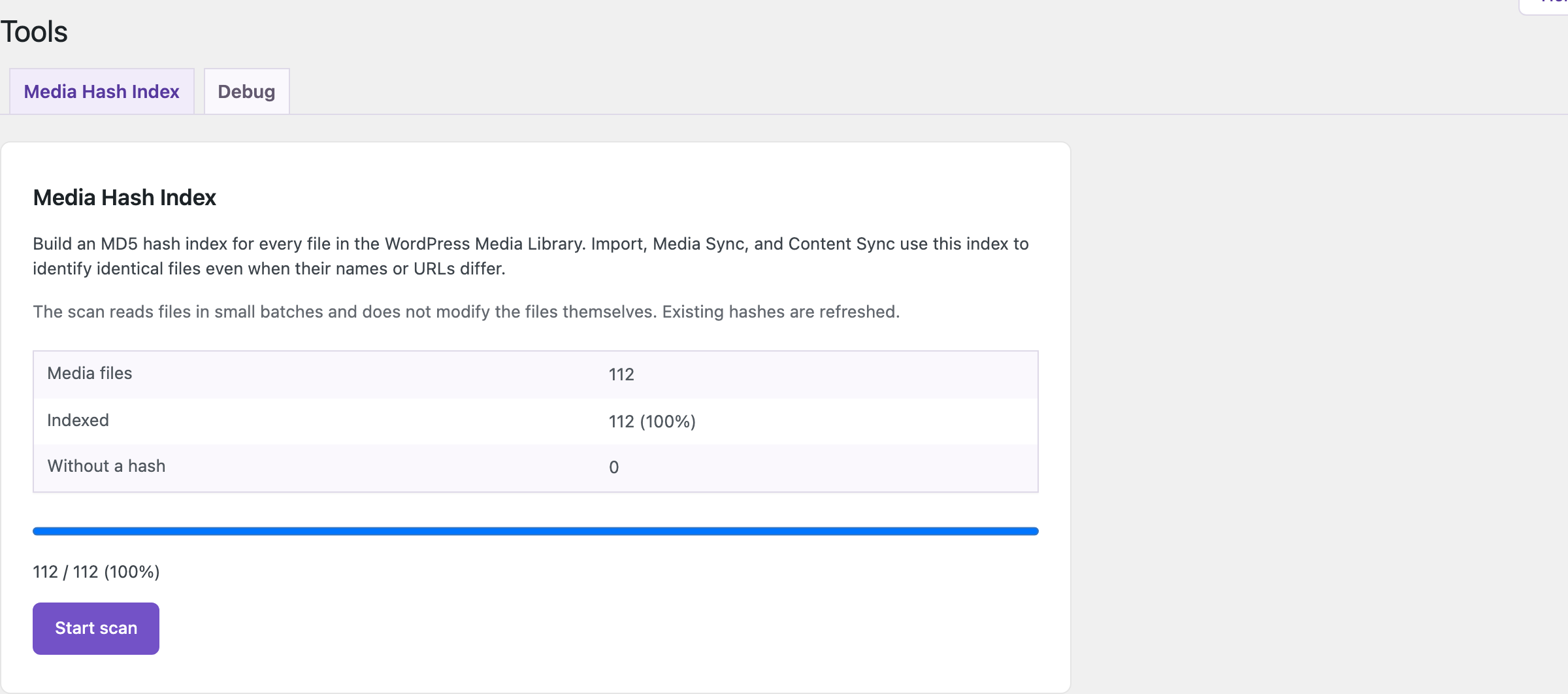
New uploads get a hash automatically, so later you only need to run the scan again if files were changed on the server.
Step 2: Export the Media Library with the hash
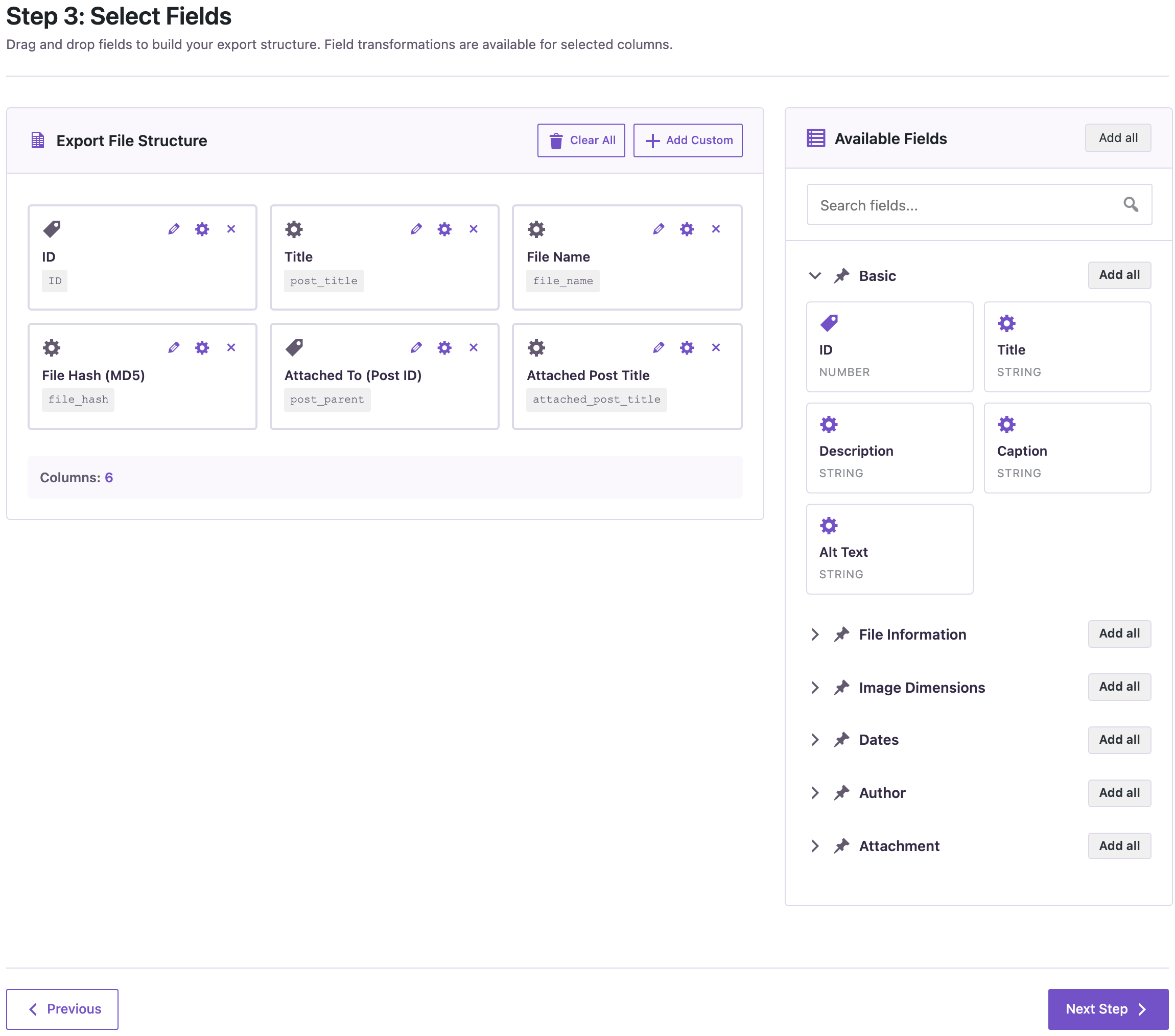
Open Import Export → Export, choose Media and go to Select Fields. Add ID, Title, File Name, File Hash (MD5), Attached To (Post ID) and Attached Post Title, then export to Excel:
Step 3: Find the duplicates
Open the file in Excel or Google Sheets. In the first empty column, count the files with the same hash; with the hash in column D, the formula in row 2 is:
=COUNTIF(D:D, D2)Fill it down, filter the column to values greater than 1 and sort by the hash. Each group of rows is one file stored several times. Our export had 3 groups:
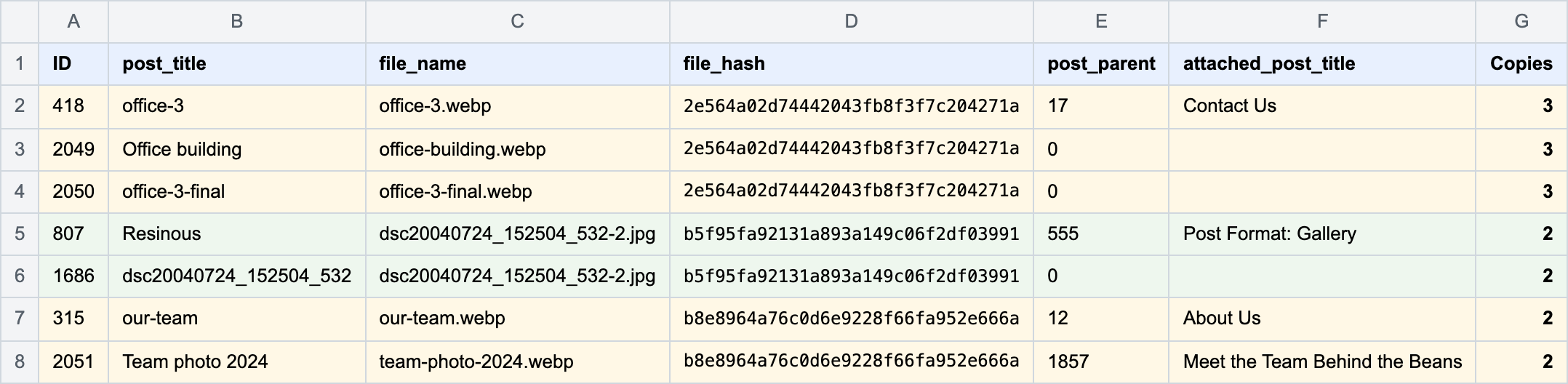
- office-3.webp is stored 3 times. Only the original is attached to a page, Contact Us.
- our-team.webp was uploaded again as
team-photo-2024.webpfor a blog post. - Two entries with the same file name in different year folders are the same photo, too.
Step 4: Decide what to delete
Keep one copy of each group, usually the one attached to a post or used in your content. Before you delete a copy:
- Check where it is used. “Attached To” only shows the post the file was uploaded to. A copy can still be in the content of other posts. Search your posts for the file name, for example with an export filter Content contains the file name, as in finding posts that link to a domain.
- Replace it first. If a post uses the copy, change the image in the post to the copy you keep.
- Back up. Deleting a file from the Media Library deletes it from the server. Back up the site first, or ask your AI agent to start the backup.
Unattached copies that no post uses can go. To find unattached files in general, see finding unattached media.
With an AI agent
An AI agent connected to the site through the WordPress MCP Adapter (see connecting Claude Code to WordPress) can check one file against the index:
Is the media file 2050 a duplicate of another file in the library?In our run, the agent called rsl-ie/media-check-duplicate with the attachment ID 2050 and got back that it is a duplicate of attachment 418, office-3.webp. The check reads the index and changes nothing.
FAQ
Does the scan change my files?
No. It reads the files and stores the hashes.
Does it find resized or cropped copies?
No. Only files with exactly the same bytes get the same hash. A resized, cropped or re-saved image is a different file.
Does it find duplicates of PDFs and other documents?
Yes. The hash works for every file type in the Media Library.
Will imports create new duplicates?
Import, Media Sync and Content Sync use the same index to recognize files that are already in the library, even under another name.
Related Guides
- Find Unattached Media in WordPress and Check If It Is Really Unused
- Export the Media Library with File Sizes to Find Large Images
- How to Export and Import WordPress Media Without Duplicates
Get the free plugin on WordPress.org.

Comments 0
Have a question or a tip to share? Leave it below.