
After a few sales, a store has a pile of coupon codes. Which ones do customers actually use, which ones did nobody use, and who used the welcome code? WooCommerce shows the usage of one coupon at a time. With Import Export by RockStarLab PRO, you export all coupons with their usage count, limit, expiry date and the customers who used them, in one spreadsheet.
PRO: the WooCommerce Coupons export. The Used By (Array) column and the usage filters need Import Export by RockStarLab 2.1.61 or newer.
What you get
- Usage Count: how many orders used the coupon.
- Usage Limit Total and Expiry Date: how many uses are left and until when.
- Used By (Array): the email of each customer who used it, one entry per use.
Step 1: Export the coupons
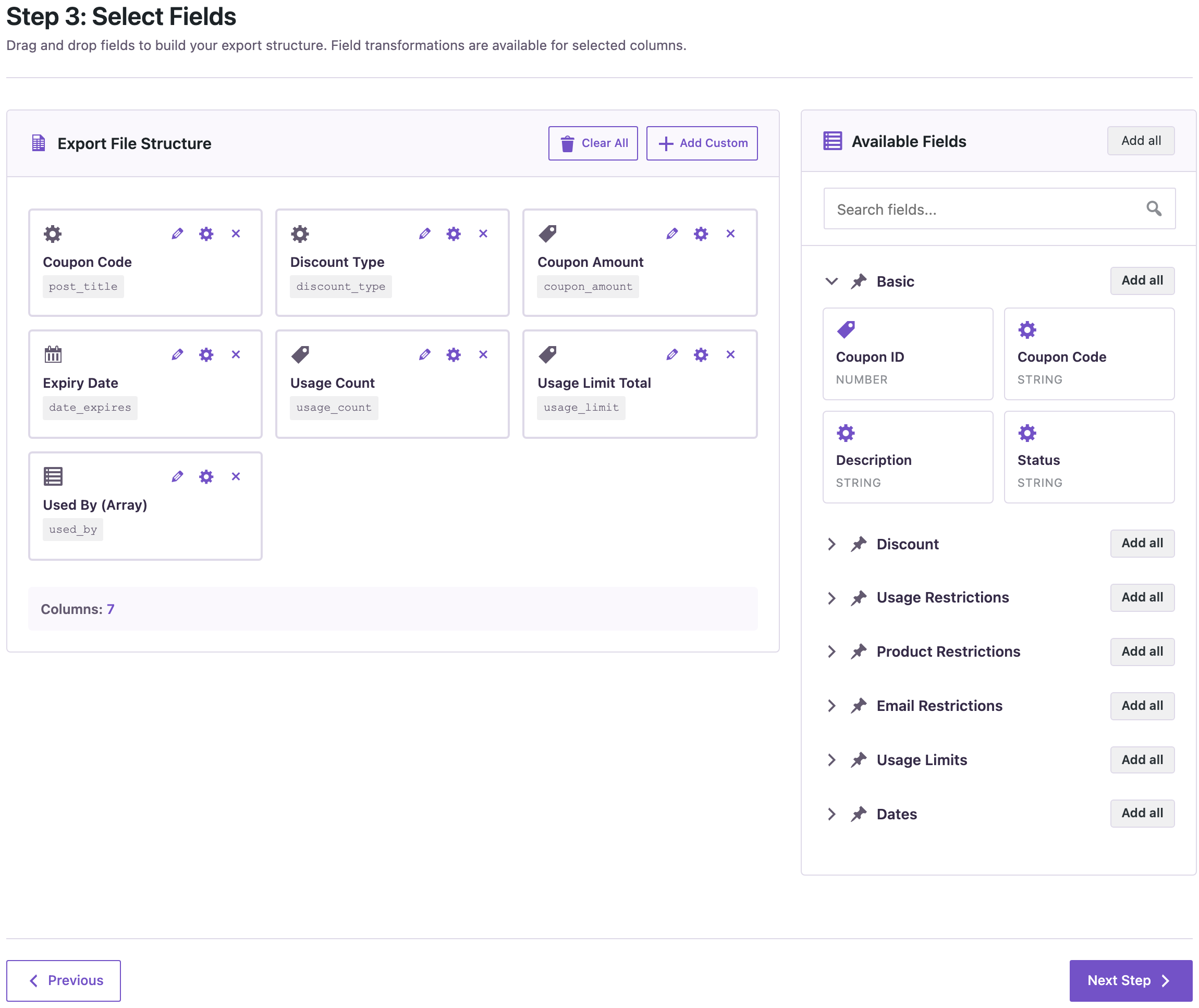
Open Import Export → Export, choose WooCommerce Coupons and click Next Step twice. In Select Fields, add Coupon Code, Discount Type, Coupon Amount, Expiry Date, Usage Count, Usage Limit Total and Used By (Array):
Choose Excel or CSV, start the export and download the file.
Step 2: Read the usage
Our store has 5 coupons:

- summer15 was used 4 times and expired on 30 September. It can be deleted, or extended for the next sale.
- welcome10 was used 3 times. ben.k@example.com used both welcome10 and summer15.
- vip25 has a limit of 1 and was used once, so it is used up.
- save5 was never used.
Sort by Usage Count to see your best codes first.
Step 3: Find the codes nobody used
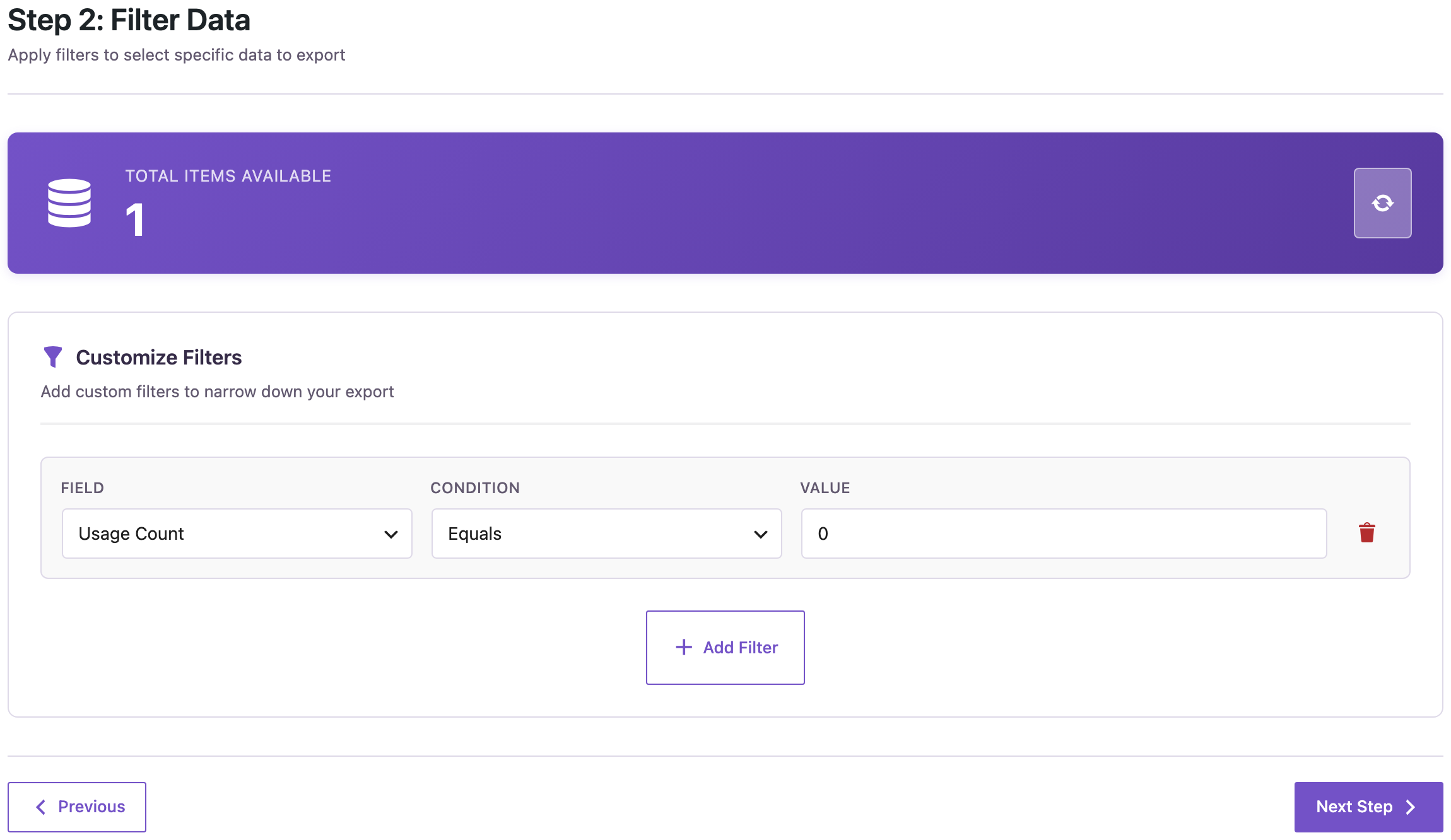
To get only the unused codes, add a filter in the second step: Usage Count, Equals, 0. Our filter found 1 coupon, save5:
Other useful filters:
- Expiry Date, Less, today’s date: expired codes to clean up.
- Used By (Array), Contains, an email: the codes one customer used, for example before you answer a support question.
- Discount Type, Equals,
percent: only percentage coupons.
Tips
- Revenue per coupon. The coupon export counts uses. For the order totals with a coupon, export the orders with their Coupon Lines; see exporting WooCommerce orders.
- Change many codes. Edit the expiry dates or limits in the spreadsheet and import the coupons back. Back up the store first, or ask your AI agent to start the backup.
- Two stores. To copy coupons to another store, see syncing coupons between sites.
With an AI agent
An AI agent connected to the store through the WordPress MCP Adapter (see connecting Claude Code to WordPress) can answer the same question:
Which coupon codes were never used?In our run, the agent called rsl-ie-pro/export-preview for WooCommerce coupons with the filter Usage Count equals 0 and returned save5, with a usage limit of 100 and no expiry date.
FAQ
Why is a customer listed twice in Used By?
Each use is one entry, so a customer who used the coupon in two orders appears twice.
Does the export change my coupons?
No. It only reads them.
Is the coupon export in the free plugin?
No. WooCommerce coupons are exported with PRO.
Related Guides
- How to Import WooCommerce Coupons from CSV or Excel
- Sync WooCommerce Coupons Between Two Stores (Push and Pull)
- Export Customers Who Bought a Specific WooCommerce Product
Get the free plugin on WordPress.org.

Comments 0
Have a question or a tip to share? Leave it below.