
Old posts are full of links to shops, reviews and partners, and your SEO policy now says those links should carry rel="nofollow". Editing every post by hand takes hours. With Import Export by RockStarLab PRO, one function adds rel="nofollow" to every link that points to another site, in all the posts you choose, and leaves the links to your own site alone.
PRO: the Content Updater and custom functions.
What the function does
- A link to another domain without
relgetsrel="nofollow". - A link that already has a
rel, such asnoopenerorsponsored, getsnofollowadded to it. - Links that already have
nofollow, links to your own domain and relative links such as/about/stay as they are.
Running it twice changes nothing more, so it is safe to repeat.
The update changes the content of your posts. Back up the site first, or ask your AI agent to start the backup.
Step 1: Create the function
Open Import Export → Functions, click New Function, name it and paste the code. Put your domain in the second line, without https://:
// Add rel="nofollow" to links that point to other sites.
$site = preg_quote('example-roastery.com', '/'); // your domain, without https://
// An absolute link whose host is not your domain.
$external = 'href=["\']https?:\/\/(?![^"\'\/]*' . $site . ')';
// Links with a rel attribute that has no nofollow yet: add it.
$value = preg_replace('/(<a\s(?=[^>]*' . $external . ')(?:[^>]*\s)?rel=(["\']))(?![^"\']*nofollow)([^"\']*)/i', '$1$3 nofollow', (string) $value);
// Links without a rel attribute: add rel="nofollow".
return preg_replace('/<a\s((?![^>]*\brel=)[^>]*' . $external . '[^>]*)>/i', '<a $1 rel="nofollow">', $value);
Test it with a piece of HTML. The link to the other site gets rel="nofollow", the link to our own site doesn’t:
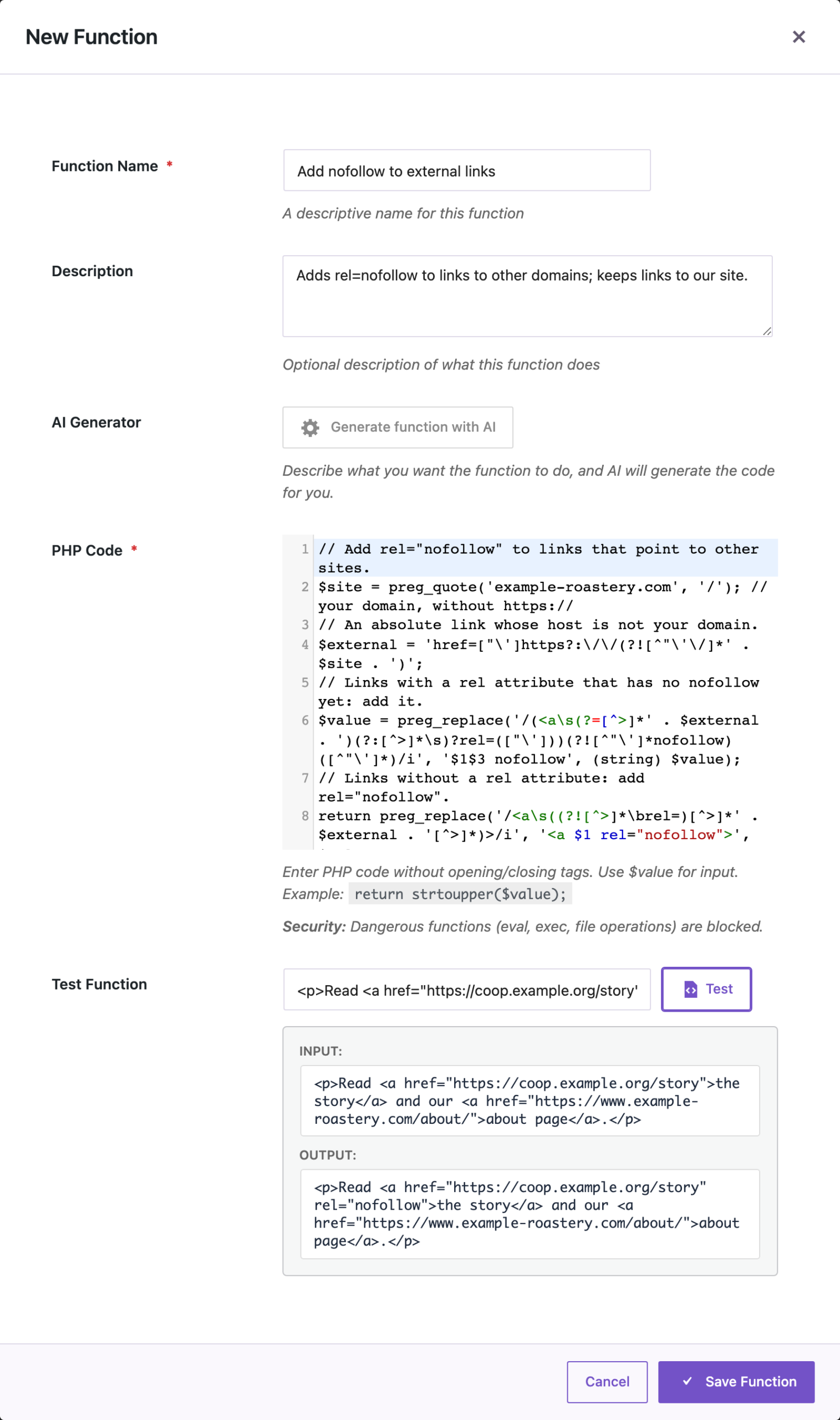
Click Save Function.
Step 2: Choose the posts
Open Import Export → Content Updater, choose Blog Posts and add filters. We took the posts from 2022 and 2023 that have links: Date greater or equal 2022-01-01, Date less than 2024-01-01 and Content contains href=. The filter found 4 posts:
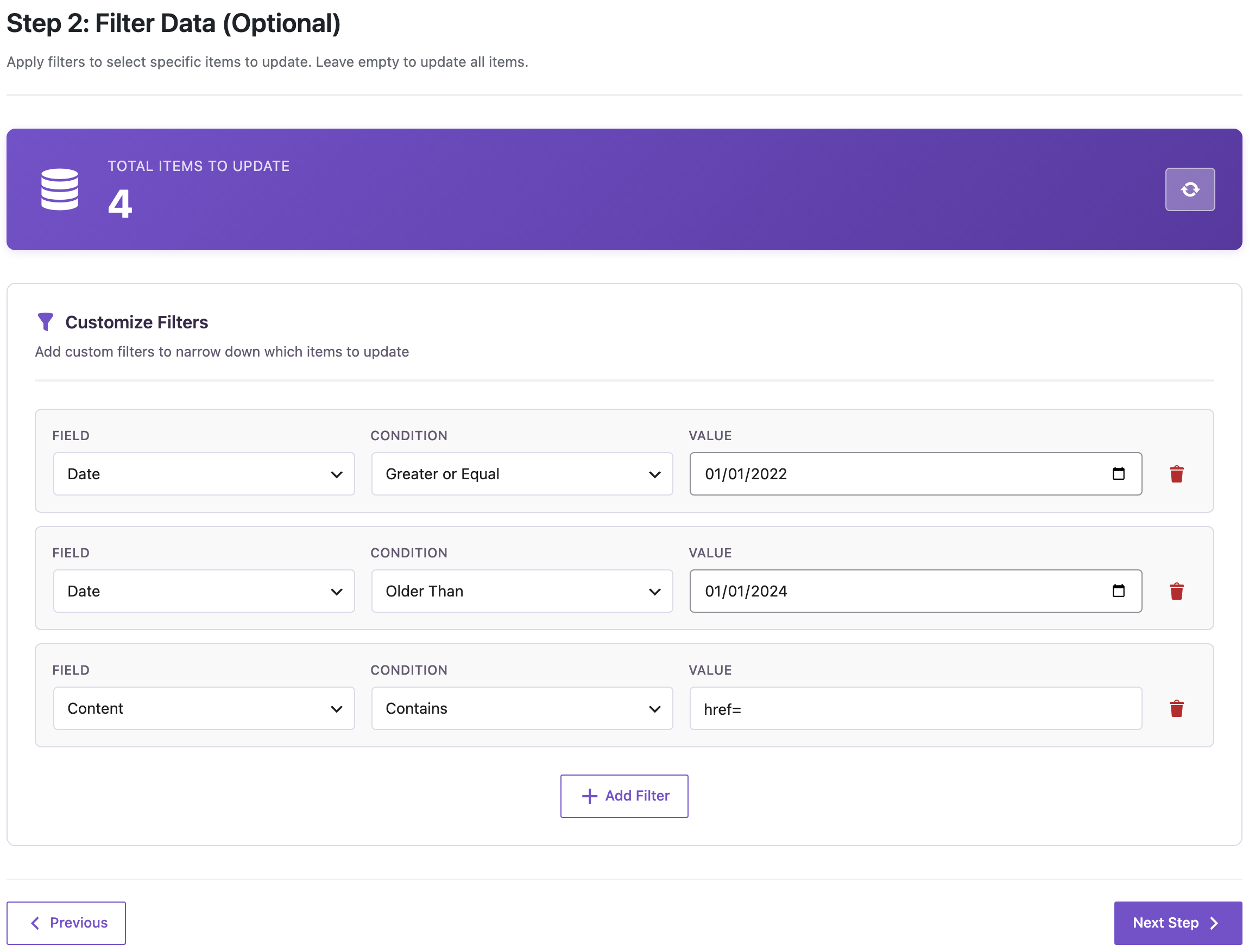
Leave out the date filters to update all posts.
Step 3: Apply the function to the content
In Select Fields to Update, click Content. In Field Transformations, click Assign Transformations, find the function and click Add. Test Pipeline shows the result before you change anything:
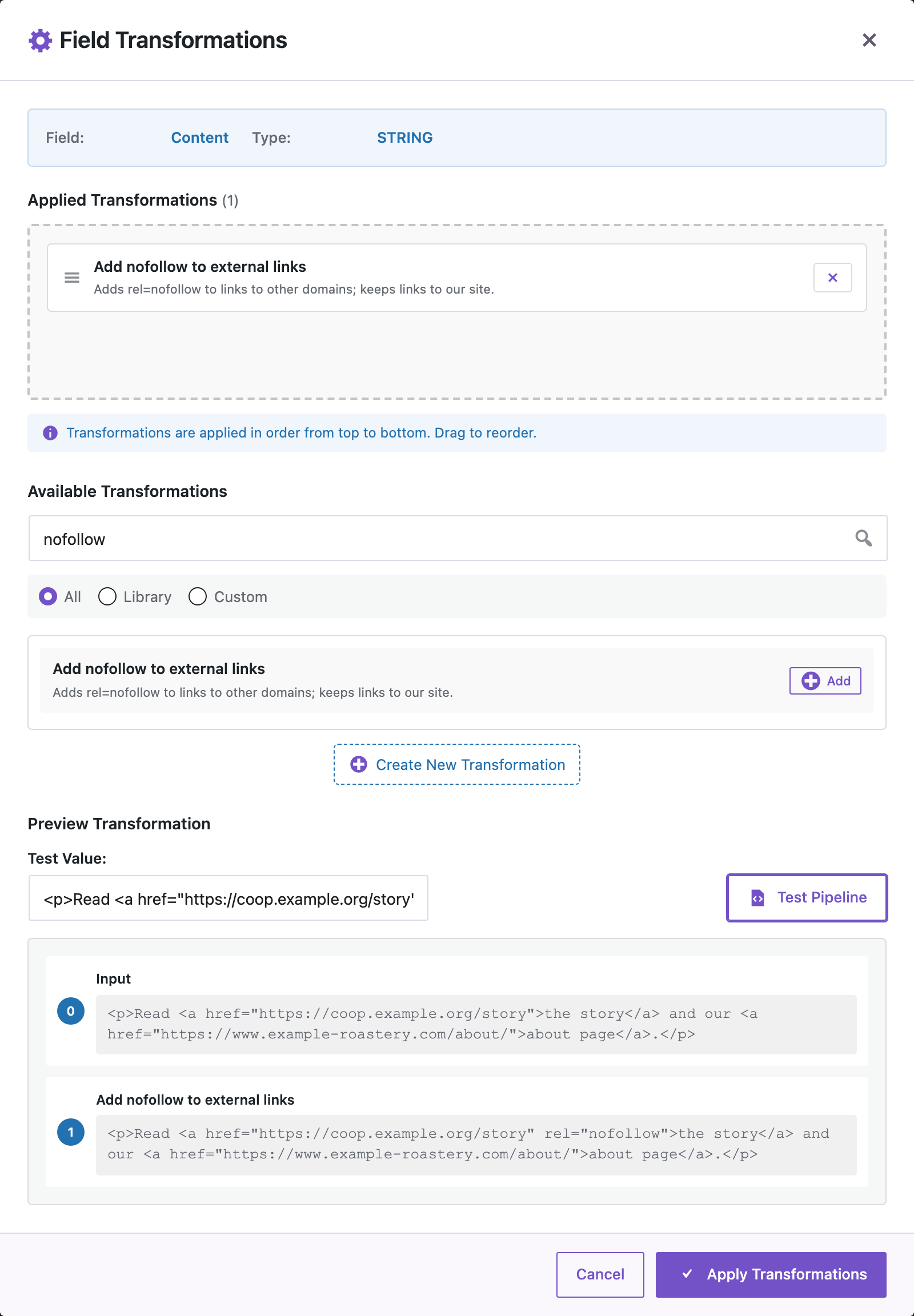
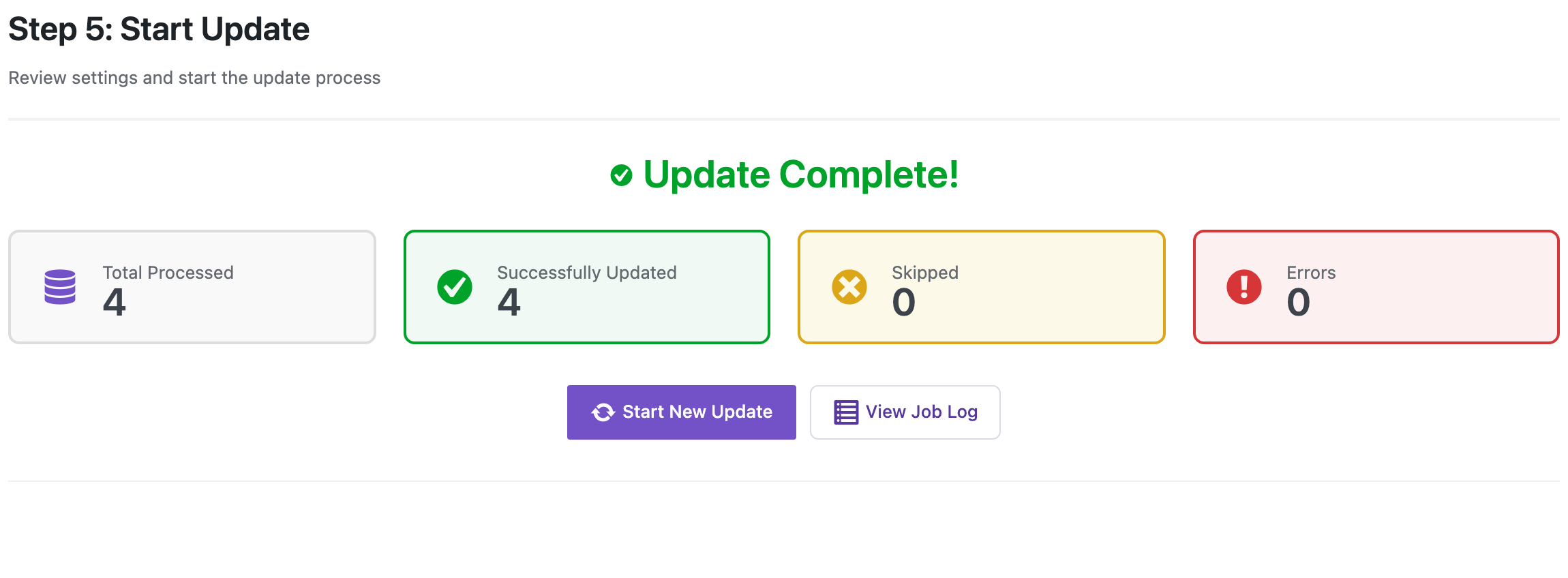
Click Apply Transformations, go to the last step and click Start Update:
The result
Three of the four posts had links to other sites. In the Holiday Gift Guide, the links changed like this:
<a href="https://kettles.example.com/pour-over" rel="sponsored nofollow">gooseneck kettle</a>
<a href="https://mugs.example.com/" rel="nofollow">hand-made mug</a>
<a href="https://www.example-roastery.com/product/gift-card/">gift card</a>
The sponsored link kept sponsored, the mug link got rel="nofollow", and the link to our own gift card stayed as it was. The fourth post only had links to our own site, so its content didn’t change.
Tips
- Find the links first. To see which posts link to one domain, export the posts that link to it.
- www and other subdomains. Your domain matches with any subdomain, so
www.andshop.links to your site stay followed. - Pages and products. Choose Pages or WooCommerce Products in the first step to update their content too.
- The opposite. To remove nofollow from your partners’ links, change the function, or write a second function that removes it.
With an AI agent
An AI agent connected to the site through the WordPress MCP Adapter (see connecting Claude Code to WordPress) can check the result:
Which posts from 2022 and 2023 now have nofollow links?In our run, the agent called rsl-ie/export-preview with the two date filters and Content contains nofollow. It returned the Holiday Gift Guide 2023, How Our Kenyan Beans Are Grown and Our Favorite Brewing Gadgets of 2022.
FAQ
Does it change links in buttons and images?
It changes every <a> link in the content that points to another domain, including links in button blocks. Images without a link are not changed.
What if a link already has rel=”noopener”?
The function adds nofollow to it: rel="noopener nofollow".
Can I undo it?
Restore the backup, or run another function that removes nofollow.
Is this in the free plugin?
No. The Content Updater and custom functions are PRO features.
Related Guides
- Find Every WordPress Post That Links to a Domain (and Fix the Links in Bulk)
- Bulk Update WordPress Content with Content Updater
- WordPress Import and Export Transformation Functions
Get the free plugin on WordPress.org.

Comments 0
Have a question or a tip to share? Leave it below.