
When you push posts from staging to the live site, the question is what they look like on live: does a draft go public, does a scheduled post publish right away, does a private post stay private? With Import Export by RockStarLab Content Sync, each post keeps the status it has on staging. That’s safe for new posts, and something to know before you update a post that is already live. In the test, five posts in five statuses go from a coffee roastery’s staging site to live, then two of them are updated.
Free: Content Sync for posts and pages in every status. PRO: the same for custom post types.
Short Answer
- Draft, Pending Review, Scheduled and Private posts arrive on the live site with the same status. Scheduled posts keep their date and publish on live at that time.
- When you push an update to a post that already exists on live, the live post gets the staging status too: a post that is a draft on staging becomes a draft on live.
- Check the status on staging before you push, or push only published posts.
Push posts in different statuses
On staging we had five posts: Holiday Blend Is Back (Published), Cold Brew Recipe (Draft), Meet Our New Head Roaster (Pending Review), December Subscription Box (Scheduled for 1 December at 9:00) and Wholesale Price List 2027 (Private). In Posts we ticked all five, chose Sync Content, selected the live site and clicked Push to Site. None existed on live yet:
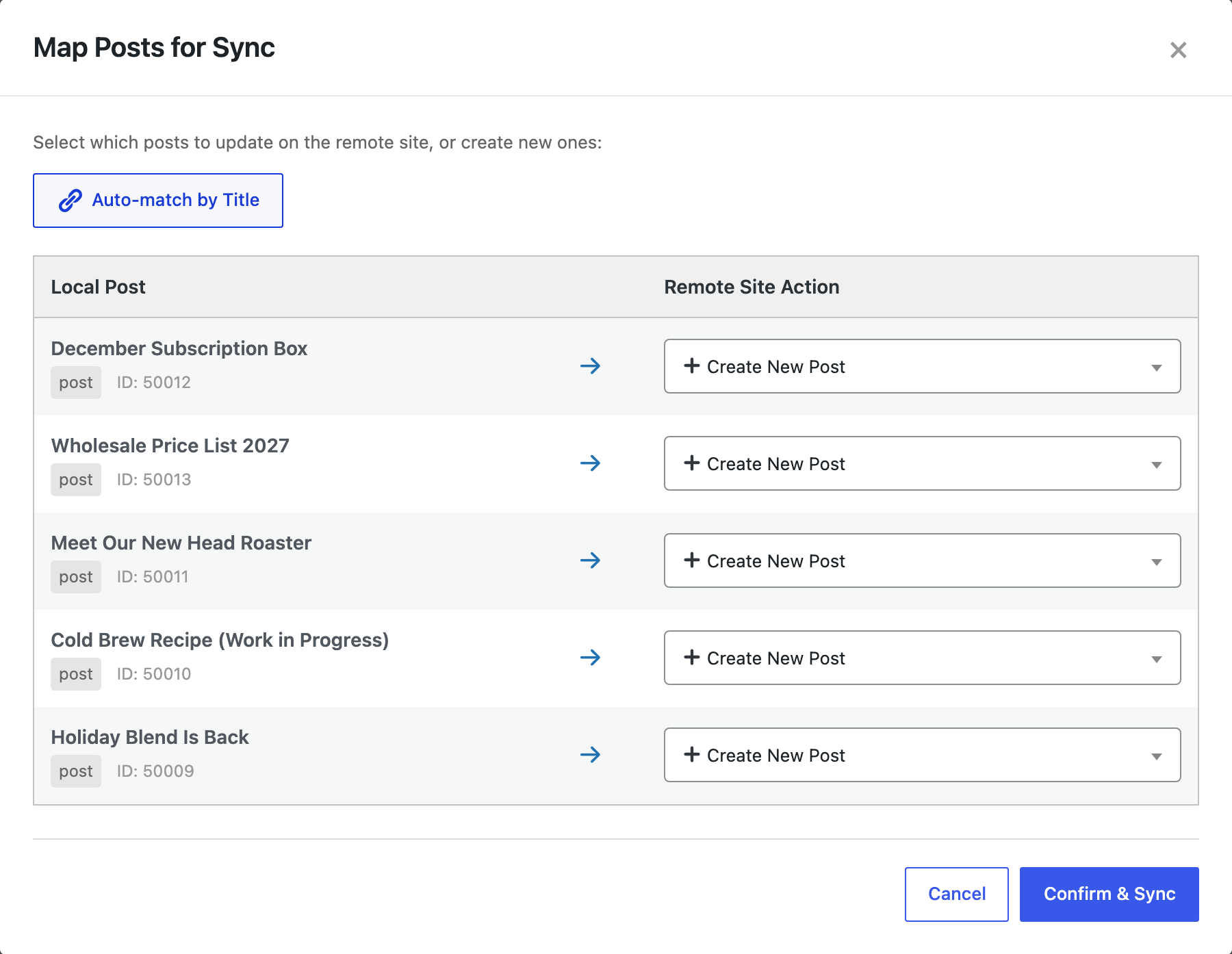
After Confirm & Sync, the live site had all five with the same statuses and dates. The scheduled post had a publishing event for 1 December 9:00, so it goes live on its own at that time. Drafts and the pending post had no slug yet, as WordPress drafts usually don’t; the slug is set when they are published. If you connect the sites for the first time, see how Content Sync works.
Push an update: the status comes along
Then we published Cold Brew Recipe on staging and, to test the other direction, switched Holiday Blend Is Back back to draft. We pushed both again; Auto-match by Title found the live copies and set them to Update:
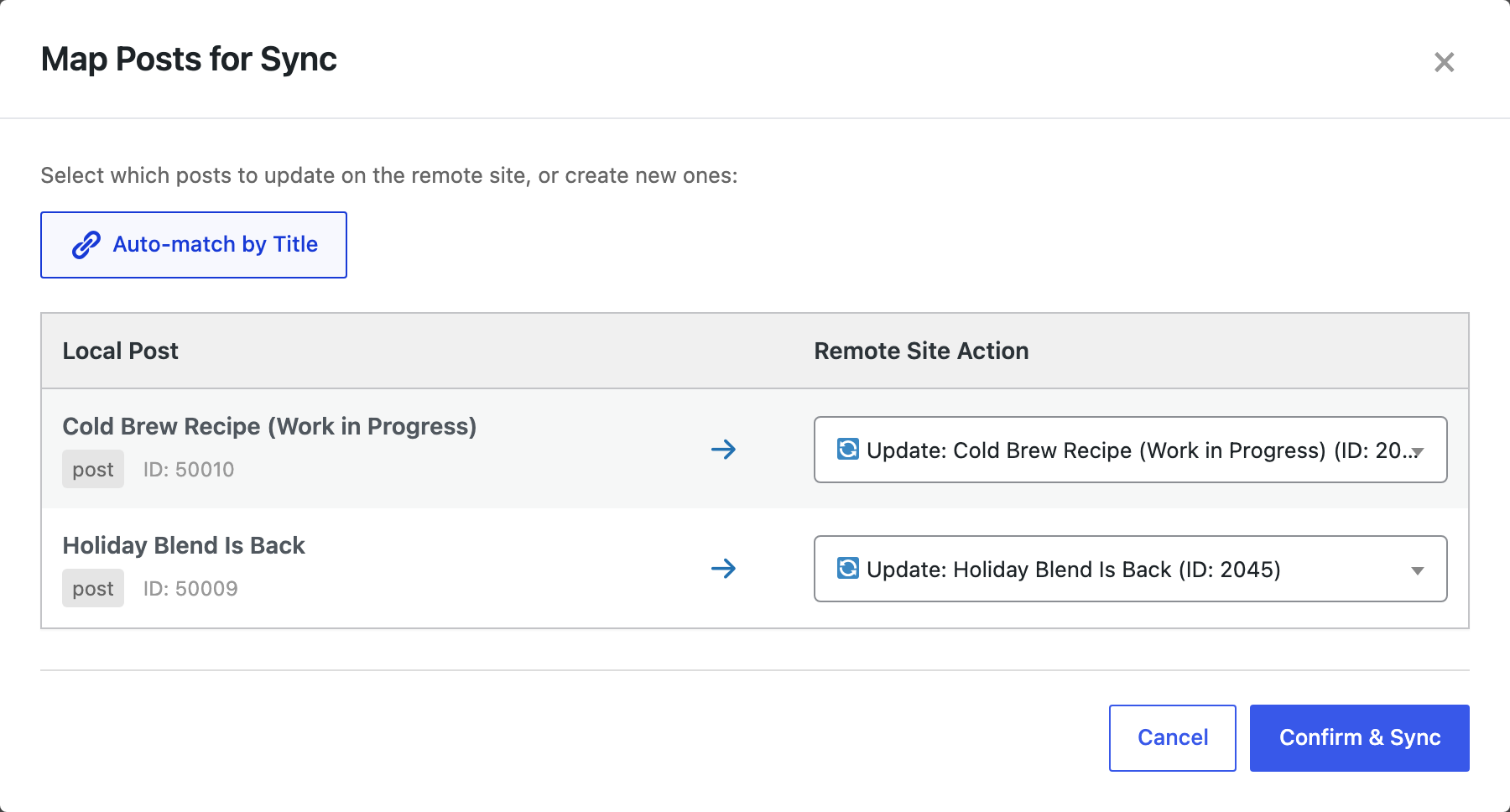
On live, Cold Brew Recipe was now published with its slug, and Holiday Blend Is Back, which had been public, was a draft again:

That is what you want when staging is the source of truth, and a surprise when someone unpublished a post on staging for an unrelated reason. Before you push updates, sort the staging Posts list by status, or select only Published posts.
Before you push
A push changes the live site, including the status of posts that are already there. Push one post first, and back up the live site before pushing many.
With an AI agent
An AI agent connected through the WordPress MCP Adapter (see connecting Claude Code to WordPress) can check the statuses on the live site after a push:
What is the status and date of the five posts we just pushed?In our run, the agent called rsl-ie/export-preview on the live site for Posts with the option post_status: any, a Title filter and the fields Title, Status and Date. It returned Holiday Blend Is Back as draft, Cold Brew Recipe as publish, Meet Our New Head Roaster as pending, Wholesale Price List 2027 as private, and December Subscription Box as future on 2026-12-01 09:00.
FAQ
Will a scheduled post publish early on live?
No. It arrives as Scheduled with the same date and publishes at that time.
Can I push a draft and publish it on live at the same time?
Publish it on staging first, then push. The live copy gets the Published status.
Do drafts get a URL on live?
Not yet. Like any WordPress draft, they get their slug when they are published.
How do I push only published posts?
On staging, click Published above the Posts list, then select the posts and choose Sync Content.
Related Guides
- How Content Sync Works: API Keys, Push, Pull and What Gets Copied
- How Auto-Match by Title Works and When to Map Posts Manually
- Let an AI Agent Draft on Staging, Then Push the Approved Posts to Live
- Sync Parent and Child Pages Between WordPress Sites
Get the free plugin on WordPress.org.

Comments 0
Have a question or a tip to share? Leave it below.