
Estate agents usually keep their listings in a spreadsheet or get them from a CRM as a CSV file: address, price, bedrooms, a status like For Sale or Sold, and links to the photos. With Import Export by RockStarLab PRO you can import that file into a Properties post type, with the details in ACF fields, a featured image and a photo gallery downloaded from the links, and update prices and statuses later from a smaller file. The example has four listings.
PRO: import into a custom post type. Free: the same import into posts or pages, with ACF fields, featured images and categories.
Short Answer
- Set up a Properties post type, a Listing Status taxonomy and ACF fields (price, bedrooms, bathrooms, floor area, address, gallery).
- Name the CSV columns after the fields (
price,bedrooms,featured_image,gallery…) and Auto Map maps them; put image URLs infeatured_imageand comma-separated URLs ingallery. - For price and status changes, import a file with just the title, price and status, matched by Title.
The listings file
We used ACF to create the post type property, a taxonomy property_status and a field group with Price, Bedrooms, Bathrooms and Floor area (number fields), Address (text) and Gallery (ACF gallery). The CSV had one row per property; the photos were on the agency’s website and linked by URL:

1. Map the columns
In Import, choose Custom Post Types, upload the CSV and choose Properties on the mapping step. Auto Map mapped 10 of the 11 columns by name: title, content, status, featured_image, and price, bedrooms, bathrooms, floor area, address and gallery to the ACF fields. For the listing status, add the taxonomy property_status with Taxonomy + Add, match terms by name and drag listing_status onto it:
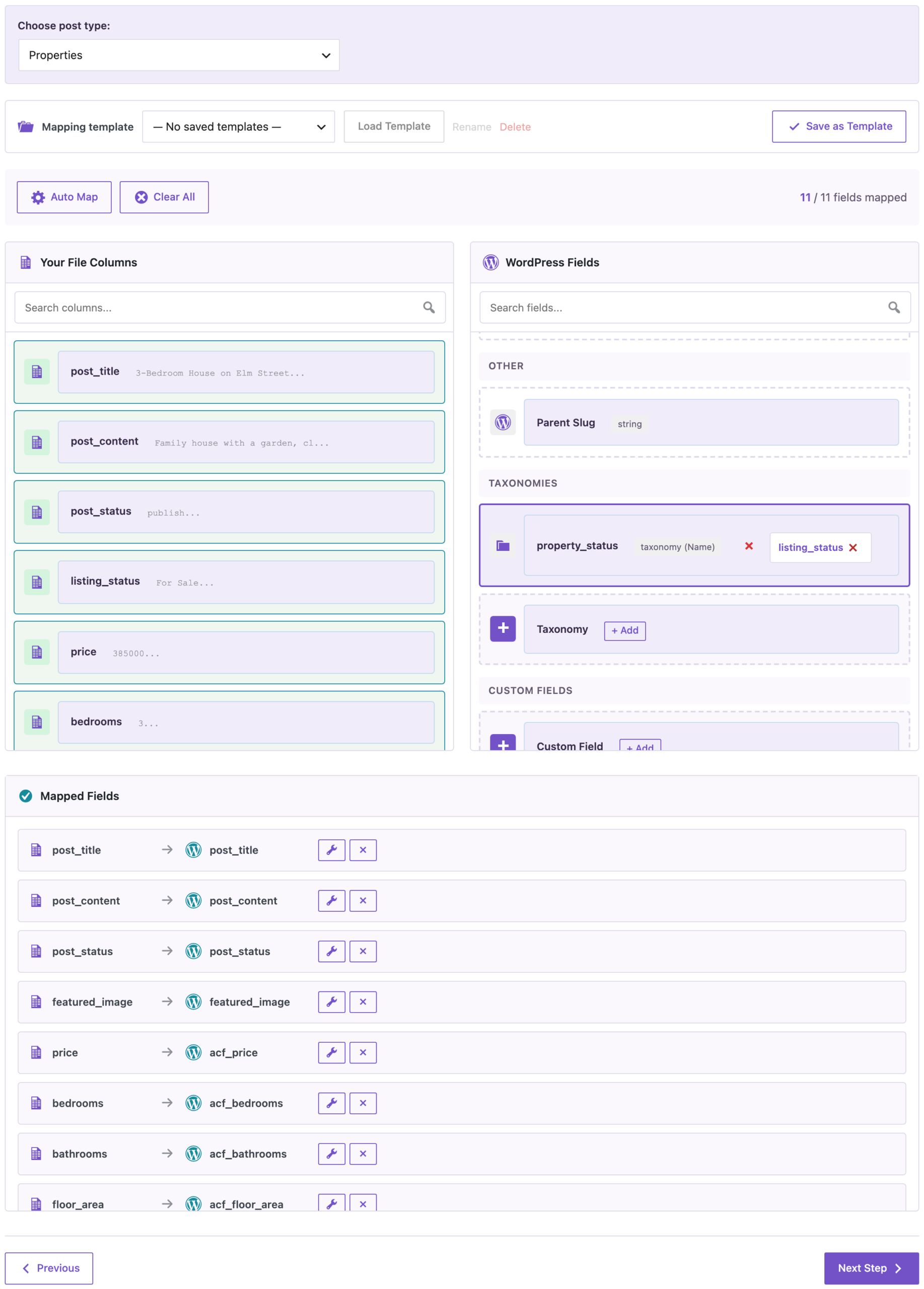
Name the status column something other than status or post_status, so it isn’t mapped to the WordPress post status.
2. Import
The import created 4 properties in 5 seconds:

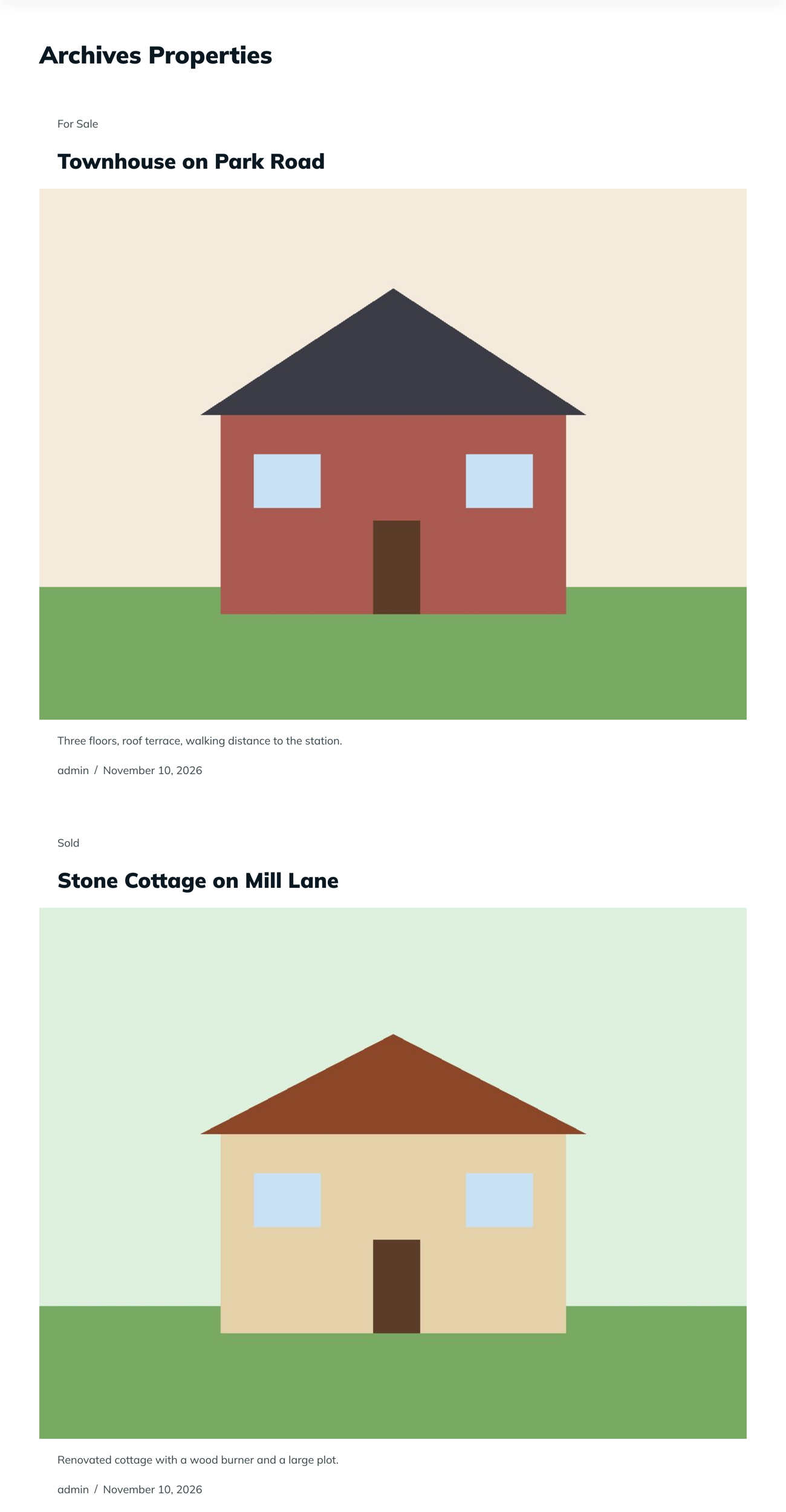
Each property had its price and room counts in the ACF fields, the address, the status term (For Sale or Under Offer), a featured image and a gallery with two photos. The plugin downloaded the photos into the Media Library; the first photo of each listing was used both as the featured image and in the gallery, without a second copy. On the site, the Properties archive showed the listings with their photos and status:
3. Update prices and statuses
A week later the cottage was sold for £305,000 and the townhouse price dropped to £439,000. We imported a file with three columns, post_title, listing_status and price, with Check for Existing Items by Field set to Title and Update for matches:

2 properties were updated. The cottage’s status changed from Under Offer to Sold (the old term was replaced, not added to), and both prices changed. Bedrooms, photos and the gallery stayed as they were, because they weren’t in the file.
Before you import
Try the file on a staging site first, and back up the site before importing many listings. The photo links must be reachable from your site during the import. Matching by title works when every listing has a unique title; if two listings can share a title, add a reference number field and match by that.
With an AI agent
An AI agent connected through the WordPress MCP Adapter (see connecting Claude Code to WordPress) can check the imported listings:
List the properties with price, bedrooms and featured image.In our run, the agent called rsl-ie-pro/export-preview for the post type property with the fields title, acf_price, acf_bedrooms and featured_image_url. It returned the four listings, including the cottage at 305000 and the townhouse at 439000, each with a featured image in the site’s Media Library.
FAQ
How do I import several photos per property?
Put the photo URLs in one cell, separated by commas, and map the column to an ACF gallery field. In our test each gallery got both photos.
Are photos downloaded twice when they are both featured image and in the gallery?
No. In our test the same photo was used for both, with one copy in the Media Library.
Can I mark properties as sold with an import?
Yes. Import the title and the new status; the status term is replaced.
Do I need PRO?
For a custom post type like Properties, yes. Into posts or pages the same import works in the free plugin.
Related Guides
- Build a Directory in WordPress from a CSV File
- Import an XML Feed into a Custom Post Type with ACF Fields
- Set Featured Images in Bulk from a CSV File
- Bulk Import Images from URLs into the WordPress Media Library
Get the free plugin on WordPress.org.

Comments 0
Have a question or a tip to share? Leave it below.