
Import Export by RockStarLab 2.1.39 adds WP-CLI commands, exports of Gravity Forms and Contact Form 7 entries, support for WordPress Multisite, file URLs in webhook triggers with ready n8n workflows, and schedules that keep going when a feed is down for a moment. Everything in this release is part of the Free plugin. PRO 2.1.9 is a security update for networks.
WP-CLI commands
Imports and exports can now run from the command line, in a deployment script or a CI job. The job runs in the same process until it finishes, so WP-Cron is not involved:
$ wp rsl-ie import new-coffees.csv --type=post --user=admin
Job 69 started: post, 3 rows.
status:       completed
processed:    3
success:      2
failed:       1
Warning: Row 3 (post_content): Content, title, and excerpt are empty.
$ echo $?
2
wp rsl-ie importmatches columns by name, or uses a saved mapping template (--template) or your own mapping (--mapping).--dry-runchecks the file and imports nothing.wp rsl-ie export --type=post --format=xlsx --output=posts.xlsxcopies the finished file where you want it.wp rsl-ie jobs,job get|wait|errors|rerun|cancel,schedule list|runandtrigger list|run|logmanage what already exists.wp rsl-ie ability <name> '<json>'calls any of the plugin’s abilities, the same ones AI agents use.- Exit codes for scripts: 0 done, 1 error, 2 finished with failed rows, 3 still running after
--timeout.
With PRO, the same commands handle products, orders, users and the other PRO types (--type=product). Run wp help rsl-ie for every option.
Export form entries
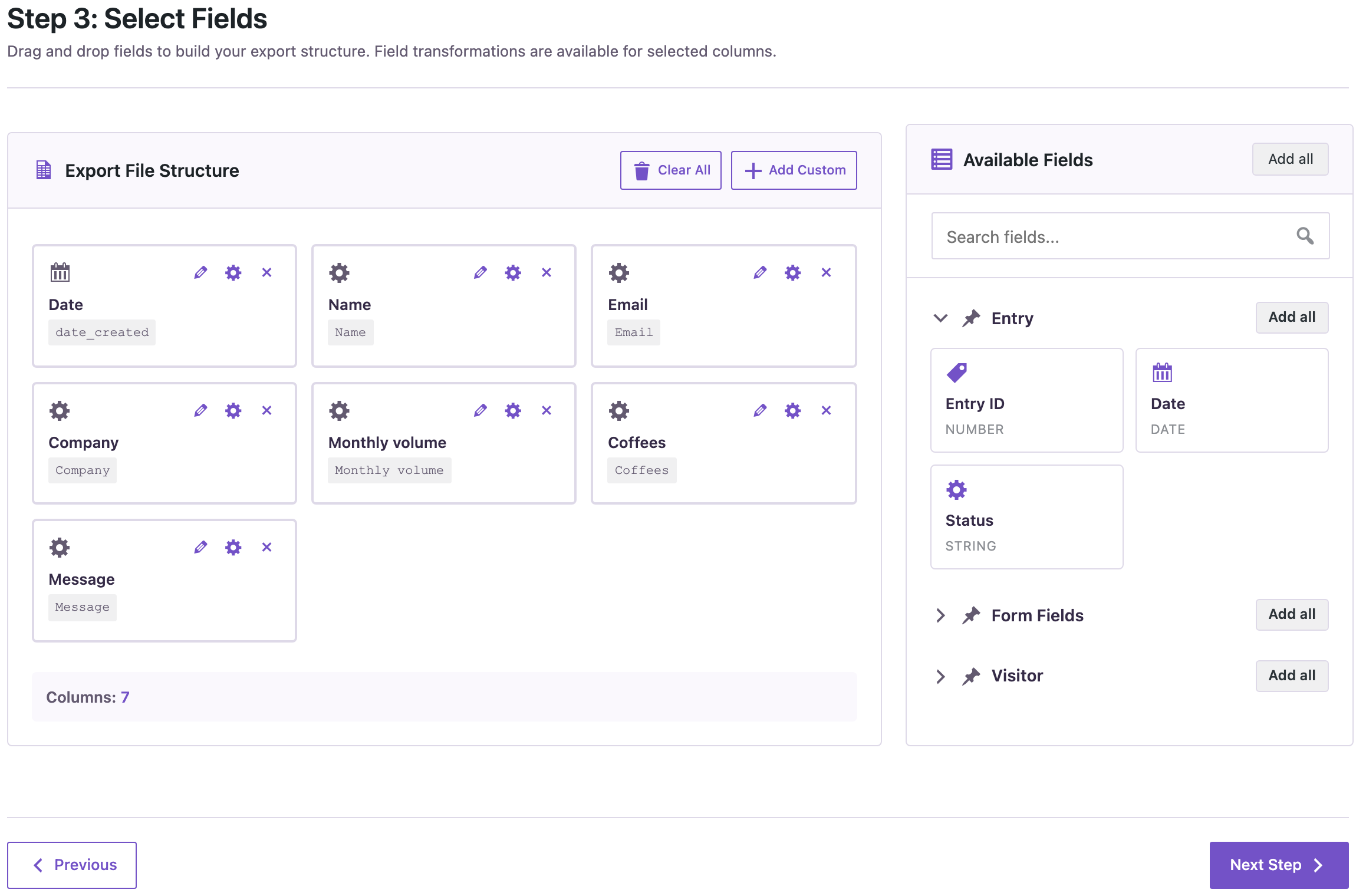
A new Form Entries type in the export wizard exports the entries of a Gravity Forms form, or the messages of a Contact Form 7 form saved by Flamingo. Every field becomes a column under its label, next to the entry ID, date and status, and you can filter by date, status or the text of any field.
In CSV files, a value that starts with =, +, - or @ gets an apostrophe in front, so a spreadsheet doesn’t run a formula someone typed into your form.
WordPress Multisite
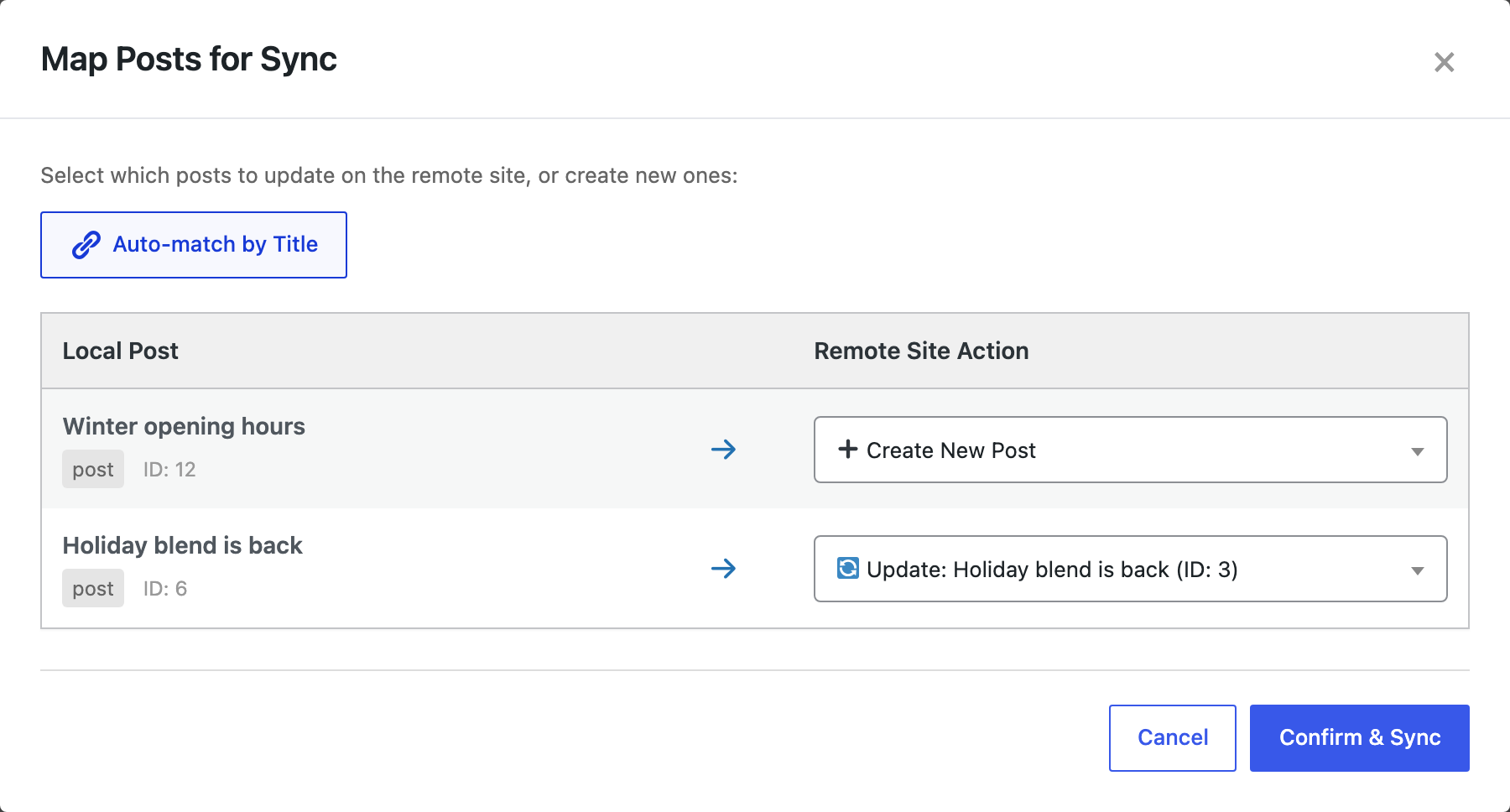
The plugin is now tested on Multisite. Activate it for the whole network or for single sites; each site keeps its own jobs, schedules, settings and files, and Content Sync copies posts and pages between sites of the network.
When the person running an import may not publish unfiltered HTML, which is the case for site administrators in a network, imported post content, excerpts and comments are filtered the same way as in the editor. Uninstalling the plugin now cleans every site of the network.
File URLs in webhooks, and n8n workflows
A webhook trigger of an import can accept a file URL in the request, for example a file just added to Google Drive, and import that file once instead of its usual one. Columns are matched by name. A status URL tells the caller when the job has finished and how many rows were created, updated or failed.
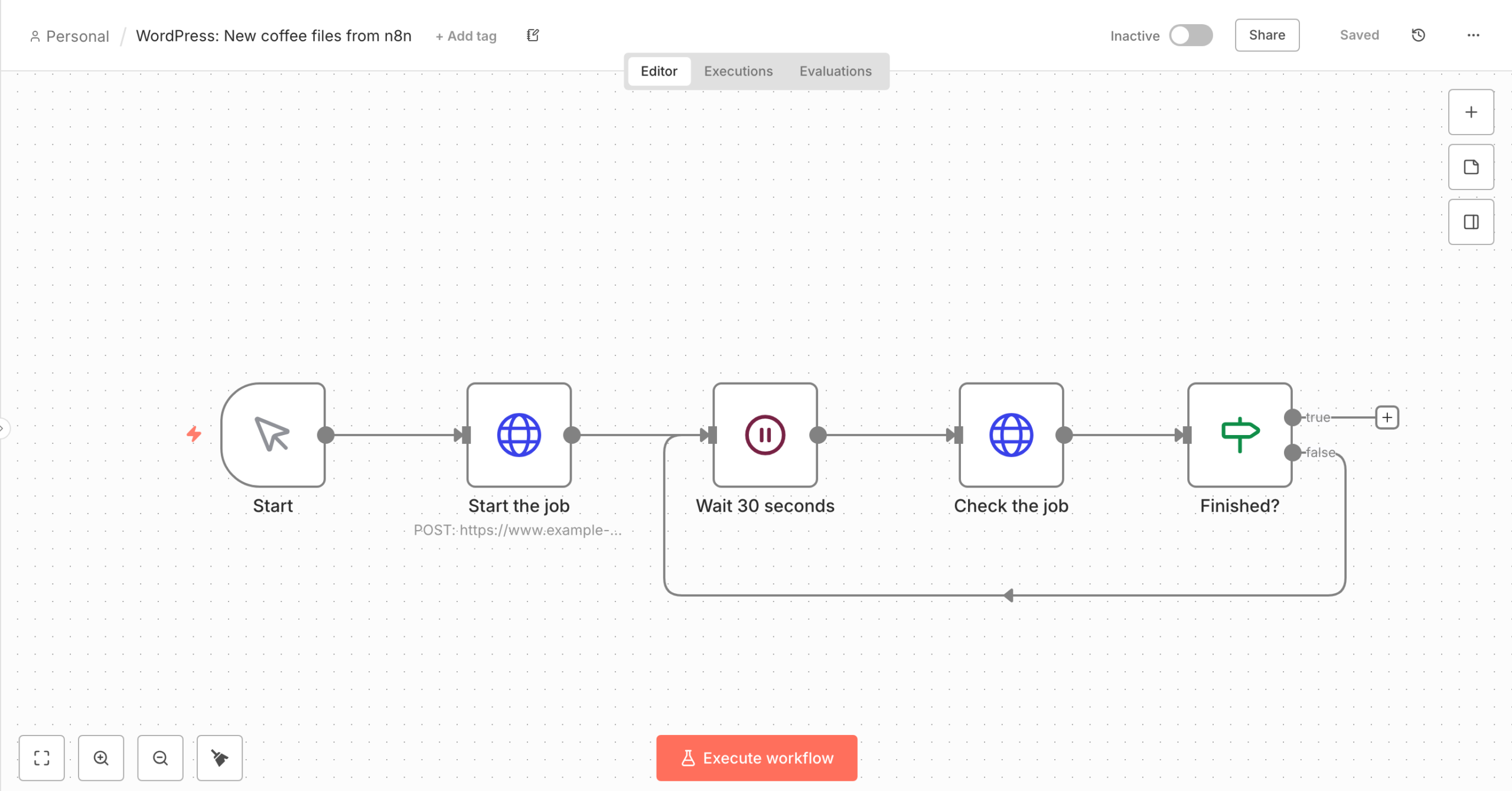
Next to each webhook trigger, Download n8n workflow gives a ready workflow that starts the job and waits for it. On the Notifications tab, a second workflow receives the job-finished message and checks its signature.
Schedules that survive a missing file
A recurring import from a URL used to stop for good when the file couldn’t be downloaded at one run. Now the schedule stays active, tries again at its next run, and Schedules shows why the run didn’t start.

Other improvements
- Post authors: a new Author Login field; Author Name also finds a user by display name; existing users are no longer renamed by an import; a row whose author isn’t found is noted in the job log.
- The status “scheduled” in a file is read as a scheduled post.
- AI agents can import a file from a URL (
rsl-ie/upload-from-url), export form entries, and get the n8n workflows as an exact file to import. - Job notifications no longer show a double space when a job has no name.
PRO 2.1.9
In a Multisite network, only network administrators can now create, change or test function code. Site administrators can still use existing functions and add snippets from the library.
Update
Update from Dashboard → Updates, or get the free plugin on WordPress.org. As with any update that touches your content workflows, back up the site first. Guides for each new feature follow over the next days.
FAQ
Are the new features free?
Yes. WP-CLI, form entries export, Multisite support, file URLs in webhooks, the n8n workflows and the schedule fix are in the free plugin.
Do the WP-CLI commands need AI agent access?
No. They work even when AI agent access is off.
Which form plugins are supported?
Gravity Forms, and Contact Form 7 with Flamingo, which saves its messages. Contact Form 7 alone doesn’t store messages on the site.
Does the plugin work on WordPress Multisite?
Yes, network-activated or per site. Each site keeps its own jobs and settings.
Related Guides
- Import Warnings, Threaded Comment Imports and Clearer Media Messages (What’s New in 2.1.40)
- Event Triggers for Imports and Exports: What’s New in 2.1.37
- How Content Sync Works: API Keys, Push, Pull and What Gets Copied
- WordPress Jobs Log: Check, Retry and Schedule Imports & Exports
- Connect Claude Code to WordPress via MCP (Step by Step)

Comments 0
Have a question or a tip to share? Leave it below.