
Import Export by RockStarLab 2.1.40 makes imports easier to check: the result tells you about rows that went in with a note, comment imports keep reply threads and recognise common column names, and media imports explain clearly when a link points to a web page instead of a file. Everything in this release is part of the Free plugin.
Warnings on the import result
Some rows are imported but need a second look: a post whose author wasn’t found and went to the default author, a comment whose post didn’t exist, a featured image that couldn’t be downloaded. When every row is imported but notes like these exist, the result now says Import Completed with Warnings and lists them:
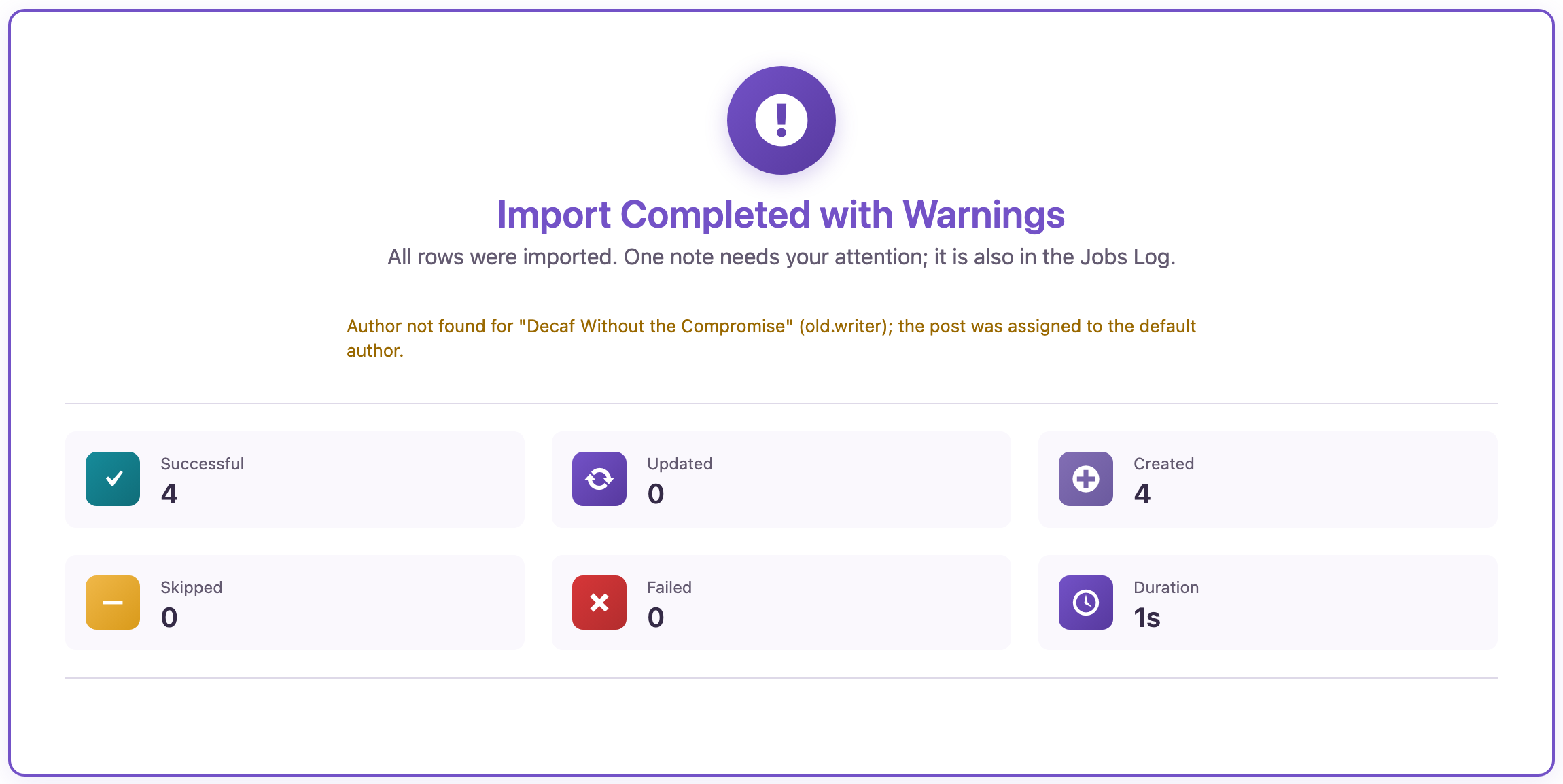
The same notes appear in Jobs Log: open a job with the eye icon and look under Warnings.

AI agents read the same notes with rsl-ie/job-get-logs and the level warning.
Comment imports keep their threads
When you import comments from a spreadsheet, map the old comment ID to Source Comment ID and the old parent ID to Source Parent Comment ID. Replies are placed under the comments they answer, also when the parent came in an earlier import:
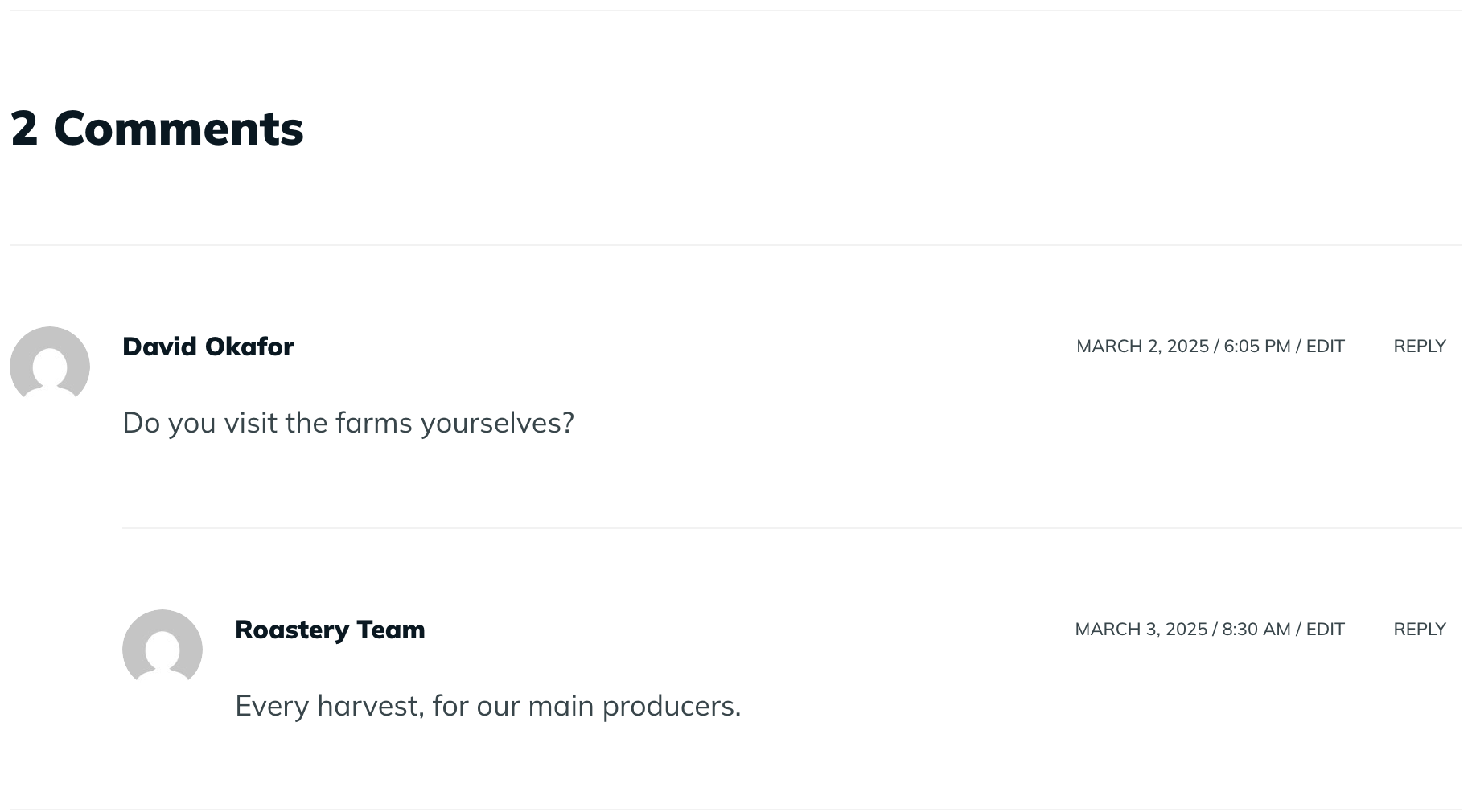
Auto Map for comments now understands the usual column names: Comment ID, Parent ID, Post Slug, Author, Email, Date, Comment, Approved and Website. If a comment’s post isn’t on the site, the plugin creates a draft post with that slug for it, and the result says which one.
Clearer media import messages
If a link in a media import opens a web page (a gallery, a share page, a login screen) instead of the file, the row now says The URL returned a web page, not a file., with a hint to use the direct link. Files that WordPress doesn’t accept by type get their own hint. The job log also says “Imported media” for featured images and images in content.
How to update
Update from Dashboard → Updates or the Plugins screen, or with wp plugin update import-export-by-rockstarlab. Your jobs, schedules, templates and settings stay as they are. As before any plugin update on a busy site, make a backup first.
FAQ
Is 2.1.40 a free update?
Yes. Everything in this release is in the free plugin.
Where do I see import warnings?
On the result screen of the import, and in Jobs Log under the job’s details.
Do I need to change my comment import files?
No. Files that map the old IDs to Source Comment ID and Source Parent Comment ID are threaded automatically.
Does this update change PRO?
No. PRO stays at 2.1.9 and works with 2.1.40.
Related Guides
- Nested JSON Imports and Smarter Auto Map (What’s New in 2.1.41)
- WP-CLI, Form Entries Export and Multisite Support (What’s New in 2.1.39)
- How to Import WordPress Posts from CSV or Excel
- WordPress Jobs Log: Check, Retry and Schedule Imports & Exports
- Export WordPress Comments to CSV or Excel: Full Guide
Get the free plugin on WordPress.org.

Comments 0
Have a question or a tip to share? Leave it below.