
Import Export by RockStarLab 2.1.52 reads XML files exported from WordPress or WordPress.com (WXR files) the right way: each post or page in the file becomes a row, and Auto Map knows the column names of these files.
Free: both changes. PRO: no change; PRO 2.1.13 works with 2.1.52.
WordPress export files are read item by item
A WordPress export file (Tools → Export in WordPress, or the export of a WordPress.com site) starts with the lists of all categories and tags of the site, and only then come the posts, each in an <item> element. The plugin now takes the items as the rows, so you see the posts in the preview, with columns such as title, content:encoded, wp:post_date and wp:status.
Auto Map for WordPress export columns
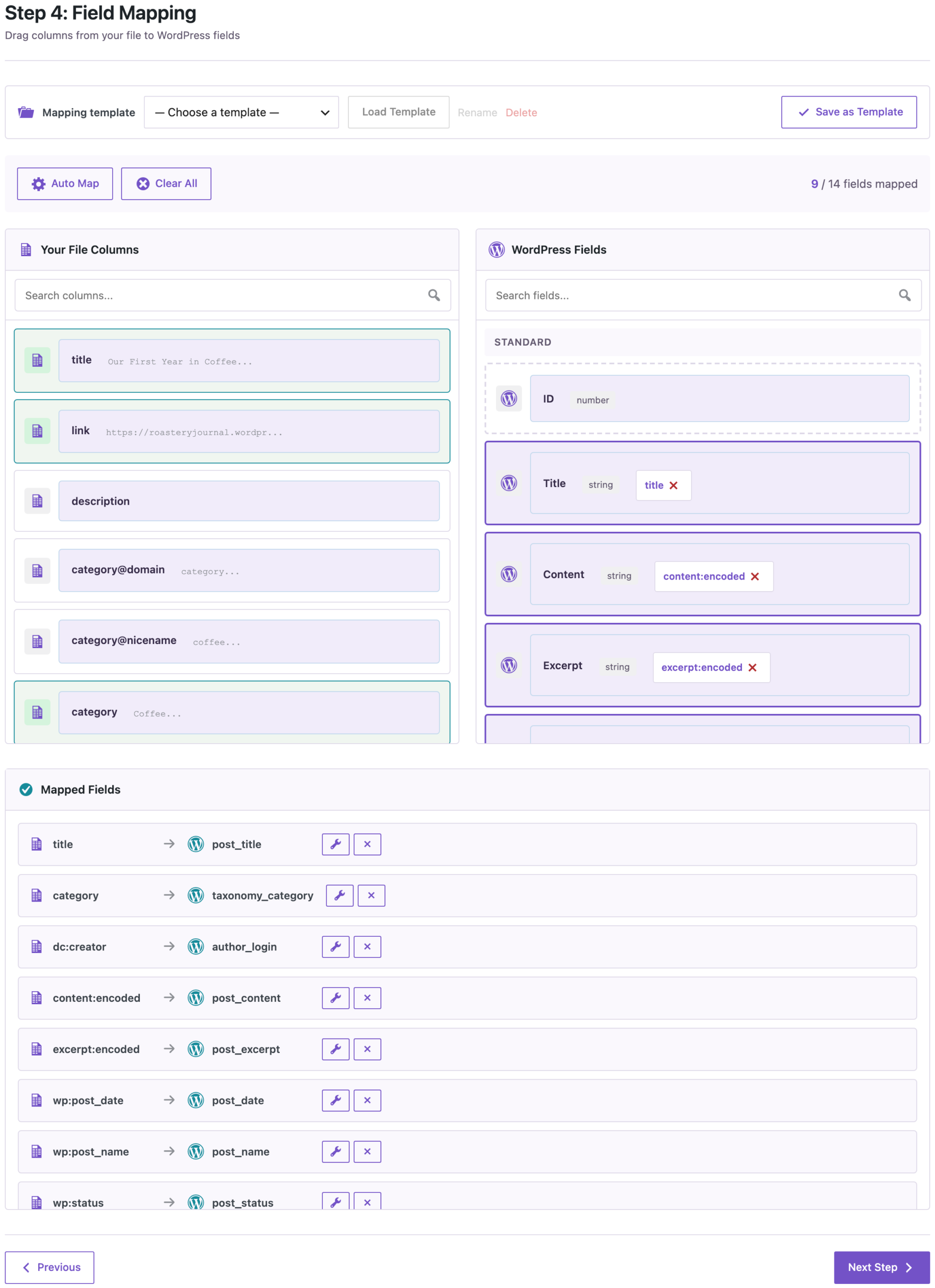
Auto Map now maps content:encoded to Content, excerpt:encoded to Excerpt, wp:post_date to Date, wp:post_name to Slug, wp:status to Status and dc:creator to the author’s login. In our test file from a WordPress.com blog, Auto Map mapped 9 of the 14 columns:
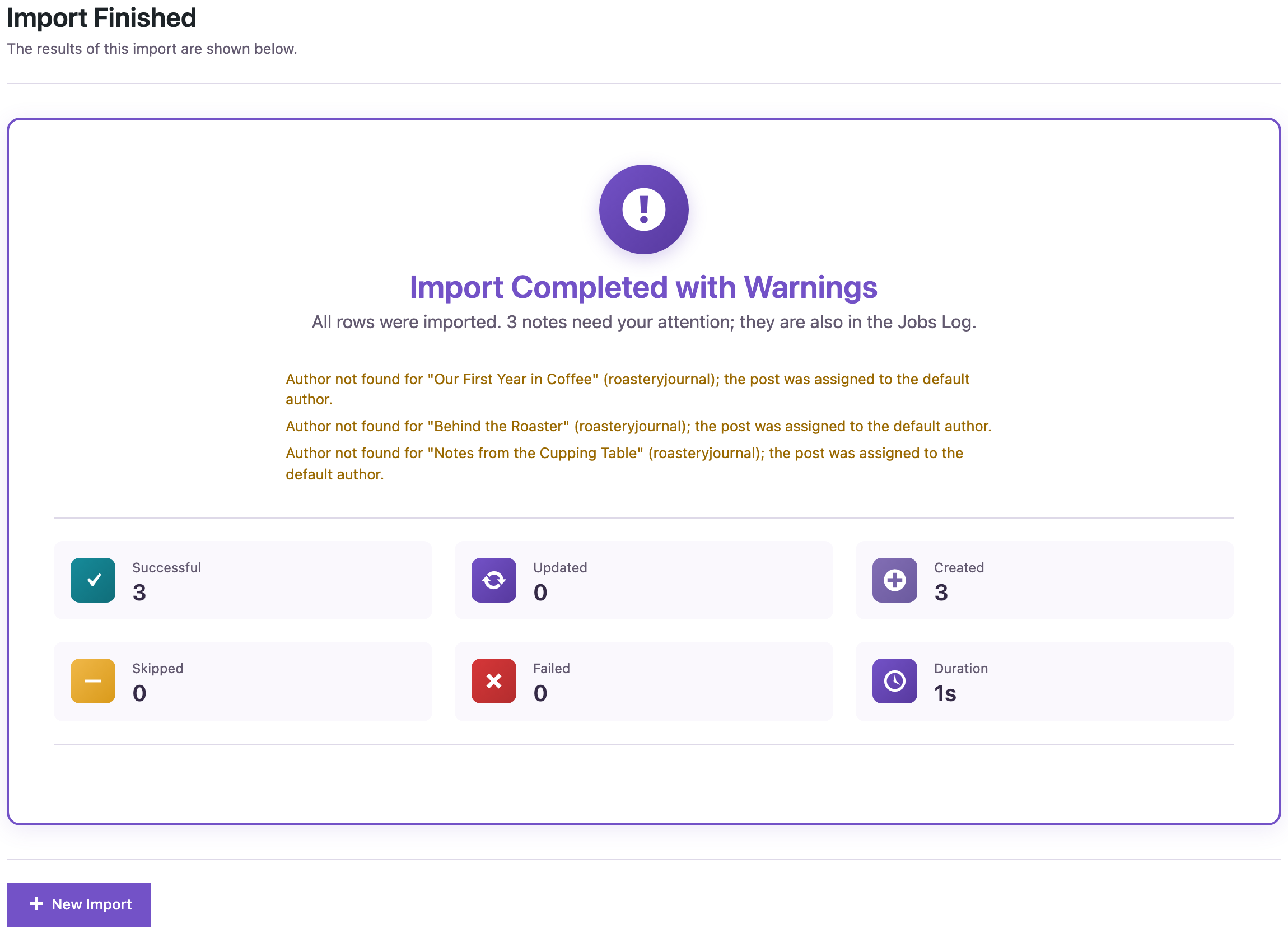
The three posts were created with their dates, slugs and category, and the images in the content point to files in the media library of the new site. The author roasteryjournal did not exist on the new site, so the plugin assigned the posts to the default author and said so:
How to update
Update from Dashboard → Updates or the Plugins screen, or with wp plugin update import-export-by-rockstarlab. Your jobs, schedules, servers and settings stay as they are. As before any update, back up the site first.
With an AI agent
An AI agent connected through the WordPress MCP Adapter (see connecting Claude Code to WordPress) can check the imported posts:
Show the three imported posts with date, category and content.On 2.1.52, the agent called rsl-ie/export-preview for the three post IDs. The posts had the dates from the file (10 March, 21 June and 2 September 2024), the category Coffee, and image addresses on the new site.
FAQ
Can I import a WordPress.com export with this plugin?
Yes. Choose Blog Posts or Pages, upload the XML file and click Auto Map. Check the author mapping: authors are matched by login, and posts by unknown authors get the default author.
Does this change other XML feeds?
No. Feeds where the records repeat directly under a wrapper, such as product feeds, are read as before.
Do I need to update PRO?
No. PRO stays at 2.1.13.
Related Guides
- Variable Products in Content Sync (What’s New in PRO 2.1.15)
- Clear FTP and SFTP Connection Errors (What’s New in 2.1.51)
- Import WooCommerce Products from an XML Supplier Feed
Get the free plugin on WordPress.org.

Comments 0
Have a question or a tip to share? Leave it below.