
Import Export by RockStarLab 2.1.55 makes pulls more reliable: a post that was renamed on your site still pulls from the right source, and a pull of pages can run on a schedule.
Free: both changes, for posts and pages. PRO: no change; PRO 2.1.15 works with 2.1.55.
Pull keeps the post it came from
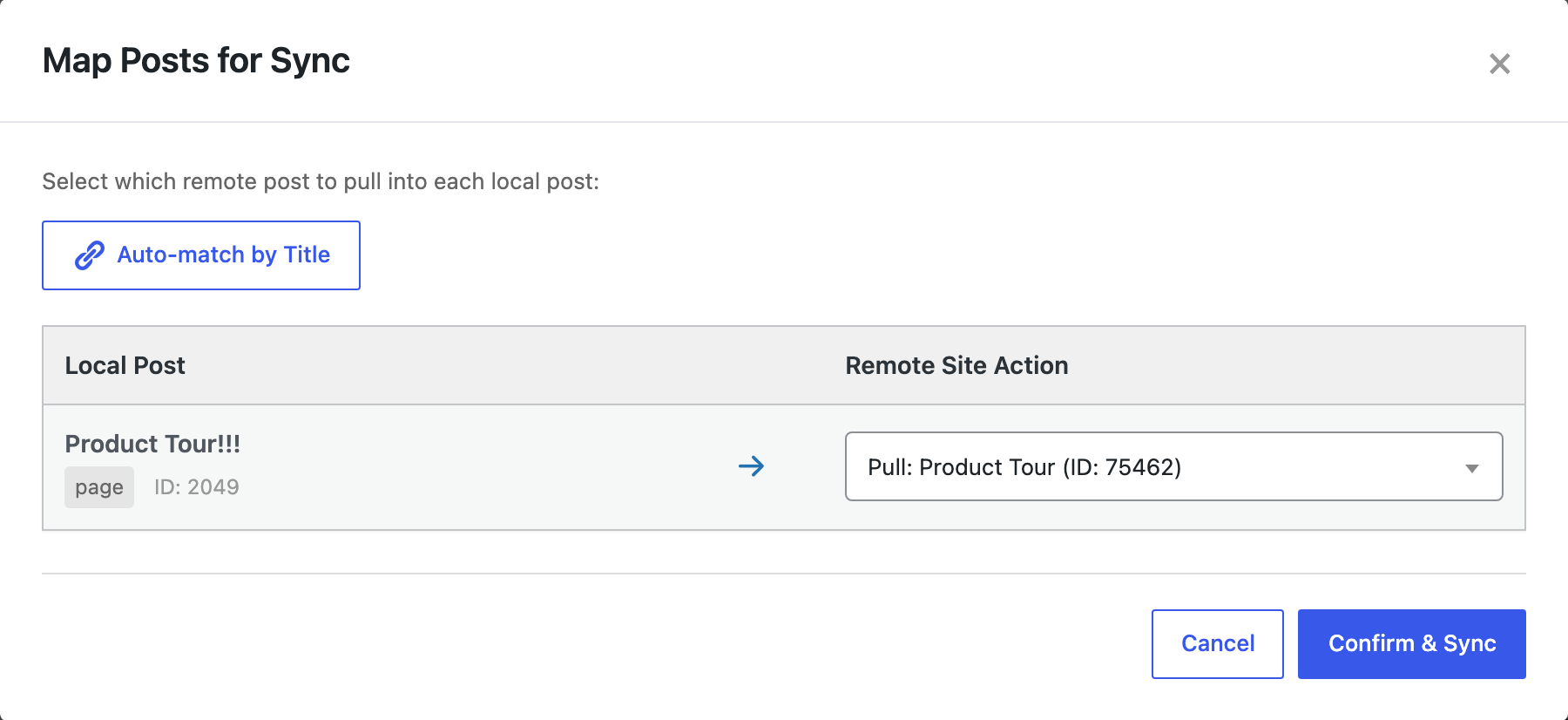
When you pull a post or page that came from the other site before, the mapping now always keeps that source post, also when the title was changed on your site since. The automatic match by title no longer replaces it. The row shows the title of the post on the other site, so you see what will come in.
In our test, a visitor renamed the demo page Product Tour to “Product Tour!!!”. The pull mapped it to the master page Product Tour and updated it:
Schedules from page pulls
A pull started from the Pages screen can now be the source job of a schedule. Open Import Export → Jobs Log → Schedules, choose the pull job and set how often it runs. In our test, a daily schedule pulled the Product Tour page and reported “Updated 1 post”:

This is useful for a demo or training site that should go back to known content every night.
How to update
Update from Dashboard → Updates or the Plugins screen. Connections, jobs and schedules stay as they are. As before any update, back up the site first.
With an AI agent
An AI agent connected through the WordPress MCP Adapter (see connecting Claude Code to WordPress) can pull a page back on request:
Reset the Product Tour page from the master site.In our run, the agent called rsl-ie/sync-pull-start with the master page and the local page, then rsl-ie/sync-job-status until the job was completed: “Updated 1 post”.
FAQ
What if I want a different source post?
Choose it in the row before you click Confirm & Sync. Auto-match by Title still fills the rows of posts that were never synced.
Do push mappings change?
No. On push, the receiving site keeps updating the post it created before, also when the row offers Create New Post.
Do I need to update PRO?
No. PRO stays at 2.1.15.
Related Guides
- Review Sync Between Stores (What’s New in 2.1.56 and PRO 2.1.16)
- Content Sync Keeps Your Store’s Stock (What’s New in 2.1.54)
- How Content Sync Works: API Keys, Push and Pull
Get the free plugin on WordPress.org.

Comments 0
Have a question or a tip to share? Leave it below.