
Import Export by RockStarLab 2.1.61 shows who used each coupon in the WooCommerce Coupons export and lets you filter coupons by their usage.
Free: the change is in the free plugin’s export screen. PRO: the WooCommerce Coupons export is a PRO feature; use PRO 2.1.17.
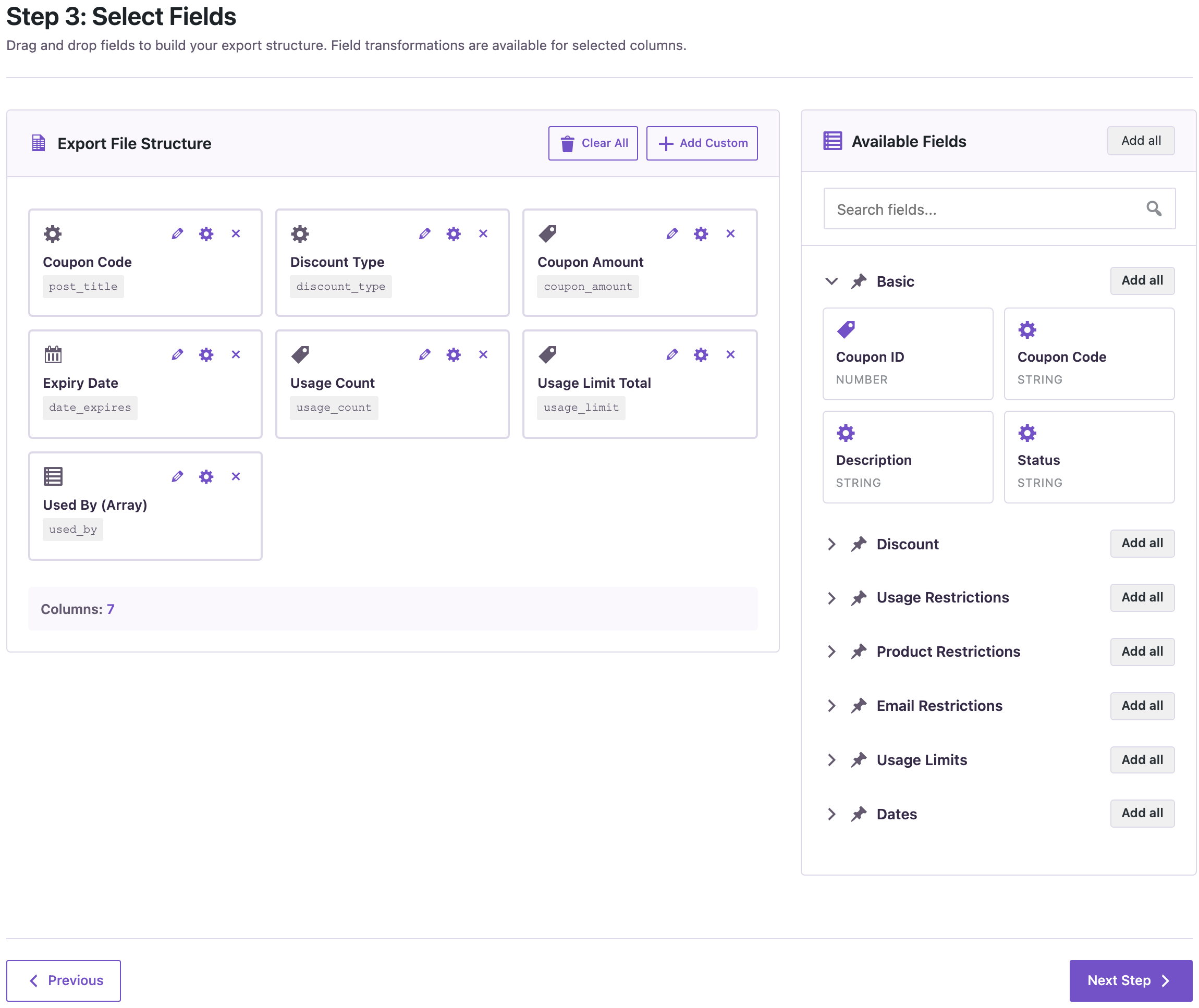
Used By (Array) column
In Import Export → Export → WooCommerce Coupons, the field list now has Used By (Array), next to Usage Count and the usage limits. It lists the email or user ID of each customer who used the coupon, one entry per use:
Filters on usage, discount and limits
The filter step for coupons now offers Discount Type, Coupon Amount, Free Shipping, Minimum and Maximum Spend, Allowed Emails, Usage Count, the usage limits and Used By, besides the code, status and dates. For example, Usage Count equals 0 finds the codes nobody used:
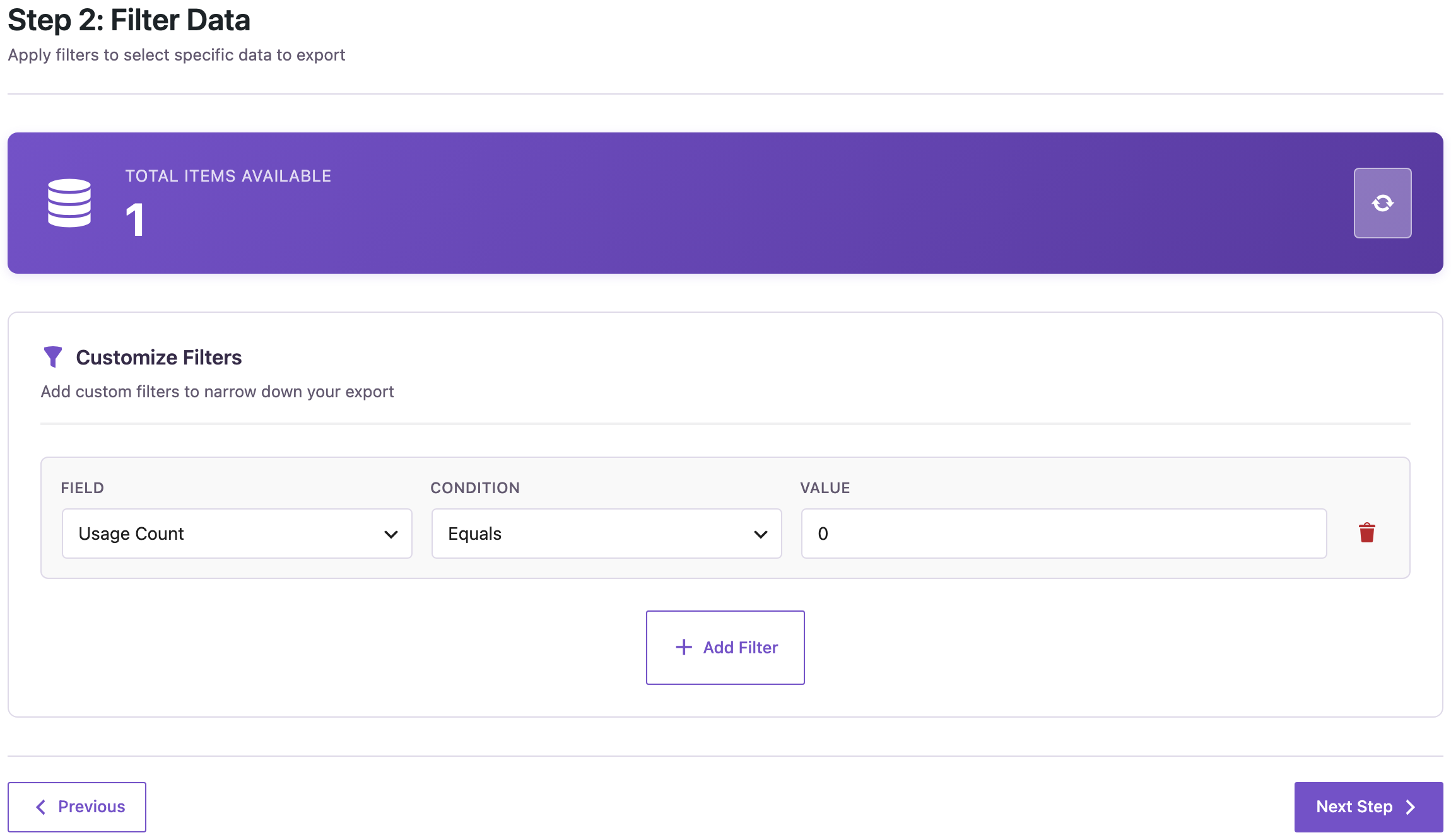
Used By (Array) contains an email finds the coupons one customer used.
Other changes
The Abilities API & AI agents guide link in the What’s new box of the plugin’s start screen now opens the AI agents video tutorials.
How to update
Update from Dashboard → Updates. Settings, jobs and schedules stay as they are. As before any update, back up the site first.
With an AI agent
An AI agent connected through the WordPress MCP Adapter (see connecting Claude Code to WordPress) can use the same filters:
Which coupon codes were never used?In our run, the agent called rsl-ie-pro/export-preview for WooCommerce coupons with Usage Count equals 0 and returned one code, save5.
FAQ
Do I need to update PRO?
No. PRO 2.1.17 works with 2.1.61.
Are product restrictions available as filters?
Not yet. Allowed and excluded products and categories are exported as columns, but not offered as filters.
Does the export change any coupons?
No. It only reads them.
Related Guides
- Functions Keep HTML Entities (What’s New in PRO 2.1.18)
- Order Item Filters (What’s New in PRO 2.1.17)
- How to Import WooCommerce Coupons from CSV or Excel
Get the free plugin on WordPress.org.

Comments 0
Have a question or a tip to share? Leave it below.