
Import Export by RockStarLab 2.1.58 improves Media Library sync between connected sites: large selections are sent in batches, a missing source file no longer stops the job, and the file list loads more items as you scroll.
Free: all changes are in the free plugin. PRO: no change; PRO 2.1.16 works with 2.1.58.
Large selections are sent in batches of 50
In Media → Library, the Sync button opens the Sync Media window. You can now push or pull more than 50 files at once, for example with Browse remote media → Select all. The plugin splits the selection into batches of 50 and runs them one after another. The progress shows which batch is running, for example batch 1 of 3 for 109 files:
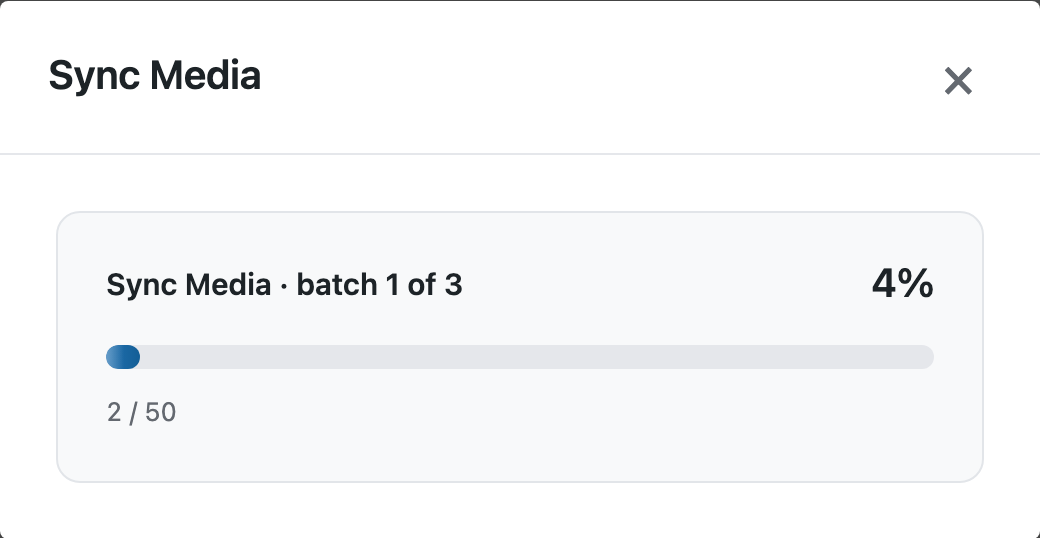
Before 2.1.58, a selection of more than 50 files was rejected with an error.
A file missing on the source site is skipped
Sometimes a Media Library entry exists, but its file was deleted from the server. Before 2.1.58, such an entry paused the whole job. Now the entry is marked as failed with the reason, the other files are copied, and the summary says how many files could not be copied:
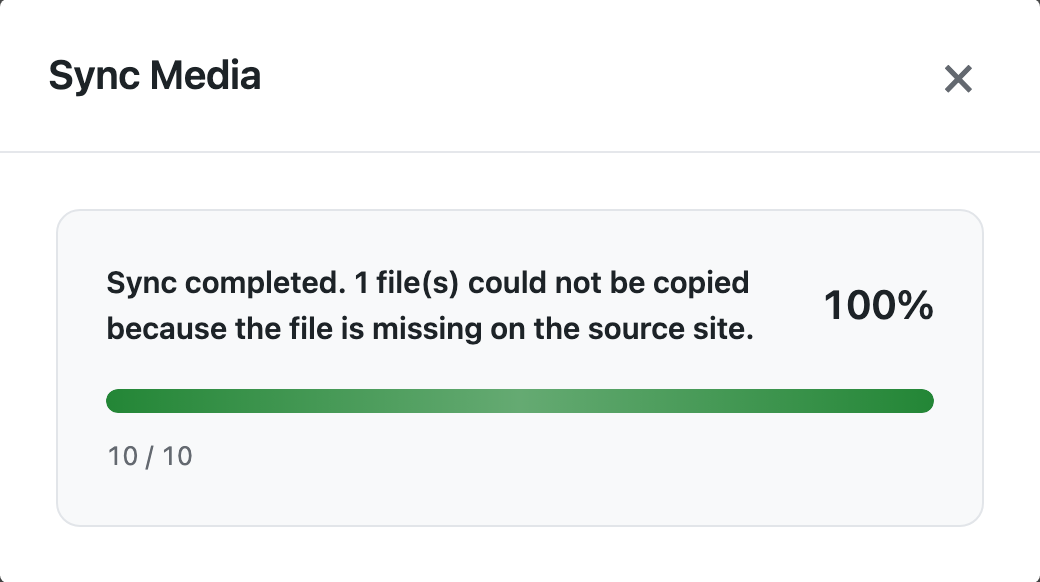
In this test, 10 files were pulled and one of them, team-photo.jpg, had no file on the source site. The job went on with the other 9 files. The page is not reloaded automatically when a file fails, so you can read the message.
More files load as you scroll
The list of files from the other site loads in pages. Scrolling the Remote Media list now loads the next page, so Select all can cover the whole library.
How to update
Update from Dashboard → Updates on all connected sites. Connections, jobs and schedules stay as they are. As before any update, back up the site first.
With an AI agent
An AI agent connected through the WordPress MCP Adapter (see connecting Claude Code to WordPress) can start the same pull:
Pull the media files 1853, 1855 and 1856 from production to staging.In our run, the agent called rsl-ie/sync-media-pull-start on staging with these three IDs, then checked the job: 2 files were already on staging and were skipped, and 1 file was reported as failed because it was missing on production. The job finished instead of pausing.
FAQ
Is there a limit on how many files I can select?
The plugin sends 50 files per batch and runs the batches one by one, so a large selection takes longer but is not rejected.
How do I fix a file that could not be copied?
Upload the file again on the source site, or remove the broken entry there, then run the sync again. Files that are already synced are skipped.
Do I need to update PRO?
No. PRO stays at 2.1.16.
Related Guides
- Content Sync Jobs in WP-CLI (What’s New in 2.1.59)
- Safer Sync Across Three Sites (What’s New in 2.1.57)
- Sync Featured Images and Media Between WordPress Sites
Get the free plugin on WordPress.org.

Comments 0
Have a question or a tip to share? Leave it below.