
Import Export by RockStarLab 2.1.60 adds a File Hash (MD5) column to the Media export, so you can find the same file stored several times in the Media Library.
Free: the column is in the free plugin. PRO: no change; PRO 2.1.16 works with 2.1.60.
File Hash (MD5) in the Media export
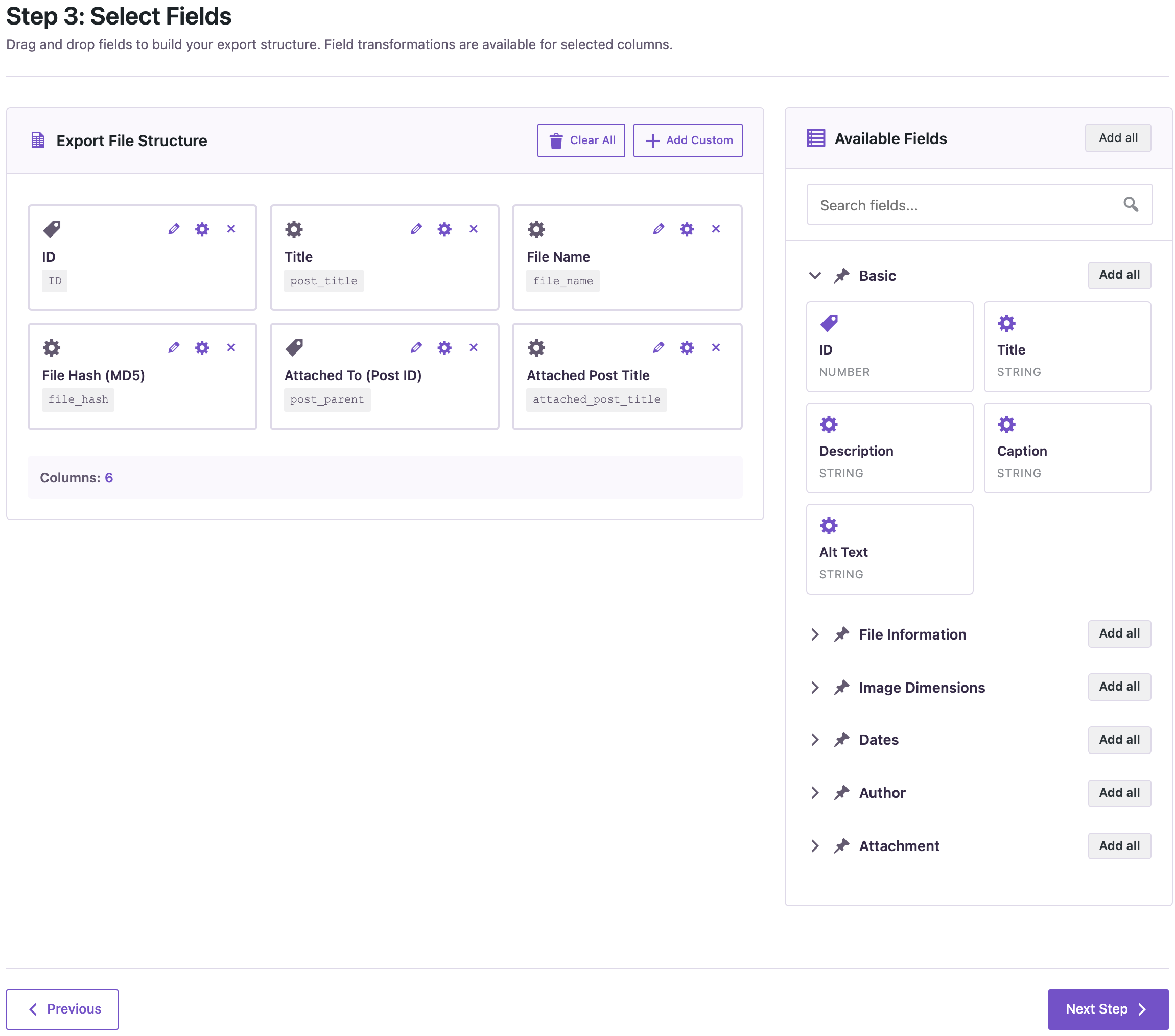
In Import Export → Export → Media, the field list now has File Hash (MD5). It is the fingerprint of the file’s bytes from the Media Hash Index (Import Export → Tools), the same index that Import, Media Sync and Content Sync use to recognize files they already have.
Identical files get the same hash, whatever their names or folders. Sort the export by the column, and each group of equal hashes is one file stored several times:
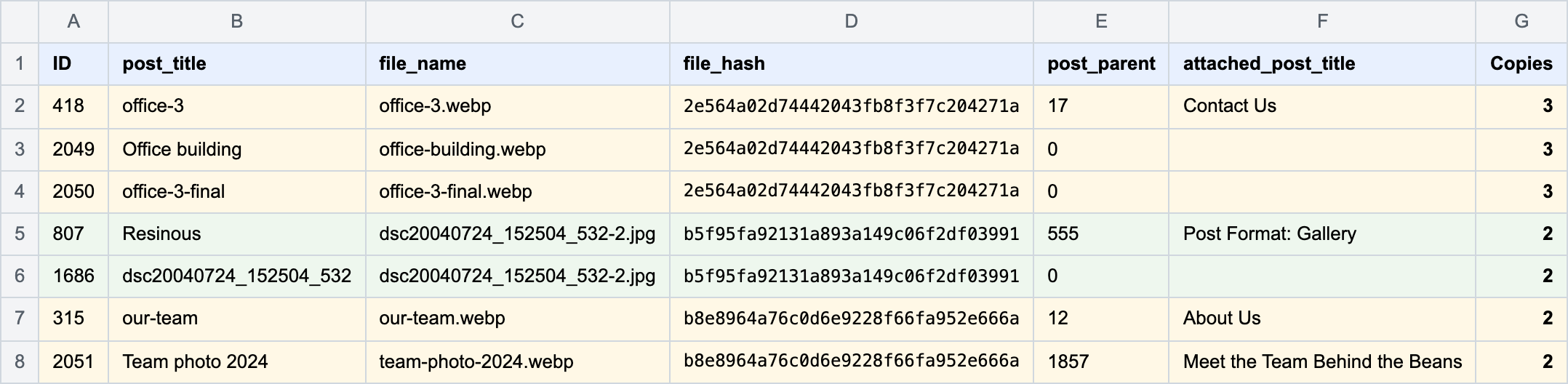
Before you delete a copy, check where it is used: “Attached To” shows only the post the file was uploaded to, and a copy can still be in the content of other posts.
How to update
Update from Dashboard → Updates. Settings, jobs and schedules stay as they are. As before any update, back up the site first.
With an AI agent
An AI agent connected through the WordPress MCP Adapter (see connecting Claude Code to WordPress) can check one file against the same index:
Is the media file 2050 a duplicate of another file in the library?In our run, the agent called rsl-ie/media-check-duplicate and got back attachment 418, office-3.webp.
FAQ
Do I need to scan the library first?
New uploads get a hash automatically. For older files, run Start scan in Tools → Media Hash Index once.
Does the export change any files?
No. It reads the stored hashes.
Do I need to update PRO?
No. PRO stays at 2.1.16.
Related Guides
- Order Item Filters (What’s New in PRO 2.1.17)
- Content Sync Jobs in WP-CLI (What’s New in 2.1.59)
- Export the Media Library with File Sizes to Find Large Images
Get the free plugin on WordPress.org.

Comments 0
Have a question or a tip to share? Leave it below.