
Import Export by RockStarLab 1.4.0 introduces one of the most important workflow improvements in the plugin so far:
Full Content Migration Mode.
Previously, users usually worked with separate parts of WordPress content. For example, you could export posts, then export pages, then export media, then users, menus, comments, taxonomy terms, or WooCommerce data depending on your workflow.
That level of control is still available. But now, when you need to move a complete website content structure, you can migrate all supported content in a single full content migration workflow.
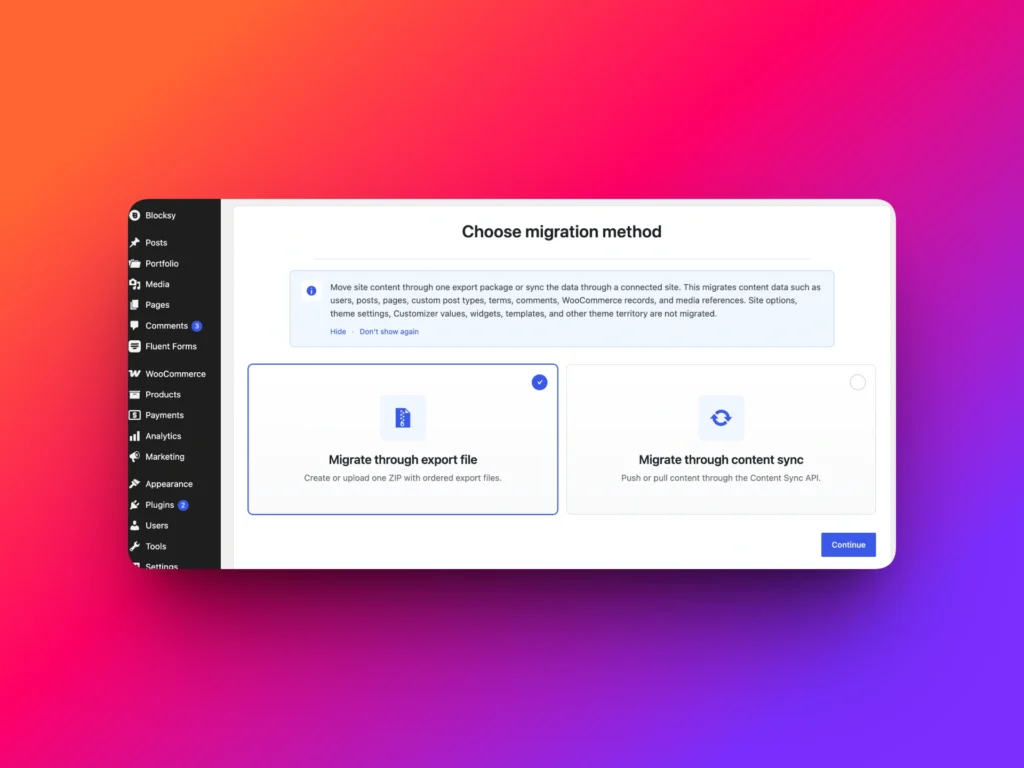
What Is Full Content Migration Mode?
Full Content Migration Mode is designed for users who want to export, import, or sync the full content layer of a WordPress website instead of handling each content type one by one.
This is especially useful when you are moving content between websites, preparing a staging site, rebuilding a client website, migrating multilingual content, or copying structured WordPress data into a new environment.
Instead of thinking in separate steps like “export pages”, “export media”, “export menus”, and “export users”, you can now start from a broader migration mode and move the supported content together.
Export and Import Full WordPress Content Through a File
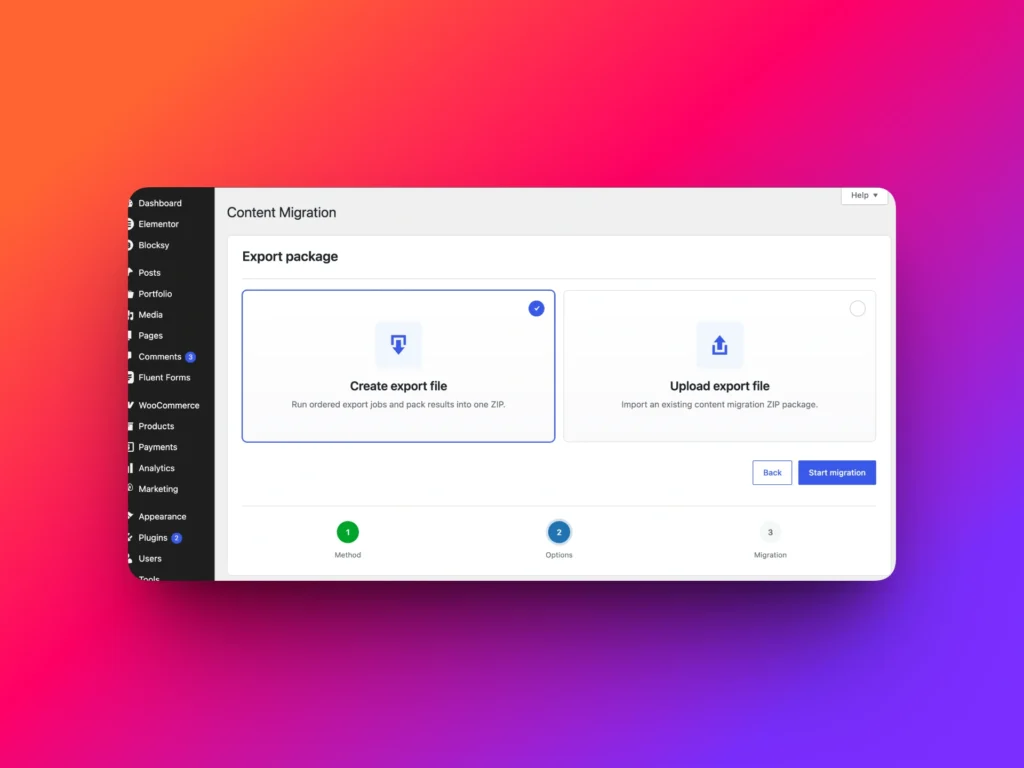
If you prefer a traditional file-based migration workflow, version 1.4.0 allows you to export full content into a migration file and then import that file into another WordPress website.
This workflow is useful when the source and destination websites are not directly connected, when you need to keep a portable export file, or when you want to review the data before importing it.
A file-based migration is also practical for agencies and freelancers who need to prepare content on one environment and deliver it to another team or another server.
Sync Full Content Between Sites in a Few Clicks
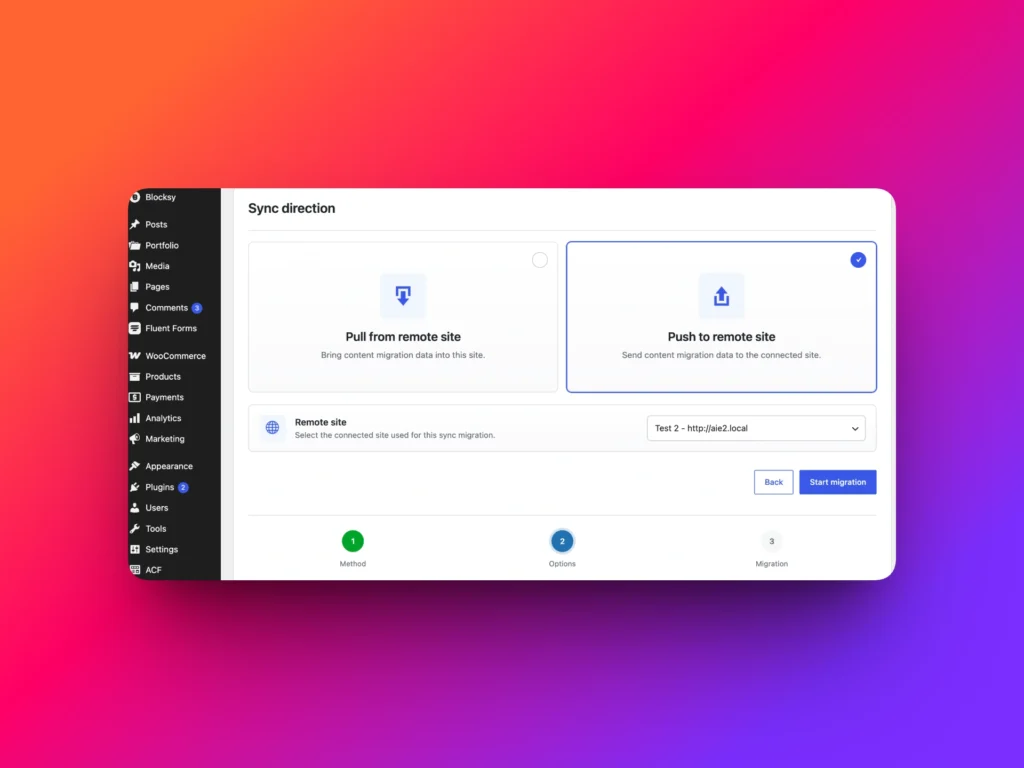
Full Content Migration Mode also works with site-to-site sync.
If two WordPress websites are connected through Content Sync, you can move supported content between them without manually creating an export file and importing it again.
This makes the workflow much faster for staging and production websites. You can prepare content on a staging site, review it, approve it, and then sync the content to production in just a few clicks.
This is the key difference: you are no longer limited to importing and exporting separate parts of content manually. You can now choose a complete migration workflow and use either file-based migration or direct site sync.
Why This Matters for WordPress Migrations
Real WordPress websites rarely contain only posts and pages.
A typical website may include blog posts, pages, media files, menus, taxonomy terms, comments, users, custom post types, SEO metadata, ACF fields, WooCommerce data, and multilingual relationships.
Moving those items separately can take time and increases the chance of missing something important.
Full Content Migration Mode helps reduce that manual work by giving you a more complete migration path inside the same plugin interface.
Free vs PRO: What Can You Migrate?
Import Export by RockStarLab keeps the free version useful for real WordPress workflows, while the PRO version unlocks more advanced content types and professional migration scenarios.
| Content Type or Workflow | Free Version | PRO Version |
|---|---|---|
| Full Content Migration Mode | Yes, for supported free content types | Yes, for all supported PRO content types |
| Posts and pages migration | Yes | Yes |
| Media migration | Yes | Yes |
| Comments migration | Yes | Yes |
| Custom post types migration | No | Yes |
| Menus migration | No | Yes |
| WooCommerce products migration | No | Yes |
| WooCommerce orders migration | No | Yes |
| WooCommerce refunds migration | No | Yes |
| WooCommerce customers migration | No | Yes |
| WooCommerce reviews migration | No | Yes |
| WooCommerce attributes migration | No | Yes |
Better for Staging and Production Workflows
One of the strongest use cases for Full Content Migration Mode is staging-to-production work.
Instead of copying the entire database or manually moving each content type, you can use Import Export by RockStarLab to move the content you need through a controlled migration workflow.
This is helpful when you prepare a website update on staging, show it to a client, get approval, and then move the approved content to the live site.
For smaller tasks, you can still sync individual pages, posts, taxonomy terms, users, comments, or menus. For larger migrations, Full Content Migration Mode gives you a broader workflow.
File Migration vs Site Sync
Import Export by RockStarLab 1.4.0 gives you two practical ways to move content.
| Migration Method | Best For | How It Works |
|---|---|---|
| File-based export and import | Portable migrations, offline transfers, client handoff, backups before import | Export supported content into a file, then upload and import it on another site. |
| Site-to-site sync | Staging to production, connected websites, fast content transfer | Connect two websites and sync supported content directly in a few clicks. |
Bug Fixes and Stability Improvements
Import Export by RockStarLab 1.4.0 also includes bug fixes for import, export, and Content Sync workflows.
These improvements make the plugin more reliable when working with different content types, migration files, media files, multilingual websites, and direct site-to-site synchronization.
The goal of this release is not only to add a larger migration mode, but also to make existing workflows smoother and more predictable.
Who Should Use Full Content Migration Mode?
Full Content Migration Mode is useful for WordPress developers, agencies, content managers, WooCommerce store owners, and anyone who needs to move more than one content type between websites.
It is especially helpful if you:
- Move content between staging and production websites
- Migrate WordPress content to a new installation
- Work with multilingual WPML websites
- Need to move pages, posts, media, users, menus, comments, and taxonomy terms together
- Want to avoid repeating separate import and export workflows for each content type
- Need a faster way to copy supported content between connected websites
Try Import Export by RockStarLab 1.4.0
Import Export by RockStarLab 1.4.0 makes WordPress content migration more complete and more convenient.
You can still use focused workflows for specific content types, but now you also have Full Content Migration Mode when you need to move the bigger picture.
You can migrate content through export and import files, or connect websites and sync supported content directly in just a few clicks.
Download the free version from WordPress.org, and upgrade to PRO when you need advanced content types, WooCommerce workflows, Content Updater, transformation functions, users, media, comments, menus, taxonomy terms, custom post types, or MySQL table migration.